Stepping into the world of content creation, podcasting, or even just enhancing your online communication can feel overwhelming, especially when it comes to audio equipment. Many aspiring creators believe that professional-grade sound demands a hefty investment. However, this is far from the truth. The market for USB microphones has exploded with impressive, affordable options that deliver exceptional audio quality without breaking the bank. Choosing the best budget USB microphone means finding that sweet spot where cost-effectiveness meets crystal-clear sound, empowering you to capture your voice with clarity and confidence. This guide will help you navigate the myriad of choices, ensuring you select a microphone that perfectly suits your needs and budget.
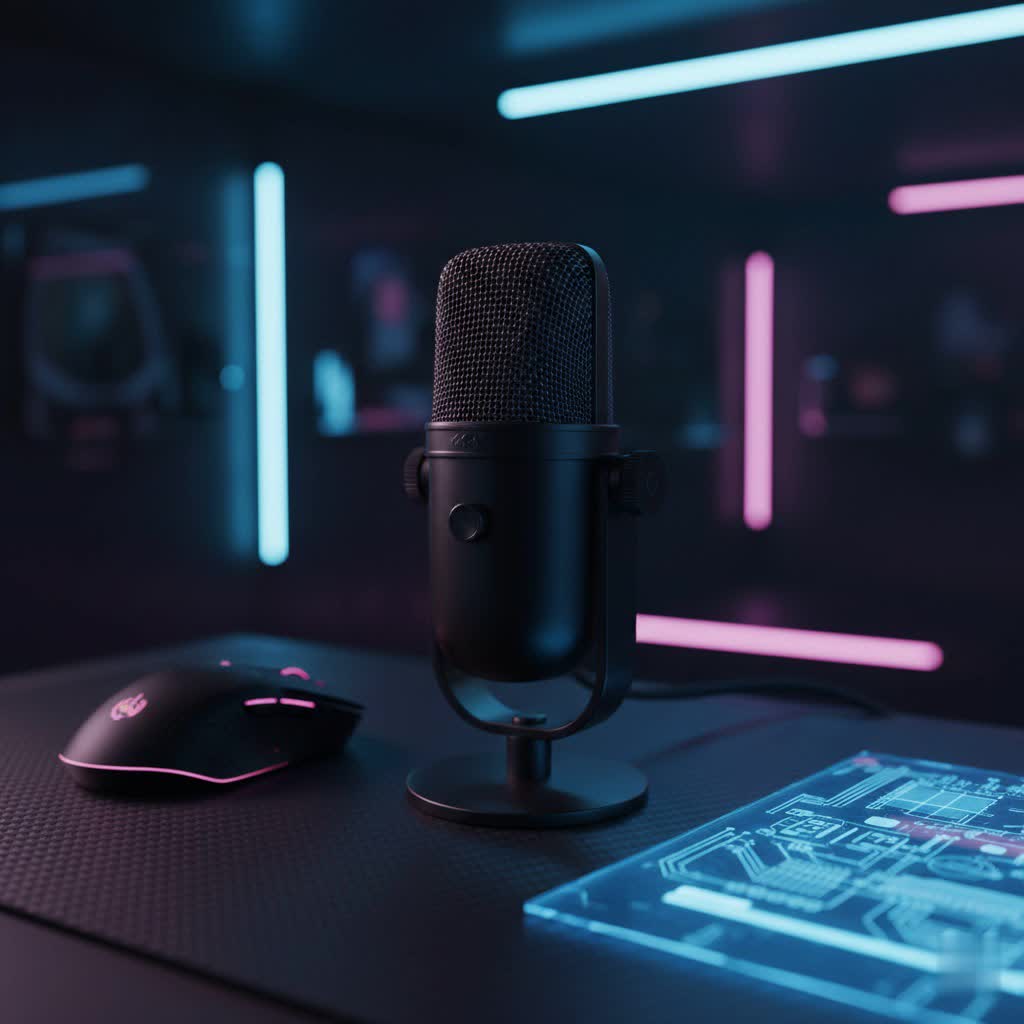
USB Microphones: An Overview and Their Versatile Applications
USB microphones have revolutionized personal audio recording, making high-quality sound accessible to everyone. Their primary appeal lies in their plug-and-play simplicity: just connect them to your computer or mobile device via a single USB cable, and you’re ready to record. This eliminates the need for complex audio interfaces, mixers, and multiple cables, making them incredibly convenient for beginners and experienced users alike.
The versatility of USB microphones is vast, extending across numerous applications. They are indispensable for podcasters seeking clear vocal recordings, streamers and gamers who want to communicate effectively with their audience and teammates, and musicians laying down vocal tracks or acoustic instrument demos. Beyond creative pursuits, they significantly enhance audio quality for online meetings and video calls, making your voice stand out in a remote work environment. For anyone needing to record voiceovers for presentations or videos, a good budget USB microphone offers a professional edge.
Classifying USB Microphones
Understanding the different types of USB microphones is crucial for making an informed decision. These distinctions primarily revolve around how they capture sound and their directional sensitivity.
Based on Transducer Type
The heart of any microphone is its transducer, which converts sound waves into electrical signals. USB microphones typically fall into two categories:
- Condenser Microphones: Known for their sensitivity and ability to capture a wide frequency range, condenser microphones are excellent for detailed, nuanced sound. They excel at picking up the subtleties of vocals, acoustic instruments, and ambient sounds. If you record in a quiet, controlled environment, a condenser mic can deliver a rich, “studio-quality” sound. Many popular budget USB microphones, such as the Blue Snowball iCE or Shure MV5, utilize condenser technology.
- Dynamic Microphones: In contrast, dynamic microphones are generally less sensitive and more robust. They are superb at rejecting background noise, making them ideal for louder environments or when you want to focus strictly on your voice. Their durability also makes them a great choice for fieldwork or setups where they might endure more wear and tear. For podcasting and streaming in less-than-perfect acoustic spaces, a dynamic USB microphone like the Samson Q2U or Audio-Technica ATR2100x can be a game-changer, offering a focused, broadcast-style sound.
|
Our Picks for the Best USB Microphone in 2026
As an Amazon Associate I earn from qualifying purchases.
|
||
| Num | Product | Action |
|---|---|---|
| 1 | FIFINE USB Microphone, Metal Condenser Recording Microphone for MAC OS, Windows, Cardioid Laptop Mic for Recording Vocals, Voice Overs, Streaming, Meeting and YouTube Videos-K669B |

|
| 2 | FIFINE USB/XLR Dynamic Microphone for Podcast Recording, PC Computer Gaming Streaming Mic with RGB Light, Mute Button, Headphones Jack, Desktop Stand, Vocal Mic for Singing YouTube-AmpliGame AM8 |
|
| 3 | ZealSound Podcast USB Microphone for PC/Mac/iPhone, Cardioid Condenser Mic with Noise Reduction, Tap-to-Mute, RGB Lighting, Zero Latency Monitoring, Volume Control for Gaming, Recording, YouTube |
|
| 4 | Dynamic Microphone, USB-C/XLR Podcast Recording PC Microphone for Podcast Recording Streaming Gaming with RGB Light, Mute Button, Desktop Stand, Headphones Jack, Vocal Mic for Singing Tiktok YouTube |
|
| 5 | Logitech Creators Blue Yeti USB Microphone for Gaming, Streaming, Podcast, YouTube, Discord, PC, Studio Sound, Plug & Play-Blackout |
|
| 6 | DUNGZDUZ USB Microphone for Laptop and Desktop Computer, High Sensitivity for Clear Call, Plug-and-Play, High Gain, Cordless Mini-Sized Portable, Ideal for Work & Study |
|
| 7 | Shure MV7+ Podcast Dynamic Microphone – OBS Certified, Enhanced Audio, LED Panel, USB-C & XLR Outputs, Auto Level Mode, Digital Pop Filter, Reverb Effects – For Podcasting, Streaming, Recording, Black |
|
| 8 | Amazon Basics USB Condenser Microphone for Streaming, Recording, and Podcasting on PC, Plug and Play, Cardioid Pickup, Adjustable Stand with 360° Rotation, 5.8 x 3.4 inches, Black |
|
| 9 | P PUPGSIS XLR/USB Podcast Microphone, Gaming Mic with Mute Button, Reverb Effects, Noise Cancellation, Boom Arm Stand, Headphones Jack, Dynamic Microphone for Streaming/Recording/Gaming/Vocal-Black |
|
| 10 | JOUNIVO USB Microphone, 360 Degree Adjustable Gooseneck Design, Mute Button & LED Indicator, Noise-Canceling Technology, Plug & Play, Compatible with Windows & MacOS |
|
Based on Polar Pattern (Directional Sensitivity)
A microphone’s polar pattern describes the direction(s) from which it picks up sound. Some USB microphones offer multiple patterns, increasing their versatility.
- Cardioid: This is the most common pattern, picking up sound primarily from the front of the microphone while minimizing noise from the sides and rear. It’s perfect for solo speakers, vocalists, or instruments where you want to isolate the sound source and reduce room reflections.
- Omnidirectional: An omnidirectional microphone picks up sound equally from all directions. This pattern is ideal for recording group conversations, ambient sounds, or capturing the natural acoustics of a room.
- Bidirectional (Figure-8): This pattern captures sound equally from the front and back of the microphone while rejecting sound from the sides. It’s excellent for two-person interviews where individuals sit opposite each other.
- Stereo: Less common in budget USB microphones, a stereo pattern uses two capsules to create a wider, more immersive sound image, often used for capturing music or environmental recordings.
Based on Features and Integration
While all USB microphones inherently integrate a basic sound card for digital conversion, some offer additional features that enhance their utility:
- Hybrid (USB/XLR) Microphones: These versatile microphones offer both a USB connection for direct computer use and an XLR output for connecting to professional audio interfaces. This “future-proofing” allows you to upgrade your setup later without needing a new microphone, making options like the Samson Q2U particularly attractive.
- Integrated Controls: Many budget USB microphones include onboard controls such as gain adjustment, a headphone volume dial, and a quick mute button, providing convenient real-time management of your audio directly from the microphone.
Crucial Factors When Choosing a Budget USB Microphone
Selecting the best budget USB microphone involves more than just looking at the price tag. Several key factors contribute to its overall performance and suitability for your specific needs.
Sound Quality
Even on a budget, you shouldn’t compromise on clear, professional-sounding audio.
- Sensitivity: A microphone’s sensitivity indicates how well it picks up faint sounds. While high sensitivity can capture more detail, it can also pick up unwanted background noise, especially in untreated rooms.
- Frequency Response: This refers to the range of audio frequencies (from low bass to high treble) that the microphone can capture. A balanced frequency response ensures your voice or instrument sounds natural and full. Most budget USB microphones offer a decent range (e.g., 20Hz – 20kHz).
- Self-Noise (Signal-to-Noise Ratio – SNR): This is the inherent electronic hiss a microphone produces. A higher SNR indicates less self-noise, resulting in a cleaner recording. While budget mics may have slightly higher self-noise than premium models, good options minimize this effectively.
- Bit and Sample Rate: These technical specifications define the digital quality of your audio. A common standard for good quality is 16-bit/48kHz, which is more than sufficient for most podcasting, streaming, and voiceover applications.
Durability and Design
A microphone isn’t just about sound; its physical build and form factor also play a significant role.
- Materials: Microphones made with metal components tend to be more durable and can reduce unwanted vibrations compared to those made entirely of plastic.
- Form Factor: Consider the microphone’s shape and size. Are you looking for a compact desktop mic, a handheld style for interviews, or something portable for on-the-go recording?
- Portability: If you plan to travel with your microphone, look for compact designs, detachable cables, and perhaps an integrated stand that folds up easily, like the Samson Meteor Mic.
Additional Features
Certain features can significantly enhance your user experience and recording quality.
- Headphone Jack for Zero-Latency Monitoring: This is arguably one of the most important features. A built-in headphone jack allows you to monitor your audio in real-time, directly from the microphone, without any distracting delay (latency). This is essential for ensuring your levels are correct and that you sound good as you record, particularly for vocals and live streaming.
- Gain Control: This knob on the microphone allows you to adjust the input sensitivity, preventing your audio from sounding too quiet or distorting (clipping) if you’re speaking too loudly.
- Mute Button: A quick-access mute button is invaluable for live situations like streaming or video calls, allowing you to instantly silence your microphone without fumbling with software settings.
- Built-in Pop Filter and Shock Mount: Some microphones include these accessories. A pop filter reduces harsh “p” and “b” sounds (plosives), while a shock mount isolates the microphone from vibrations and handling noise. If not built-in, consider purchasing them separately.
Popular Budget USB Microphones: A Detailed Comparison
Navigating the crowded market of budget USB microphones can be challenging. Here’s a comparison of some highly-regarded options that offer excellent value for their price, suitable for a range of uses:
| Product Name | Type | Polar Patterns | Frequency Response | Key Advantages | Key Disadvantages | Estimated Price |
|---|---|---|---|---|---|---|
| Samson Q2U | Dynamic | Cardioid | 50Hz-15kHz | USB & XLR outputs, excellent vocal clarity, durable, zero-latency monitoring, includes accessories | Picks up less detail than condensers | $70 – $90 |
| Blue Snowball iCE | Condenser | Cardioid, Omnidirectional | 40Hz-18kHz | Affordable, clear sound for vocals, simple plug-and-play, stylish design | Plastic build, no headphone jack or gain control | $50 – $70 |
| Rode NT-USB Mini | Condenser | Cardioid | 20Hz-20kHz | Studio-quality sound, compact, sleek design, built-in pop filter, zero-latency monitoring, robust desktop stand | No gain control knob, higher price for a “budget” mic | $100 – $130 |
| Audio-Technica ATR2100x-USB | Dynamic | Cardioid | 50Hz-15kHz | USB & XLR outputs, clear speech, durable, zero-latency monitoring, great for podcasting | May require close proximity for best sound | $80 – $100 |
| Razer Seiren Mini | Condenser | Cardioid | 20Hz-20kHz | Ultra-compact, surprisingly good sound for its size, vibrant color options | No headphone jack, limited features, short stand | $40 – $60 |
| Maono PD200X | Dynamic | Cardioid | 40Hz-16kHz | Rich, warm sound, good noise rejection, app control for EQ/limiter, USB & XLR | Requires boom arm for optimal placement | $80 – $100 |
| Elgato Wave Neo | Condenser | Cardioid | 20Hz-20kHz | Tuned for clarity, crispness, compact, USB-C, good for beginners | Few built-in controls | $90 – $110 |
Prices are approximate and can vary based on retailer and promotions.
Your Guide to Buying the Perfect Budget USB Microphone
With so many options, how do you pinpoint the right one for you? Follow these steps to ensure you make the best choice.
Determine Your Usage Needs
Before diving into specifications, clearly define how you intend to use your microphone.
- Purpose: Are you primarily recording vocals (singing, podcasting, voiceovers), instruments, live streaming gameplay, or just making clearer video calls? Different purposes may favor condenser (for detail) or dynamic (for noise rejection) microphones.
- Environment: Will you be recording in a quiet, acoustically treated room, a busy home office, or while traveling? Your environment heavily influences how well a microphone will perform. A dynamic mic might be better for noisy spaces.
- Budget: While we’re focusing on budget options, set a clear price range. “Budget” can mean under $50, under $100, or even up to $150 for exceptional value.
Research and Compare Products Thoroughly
Once you have a clear idea of your needs, it’s time to do your homework.
- Read Expert Reviews: Consult reputable audio equipment websites and tech publications for in-depth professional reviews and comparisons. These often highlight technical performance and real-world usage.
- Watch Video Reviews: YouTube is an excellent resource for hearing sound samples and seeing microphones in action. Look for comparisons between models you’re considering to hear the differences firsthand.
- Seek Community Advice: Online forums (like Reddit’s r/podcasting or r/streaming) can provide valuable insights from users with similar setups and budgets.
Purchase from Reputable Retailers
Where you buy your microphone is as important as which microphone you choose.
- Check Warranty and Return Policies: Ensure the retailer offers a clear warranty and a reasonable return policy in case the microphone doesn’t meet your expectations.
- Inspect the Product: If purchasing in-store, check the physical condition of the microphone and its accessories. For online purchases, read recent customer reviews about shipping and product condition upon arrival.
Renowned USB Microphone Brands
Several brands consistently produce high-quality USB microphones, even in the budget segment, earning trust within the audio community.
- Rode: A highly respected name in audio, Rode offers excellent quality even in its more affordable USB options like the NT-USB Mini, known for its clarity and robust build.
- Blue (now Logitech for Creators): Blue microphones, particularly the Yeti and Snowball series, are ubiquitous among podcasters and streamers due to their versatility, ease of use, and distinctive designs.
- Audio-Technica: Known for its professional audio equipment, Audio-Technica provides reliable and high-performing budget USB microphones such as the ATR2100x-USB and AT2020USB+, often praised for their clear sound.
- Samson: Samson has a strong presence in the budget category, with models like the Q2U and Meteor Mic offering great value, versatility, and durability for beginners and seasoned users.
- HyperX: Popular in the gaming community, HyperX offers microphones like the QuadCast, which balance audio quality with gamer-centric features and aesthetics.
- Shure: A legendary name in microphones, Shure extends its expertise to the USB market with options like the MV5, delivering excellent sound in a compact, user-friendly package.
- Maono: An emerging brand, Maono has quickly gained recognition for its impressive range of budget-friendly microphones that offer surprising quality and features for their price point.
“Finding the perfect microphone isn’t about spending the most; it’s about finding the right tool for your unique voice and recording environment. A budget USB microphone can truly be the start of something amazing.”
Conclusion
Choosing the best budget USB microphone doesn’t mean sacrificing quality. With careful consideration of your needs, microphone types, essential features, and relying on reputable brands, you can find an affordable device that elevates your audio to a professional level. Whether you’re a budding podcaster, an avid gamer, or simply looking to enhance your online presence, a well-chosen budget USB microphone is your gateway to clear, engaging sound. So, take the plunge, make an informed decision, and let your voice be heard!
What are you waiting for to start creating your best content yet?
Frequently Asked Questions
Are budget USB microphones good for singing?
Yes, many budget USB condenser microphones can be quite good for singing, especially in a quiet, acoustically treated room. Condenser mics are sensitive and capture vocal nuances well. However, for professional studio-grade singing, a higher-end XLR microphone with an audio interface is generally preferred.
What is the best budget USB microphone for podcasting?
For podcasting, dynamic USB microphones like the Samson Q2U or Audio-Technica ATR2100x-USB are highly recommended. They offer excellent speech clarity, reject background noise effectively, and often include both USB and XLR connections for future upgrades, making them incredibly versatile for beginners.
Do I need a pop filter for a USB microphone?
It is highly recommended to use a pop filter with most USB microphones, especially condenser types. A pop filter helps to reduce plosive sounds (harsh “p” and “b” sounds) that can cause unpleasant bursts in your audio, ensuring cleaner, more professional-sounding recordings. Some microphones, like the Rode NT-USB Mini, come with an integrated pop filter.
What’s the difference between a condenser and dynamic USB mic?
A condenser USB microphone is more sensitive, capturing a wider frequency range and intricate details, making it ideal for vocals, acoustic instruments, and quiet recording environments. A dynamic USB microphone is less sensitive, more durable, and excels at rejecting background noise, making it suitable for speech, podcasting, and louder environments where focused sound capture is desired.
