In today’s fast-paced digital world, clear and reliable audio is paramount for everything from professional podcasts to casual video calls. As content creation and remote communication continue to evolve, the demand for versatile and high-quality audio solutions grows. Traditional wired microphones, while dependable, can restrict movement and clutter your workspace with cables. This is where the wireless USB microphone steps in, offering unparalleled freedom and convenience without compromising on sound. Whether you’re a seasoned podcaster, a burgeoning streamer, or simply seeking better audio for your virtual meetings, understanding the landscape of wireless USB microphones is key to unlocking your optimal sound experience.
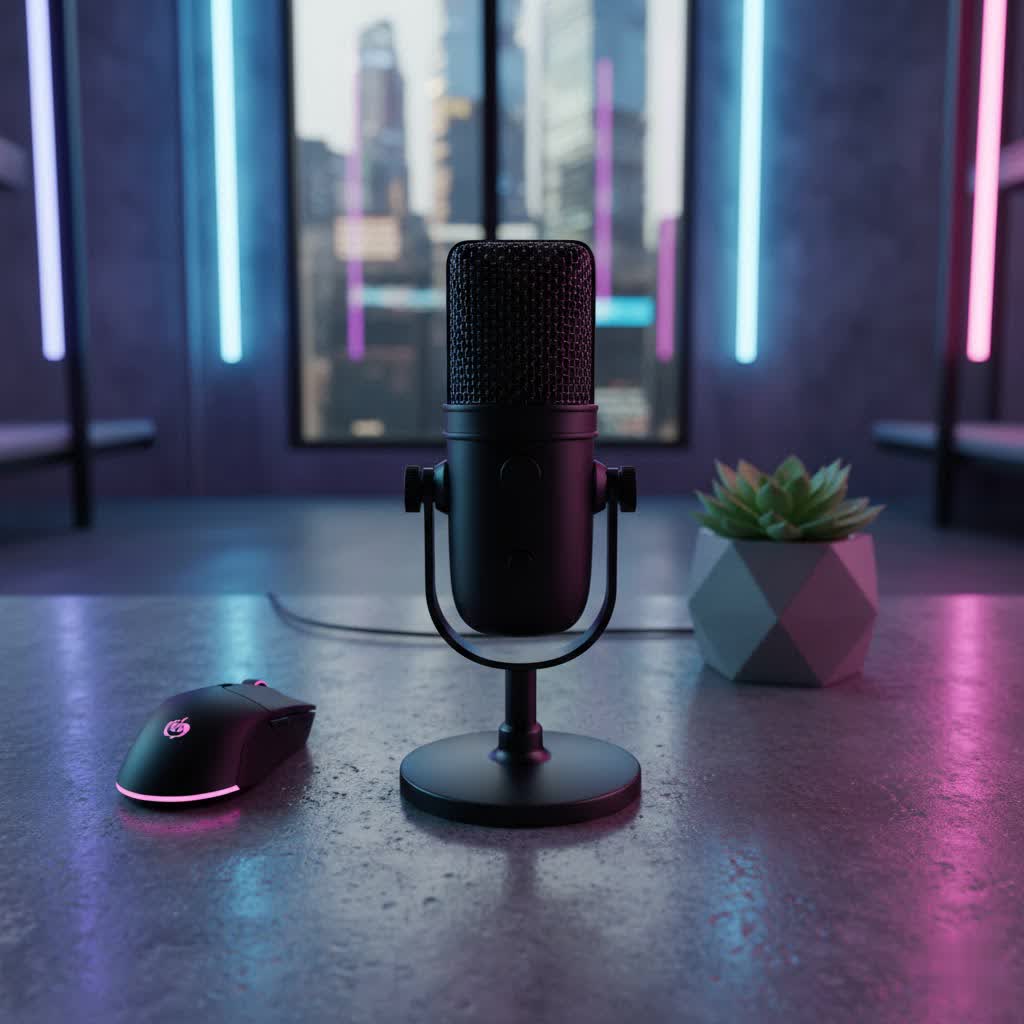
Wireless USB Microphones: Overview and Applications
Wireless USB microphones are a modern audio solution designed for ultimate flexibility and ease of use. At their core, these systems consist of a transmitter (the microphone itself) and a receiver, which plugs directly into your computer, smartphone, or camera via a USB connection. The microphone captures sound, the transmitter sends the audio signal wirelessly to the receiver, and the receiver then processes it into a digital format that your device can understand and record. This streamlined “plug-and-play” functionality eliminates the need for complex audio interfaces or intricate cable management, making high-quality audio accessible to a broader audience.
The applications for wireless USB microphones are vast and ever-expanding. They are the go-to choice for:
- Podcasting and Broadcasting: Offering hosts the freedom to move, gesture, and engage dynamically.
- Live Streaming and Gaming: Ensuring clear communication with audiences and teammates without restrictive wires.
- Vlogging and Mobile Content Creation: Perfect for on-the-go recording, interviews, and field work, connecting directly to smartphones and cameras.
- Online Meetings and Presentations: Providing professional-grade audio for virtual conferences, webinars, and online teaching.
- Voiceovers and Home Recording: Enabling flexible setup in home studios or impromptu recording spaces.
- Interviews and Field Reporting: Allowing clear audio capture from subjects without being tethered by cables.
Types of Wireless USB Microphones
Wireless USB microphones come in various forms, each suited for different recording scenarios and user preferences. Understanding these distinctions helps in choosing the most appropriate tool for your needs.
Based on Form Factor
The physical design of a wireless USB microphone system significantly impacts its usability and application.
- Lavalier Microphones: These are small, discreet clip-on microphones typically worn on clothing, close to the speaker’s mouth. They are often paired with a compact body-pack transmitter that sends the audio wirelessly to the USB receiver. Lavalier mics are ideal for interviews, presentations, and vlogging where the microphone needs to be unobtrusive and allow for hands-free operation.
- Handheld Microphones: While less common in the “wireless USB” category compared to lavaliers, some systems offer handheld transmitters that connect to a USB receiver. These are familiar to performers and public speakers and offer a traditional microphone experience with wireless freedom.
- Desktop Microphones: Some wireless USB systems include a compact desktop microphone unit that transmits wirelessly to a USB receiver. These are convenient for static setups like gaming, podcasting from a desk, or online meetings where portability of the mic itself isn’t the primary concern, but avoiding desk clutter is.
|
Our Picks for the Best USB Microphone in 2026
As an Amazon Associate I earn from qualifying purchases.
|
||
| Num | Product | Action |
|---|---|---|
| 1 | Dynamic Microphone, USB-C/XLR Podcast Recording PC Microphone for Podcast Recording Streaming Gaming with RGB Light, Mute Button, Desktop Stand, Headphones Jack, Vocal Mic for Singing Tiktok YouTube |

|
| 2 | FIFINE USB/XLR Dynamic Microphone for Podcast Recording, PC Computer Gaming Streaming Mic with RGB Light, Mute Button, Headphones Jack, Desktop Stand, Vocal Mic for Singing YouTube-AmpliGame AM8 |
|
| 3 | ZealSound Podcast USB Microphone for PC/Mac/iPhone, Cardioid Condenser Mic with Noise Reduction, Tap-to-Mute, RGB Lighting, Zero Latency Monitoring, Volume Control for Gaming, Recording, YouTube |
|
| 4 | Amazon Basics USB Condenser Microphone for Streaming, Recording, and Podcasting on PC, Plug and Play, Cardioid Pickup, Adjustable Stand with 360° Rotation, 5.8 x 3.4 inches, Black |
|
| 5 | P PUPGSIS XLR/USB Podcast Microphone, Gaming Mic with Mute Button, Reverb Effects, Noise Cancellation, Boom Arm Stand, Headphones Jack, Dynamic Microphone for Streaming/Recording/Gaming/Vocal-Black |
|
| 6 | Logitech Creators Blue Yeti USB Microphone for Gaming, Streaming, Podcast, YouTube, Discord, PC, Studio Sound, Plug & Play-Blackout |
|
| 7 | DUNGZDUZ USB Microphone for Laptop and Desktop Computer, High Sensitivity for Clear Call, Plug-and-Play, High Gain, Cordless Mini-Sized Portable, Ideal for Work & Study |
|
| 8 | JOUNIVO USB Microphone, 360 Degree Adjustable Gooseneck Design, Mute Button & LED Indicator, Noise-Canceling Technology, Plug & Play, Compatible with Windows & MacOS |
|
| 9 | FIFINE USB Microphone, Metal Condenser Recording Microphone for MAC OS, Windows, Cardioid Laptop Mic for Recording Vocals, Voice Overs, Streaming, Meeting and YouTube Videos-K669B |
|
| 10 | Shure MV7+ Podcast Dynamic Microphone – OBS Certified, Enhanced Audio, LED Panel, USB-C & XLR Outputs, Auto Level Mode, Digital Pop Filter, Reverb Effects – For Podcasting, Streaming, Recording, Black |
|
Based on Pickup Pattern
A microphone’s pickup pattern, or polar pattern, describes how it captures sound from different directions.
- Omnidirectional: These microphones pick up sound equally from all directions. They are excellent for capturing ambient sound, recording multiple speakers around a table, or when the sound source might move. However, they are also more susceptible to background noise. Many wireless lavalier microphones are omnidirectional due to their close proximity to the speaker.
- Cardioid: A cardioid microphone primarily picks up sound from the front, while rejecting sound from the sides and rear. This pattern is highly effective at isolating the main sound source and minimizing background noise, making it suitable for solo podcasters, streamers, and vocalists in noisy environments.
- Bidirectional (Figure-8): These microphones capture sound from the front and back equally while rejecting sound from the sides. They are often used for face-to-face interviews where two speakers are opposite each other. This pattern is less common in compact wireless USB systems but can be found in more specialized desktop units.
Based on Technology and Features
The underlying technology and integrated features can greatly enhance the performance and versatility of wireless USB microphones.
- Wireless Transmission Technology: Most wireless USB microphones use either 2.4GHz digital wireless technology or UHF (Ultra High Frequency). 2.4GHz systems are common for their wide compatibility and ease of use, operating in a frequency band shared by Wi-Fi and Bluetooth, which can sometimes lead to interference in crowded environments. UHF systems generally offer a more stable connection and longer range, often with multiple selectable channels to avoid interference, though they can be more expensive.
- Integrated Sound Card: The USB receiver in a wireless USB microphone system typically functions as an integrated sound card. This means it handles the analog-to-digital conversion, eliminating the need for an external audio interface and providing a direct digital signal to your recording device. This simplifies the setup significantly for users.
- Advanced Features: Modern wireless USB microphones often include features such as real-time audio monitoring via a headphone jack on the receiver, adjustable gain controls, a quick mute button, and sophisticated noise reduction or cancellation technologies. Some high-end models even offer 32-bit float internal recording within the transmitter, providing a safety net against audio clipping and loss of quality.
Key Factors When Choosing a Wireless USB Microphone
Selecting the right wireless USB microphone involves considering several crucial factors to ensure it meets your audio needs and integrates seamlessly into your workflow.
Audio Quality
The primary purpose of any microphone is to capture high-quality sound. For wireless USB microphones, several specifications indicate audio fidelity:
- Sensitivity: This refers to how well the microphone converts acoustic sound into an electrical signal. A higher sensitivity rating generally means the microphone can pick up subtle sounds more effectively.
- Frequency Response: This is the range of frequencies the microphone can capture, typically measured in Hertz (Hz). A wider frequency response (e.g., 20Hz to 20kHz) ensures a more natural and full-bodied sound reproduction, covering the full spectrum of human hearing.
- Signal-to-Noise Ratio (SNR): A higher SNR indicates that the microphone produces less self-noise relative to the desired audio signal, resulting in cleaner recordings with less hiss.
- Built-in Noise Reduction: Many wireless USB microphones now incorporate digital noise reduction algorithms to automatically filter out ambient sounds like air conditioning, keyboard clicks, or street noise, which is particularly useful for recording in less-than-ideal environments.
Durability and Design
Given the portable nature of many wireless USB microphones, their build quality and design are important for longevity and convenience.
- Materials: Look for microphones constructed from durable materials like metal or high-grade plastics that can withstand regular use and accidental drops.
- Portability: Compact and lightweight designs are crucial for content creators on the go. Charging cases that also act as carrying cases add significant value, protecting the units and extending battery life.
- Ease of Attachment: For lavalier systems, a secure clip or magnetic mounting option ensures the microphone stays in place during movement. The receiver’s design should also be compact and fit easily onto your device without obstructing other ports.
Additional Features
Beyond basic audio capture, modern wireless USB microphones offer a range of features that can enhance usability and creative possibilities.
- Real-time Monitoring: A headphone jack on the receiver for real-time audio monitoring (zero-latency monitoring) is invaluable. It allows you to hear exactly what the microphone is capturing, helping you adjust levels and prevent recording issues.
- Volume Controls and Mute Function: Easily accessible controls for adjusting microphone gain and a quick mute button provide essential command over your audio during live sessions or recordings.
- Battery Life and Charging Solutions: Wireless systems are battery-dependent. Consider the stated battery life of both the transmitter and receiver, and look for systems that offer efficient charging solutions, such as USB-C charging, fast charging, or portable charging cases that extend operational time significantly.
- Compatibility: Ensure the system is compatible with your primary devices. Most wireless USB receivers offer USB-C connectivity, and many include Lightning adapters for iOS devices or 3.5mm outputs for cameras.
- Internal Recording: Some advanced wireless transmitters can record audio internally, providing a backup recording in case of wireless interference or dropouts. Features like 32-bit float internal recording offer incredible dynamic range and post-production flexibility.
- Multi-channel Support: For interviews or two-person podcasts, systems that support two transmitters simultaneously sending audio to one receiver are highly beneficial.
Comparing Popular Wireless USB Microphone Models
The market for wireless USB microphones is dynamic, with several brands offering excellent solutions tailored to different needs and budgets. Here’s a comparison of some popular models often considered by creators:
| Product Name | Type (Condenser/Dynamic) | Pickup Pattern (Typical) | Frequency Response | Key Advantages | Key Disadvantages | Price Range (USD) |
|---|---|---|---|---|---|---|
| DJI Mic (Mini/2/3) | Condenser | Omnidirectional | 50Hz-20kHz | Excellent audio quality, compact design, magnetic attachment, charging case, internal recording, broad compatibility. | Can be pricier for advanced versions, some versions might lack specific niche features found in competitors. | $79 – $350 |
| Rode Wireless Pro | Condenser | Omnidirectional | 20Hz-20kHz | 32-bit float internal recording, timecode support, included lavalier mics, robust build, extensive accessories. | Higher price point, some users note the absence of built-in noise cancellation on the PRO. | $300 – $400 |
| Rode Wireless Micro | Condenser | Omnidirectional | 20Hz-20kHz | Extremely simple plug-and-play for smartphones (USB-C/Lightning), discreet receiver, good audio quality for its size. | No audio monitoring, limited to USB-C/Lightning devices, no noise cancellation, fewer advanced features. | $80 – $120 |
| Hollyland Lark Max 2 | Condenser | Omnidirectional | 20Hz-20kHz | 32-bit float audio transmission, stepless noise reduction, wireless monitoring headphones, good build quality. | Can be pricier, the bundled headphones might not be for everyone. | $250 – $300 |
| Boya Mini/Mic 2 | Condenser | Omnidirectional | 48Hz-18kHz (approx) | Very affordable, compact, lightweight, good entry-level quality, some models offer AI noise cancellation. | Audio quality may not match higher-end models, more basic features, potential for basic build quality. | $50 – $200 |
| Saramonic Ultra | Condenser | Omnidirectional | 20Hz-20kHz | 32-bit float recording, timecode, 3.5mm input for lavaliers, excellent sound quality for the price. | Can be slightly larger than some ultra-compact competitors. | $250 – $300 |
Guide to Selecting the Right Wireless USB Microphone
Choosing the perfect wireless USB microphone can seem daunting with the array of options available. By following a structured approach, you can narrow down choices and find the best fit.
Identify Your Usage Needs
Start by clearly defining what you intend to use the microphone for.
- Purpose of Use: Are you primarily recording vocals for a podcast, capturing dialogue for vlogs, streaming gameplay, or conducting online meetings? Different applications have varying demands on sound quality, portability, and features. For example, a vlogger might prioritize a compact, smartphone-compatible system with good wind noise reduction, while a podcaster might value internal recording and monitoring capabilities.
- Recording Environment: Will you be recording in a quiet home studio, a bustling outdoor location, or a dynamic live event? Your environment influences the importance of pickup patterns (e.g., cardioid for noise rejection) and noise cancellation features.
- Budget: Wireless USB microphones range from under $50 to several hundred dollars. Establish a realistic budget, understanding that higher price points generally offer enhanced audio quality, advanced features, and more robust build quality.
Research and Compare Products
Once you have a clear understanding of your needs, dive into research.
- Read Reviews and Comparisons: Consult reputable tech review websites, audio gear blogs, and online marketplaces for user reviews and expert comparisons. Pay attention to feedback regarding sound quality, ease of use, battery life, and common issues.
- Watch Video Reviews: YouTube is an excellent resource for real-world sound tests, setup guides, and visual demonstrations of microphone features. Hearing the microphone in action can be incredibly insightful.
- Seek Peer Recommendations: Talk to friends, colleagues, or online communities involved in similar content creation fields. Personal experiences can offer valuable insights and highlight practical aspects not always covered in formal reviews.
Purchase from Reputable Retailers
Where you buy your microphone is as important as what you buy.
- Choose Stores with Clear Policies: Opt for retailers known for reliable customer service, comprehensive warranty policies, and flexible return options. This provides peace of mind in case the product doesn’t meet your expectations or has a defect.
- Inspect the Product: If purchasing in person, or upon delivery, thoroughly inspect the microphone system for any physical damage, ensure all accessories are included, and verify its functionality as soon as possible.
Top Wireless USB Microphone Brands
Several brands have established themselves as leaders in the wireless microphone space, consistently delivering innovative and high-quality products.
- Rode: An Australian audio company renowned for its professional-grade microphones. Their Wireless Go series (including Wireless Pro and Wireless Micro) is incredibly popular among content creators for its reliability, sound quality, and compact design.
- DJI: Primarily known for drones, DJI has made a significant impact in audio with its Mic series (DJI Mic, Mic Mini, Mic 2, Mic 3). These systems are praised for their seamless integration with mobile devices and cameras, excellent features like internal recording, and intuitive operation.
- Hollyland: A rising star in wireless audio and video transmission, Hollyland offers its Lark series (e.g., Lark M2, Lark Max 2) which are gaining popularity for their competitive features, including 32-bit float audio and advanced noise reduction, at attractive price points.
- Boya: A budget-friendly brand that provides accessible wireless microphone solutions, particularly for beginners and those with tighter budgets. Their Mini and Mic 2 models offer decent performance for their cost.
- Saramonic: Offering a range of wireless systems from entry-level to professional, Saramonic provides feature-rich microphones with strong performance, often incorporating advanced functionalities like timecode and 32-bit float recording.
“The true magic of wireless USB microphones lies in their ability to liberate creators, allowing them to focus on their message rather than being constrained by cables. It’s about empowering spontaneous creation and professional delivery, wherever you are.” – Alex Chen, Audio Technology Expert
Conclusion
Wireless USB microphones have revolutionized how we capture and share audio, offering an unparalleled blend of convenience, portability, and quality. From the bustling streets of a vlogger’s adventure to the quiet confines of a home podcast studio, these devices provide the freedom to create without limits. By carefully considering factors like audio quality, design, and specific features, and by exploring reputable brands, you can find a wireless USB microphone that not only enhances your sound but also elevates your entire creative or professional workflow. Embrace the freedom of wireless audio and let your voice be heard with clarity and confidence.
What exciting projects will you embark on with the newfound freedom of a wireless USB microphone?
Frequently Asked Questions
How do wireless USB microphones handle interference?
Wireless USB microphones often employ technologies like UHF digital or 2.4GHz transmission to minimize interference. Many systems include features such as automatic frequency scanning or selectable channels to find the clearest signal. Advanced models may also incorporate noise reduction algorithms to filter out ambient electronic noise, ensuring a cleaner audio recording even in environments with multiple wireless devices.
Can I use a wireless USB microphone with both my computer and smartphone?
Many modern wireless USB microphone systems are designed for broad compatibility, often including receivers with interchangeable USB-C, Lightning, and sometimes even 3.5mm connectors. This versatility allows you to seamlessly switch between recording with your PC, Mac, iPhone, or Android smartphone, making them ideal for creators who use multiple devices for their content production.
