In today’s digital age, clear and crisp audio is no longer a luxury but a necessity for everything from professional podcasts to casual online meetings. While high-end microphones can come with hefty price tags, Tonor has emerged as a prominent player in the budget-friendly USB microphone market, offering accessible solutions for content creators, gamers, streamers, and remote workers alike. But can these affordable microphones truly deliver on sound quality and performance? This article dives deep into Tonor USB microphones, exploring their features, applications, and what makes them a compelling choice for those looking to upgrade their audio setup without breaking the bank.
Tonor USB Microphones: Overview and Applications
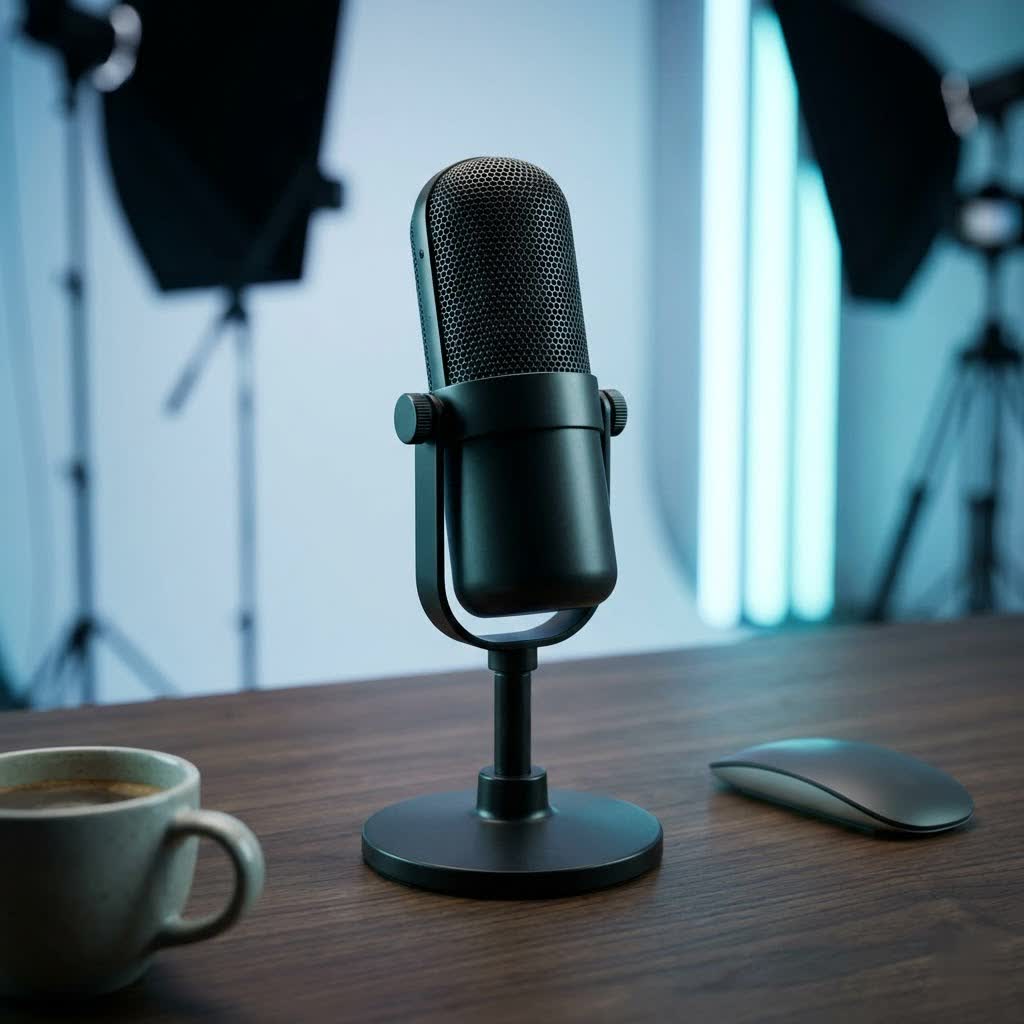
Tonor USB microphones are designed with simplicity and accessibility in mind, providing a straightforward “plug-and-play” experience that integrates seamlessly with most computers. This ease of use, combined with their competitive pricing, has made them a popular choice for individuals seeking a significant audio upgrade over built-in laptop microphones or basic headset mics.
The primary appeal of Tonor USB microphones lies in their versatility. They are widely adopted across various applications:
- Podcasting and Broadcasting: Offering clear vocal capture, Tonor mics are suitable for aspiring podcasters and streamers who need reliable audio for interviews, commentary, and narration.
- Online Gaming: Gamers benefit from improved communication with teammates, ensuring commands and reactions are heard clearly in multiplayer sessions.
- Video Conferencing and Remote Work: For professionals working from home or participating in virtual meetings, a Tonor USB microphone elevates voice clarity, making conversations more effective and professional.
- Voiceovers and Content Creation: YouTube creators and other digital artists utilize these microphones for voiceovers, tutorials, and recording various forms of content where vocal precision is key.
- Basic Home Recording: While not professional studio tools, they can be used for capturing demos or practicing instruments, particularly for vocal or acoustic recordings.
Tonor’s most recognized models, like the TC-777 and Q9, exemplify their commitment to delivering capable audio solutions at an entry-level price point. These microphones are generally condenser types, known for their sensitivity and ability to capture detailed sound, making them a suitable choice for vocal applications.
Key Features and Specifications of Tonor USB Microphones
Understanding the core features of Tonor USB microphones is essential to appreciate their value and determine if they align with your specific audio needs.
Design and Build Quality
|
Our Picks for the Best USB Microphone in 2026
As an Amazon Associate I earn from qualifying purchases.
|
||
| Num | Product | Action |
|---|---|---|
| 1 | P PUPGSIS XLR/USB Podcast Microphone, Gaming Mic with Mute Button, Reverb Effects, Noise Cancellation, Boom Arm Stand, Headphones Jack, Dynamic Microphone for Streaming/Recording/Gaming/Vocal-Black |

|
| 2 | Amazon Basics USB Condenser Microphone for Streaming, Recording, and Podcasting on PC, Plug and Play, Cardioid Pickup, Adjustable Stand with 360° Rotation, 5.8 x 3.4 inches, Black |
|
| 3 | DUNGZDUZ USB Microphone for Laptop and Desktop Computer, High Sensitivity for Clear Call, Plug-and-Play, High Gain, Cordless Mini-Sized Portable, Ideal for Work & Study |
|
| 4 | Shure MV7+ Podcast Dynamic Microphone – OBS Certified, Enhanced Audio, LED Panel, USB-C & XLR Outputs, Auto Level Mode, Digital Pop Filter, Reverb Effects – For Podcasting, Streaming, Recording, Black |
|
| 5 | FIFINE USB/XLR Dynamic Microphone for Podcast Recording, PC Computer Gaming Streaming Mic with RGB Light, Mute Button, Headphones Jack, Desktop Stand, Vocal Mic for Singing YouTube-AmpliGame AM8 |
|
| 6 | FIFINE USB Microphone, Metal Condenser Recording Microphone for MAC OS, Windows, Cardioid Laptop Mic for Recording Vocals, Voice Overs, Streaming, Meeting and YouTube Videos-K669B |
|
| 7 | ZealSound Podcast USB Microphone for PC/Mac/iPhone, Cardioid Condenser Mic with Noise Reduction, Tap-to-Mute, RGB Lighting, Zero Latency Monitoring, Volume Control for Gaming, Recording, YouTube |
|
| 8 | Logitech Creators Blue Yeti USB Microphone for Gaming, Streaming, Podcast, YouTube, Discord, PC, Studio Sound, Plug & Play-Blackout |
|
| 9 | JOUNIVO USB Microphone, 360 Degree Adjustable Gooseneck Design, Mute Button & LED Indicator, Noise-Canceling Technology, Plug & Play, Compatible with Windows & MacOS |
|
| 10 | Dynamic Microphone, USB-C/XLR Podcast Recording PC Microphone for Podcast Recording Streaming Gaming with RGB Light, Mute Button, Desktop Stand, Headphones Jack, Vocal Mic for Singing Tiktok YouTube |
|
Tonor USB microphones typically prioritize functionality and a streamlined aesthetic. The Tonor TC-777, for instance, often features a blend of plastic and a metal grille, providing a lightweight yet sturdy feel. It’s designed for desktop use, often coming with a compact tripod stand that offers portability.
In contrast, models like the Tonor Q9 generally boast a more robust, all-metal body and mesh grille, giving it a more premium and durable impression. The Q9 often includes a full boom arm setup, allowing for flexible positioning and minimizing desk vibrations, which is crucial for higher-quality audio capture. Both designs emphasize ease of assembly and a minimal footprint, catering to users with limited desk space.
Audio Performance
A critical aspect of any microphone is its audio performance. Tonor USB microphones, particularly the TC-777 and Q9, utilize a cardioid pickup pattern. This means they are primarily designed to capture sound from the front of the microphone, while significantly reducing sounds from the sides and rear. This directional focus is highly beneficial for isolating the speaker’s voice and minimizing ambient room noise, such as keyboard clicks or background chatter.
While Tonor mics are generally praised for offering good sound clarity for their price, especially when compared to built-in alternatives, some reviewers note that certain models might exhibit a “thin” sound, lacking in the lower frequencies, or possess a slightly higher noise floor than more expensive professional microphones. However, for most common applications like spoken word, this performance is often more than adequate.
Connectivity and Ease of Use
One of Tonor’s greatest strengths is its straightforward USB-A connectivity. These microphones are typically plug-and-play devices, meaning they connect directly to your computer’s USB port without requiring any additional drivers or complex software installations. This makes them incredibly user-friendly for both Windows and Mac operating systems. Users can usually set them up and start recording or communicating within minutes, making them ideal for beginners or those seeking a hassle-free experience.
Included Accessories
Tonor often sweetens the deal by including a comprehensive set of accessories with their microphones, enhancing their overall value proposition. A typical Tonor USB microphone kit might include:
- Tripod Stand: For desktop placement, offering basic stability.
- Shock Mount: Designed to isolate the microphone from vibrations that could travel through the stand or desk, preventing unwanted thumps and rumbling sounds.
- Pop Filter: A mesh screen placed in front of the microphone to diffuse “plosive” sounds (P and B sounds) that can cause harsh pops in recordings.
- Windscreen: A foam cover for the microphone capsule that helps reduce breath noises and light wind interference.
- Boom Arm (with some models like Q9): A flexible arm that clamps to a desk, allowing for precise microphone positioning closer to the sound source.
This “full microphone kit” approach ensures that users have everything they need to start recording effectively right out of the box, eliminating the need for separate, often costly, accessory purchases.
Choosing the Right Tonor USB Microphone for Your Needs
Selecting the ideal Tonor USB microphone involves understanding the nuances between models and aligning them with your specific requirements.
TC-777 vs. Q9: A Comparison
The Tonor TC-777 is often highlighted as an exceptional value for its price, particularly for casual users, students, or those needing a quick and reliable upgrade for voice chat and online meetings. It’s compact, easy to set up, and delivers surprisingly good vocal clarity with decent background noise reduction for its class. Its main drawbacks can be a slightly quieter output that might require a software boost and a generally “thinner” sound profile compared to premium mics.
The Tonor Q9, while also budget-friendly, typically offers an upgrade in build quality with its all-metal construction and often comes with a more versatile boom arm. It targets users who might be a bit more serious about streaming or podcasting, offering better physical stability and positioning. However, some reviews indicate a potentially higher inherent noise floor and a particular sonic signature that might not be universally loved for music recording, especially in the higher frequencies. It’s also worth noting the absence of a 3.5mm headphone jack on some Q9 models, meaning no zero-latency monitoring, which can be a significant consideration for recording.
Factors to Consider
When deciding on a Tonor USB microphone, consider these key factors:
- Purpose of Use: Are you primarily speaking (podcasting, gaming, meetings) or recording music? For spoken word, most Tonor mics offer good value. For music, their specific frequency responses might be limiting.
- Recording Environment: In a quiet room, their sensitivity is an asset. In a noisy environment, while cardioid patterns help, a very sensitive condenser mic might still pick up some unwanted sounds if the gain is set too high.
- Budget: Tonor excels in the entry-level price range. Determine how much you’re willing to spend, keeping in mind that the included accessories often save you additional costs.
- Desired Features: Do you need a robust boom arm, or is a simple desktop tripod sufficient? Is zero-latency monitoring (the ability to hear your voice through headphones directly from the mic without delay) a must-have? If so, confirm if a specific model offers a headphone jack.
For general voice enhancement and basic content creation, the TC-777 offers an incredible bang for your buck. For those seeking a more professional aesthetic and boom arm setup, the Q9 could be a suitable step up, provided its audio characteristics align with your expectations.
Setting Up Your Tonor USB Microphone
One of the most appealing aspects of Tonor USB microphones is their hassle-free setup process. They are designed for quick and easy integration with your computer.
- Physical Connection: Simply plug the USB cable from your Tonor microphone directly into an available USB port on your desktop or laptop computer. For most systems, the microphone will be recognized automatically, and any necessary drivers will install themselves in the background without user intervention.
- Windows Setup:
- Right-click the speaker icon in your system tray (bottom-right of the screen) and select “Sound Settings” or “Sounds.”
- Navigate to the “Recording” tab.
- Locate your Tonor microphone (often listed as “TONOR USB Audio Device” or a similar name).
- Right-click on it and select “Set as Default Device” and “Set as Default Communication Device.”
- Double-click the microphone to open its “Properties” window. Go to the “Levels” tab to adjust the microphone’s input volume (gain). You may need to experiment to find the optimal level, often around 80-90% to avoid unwanted background noise or distortion.
- In the “Listen” tab, you can check “Listen to this device” if you want to monitor your voice through your headphones, though this might introduce a slight delay.
- macOS Setup:
- Go to “System Preferences” and click on “Sound.”
- Select the “Input” tab.
- Choose your Tonor microphone from the list of devices (e.g., “TONOR USB Audio Device”).
- Adjust the input volume slider to your desired level.
- For monitoring your voice, you might need to use a recording application like GarageBand or OBS Studio and enable its monitoring feature, as macOS’s built-in sound settings typically don’t offer direct zero-latency monitoring for USB mics.
Once configured, your Tonor USB microphone is ready for use with your preferred recording software, communication platforms, or streaming applications. Remember that optimal microphone placement (around 6-12 inches from your mouth, slightly off-axis to reduce plosives) and utilizing the included pop filter and windscreen can significantly enhance your audio quality.
Pros and Cons of Tonor USB Microphones
Like any audio equipment, Tonor USB microphones come with a distinct set of advantages and limitations.
Pros:
- Exceptional Value for Money: Tonor microphones are renowned for their low price point, often outperforming expectations for their cost. They offer a significant upgrade over integrated computer microphones.
- Included Accessories: The comprehensive kits, featuring pop filters, shock mounts, and stands (or boom arms), provide everything needed to get started, adding immense value.
- Ease of Use (Plug-and-Play): Simple USB connectivity and driverless operation make them accessible to beginners and those who prefer a hassle-free setup on both Windows and Mac.
- Good for Spoken Word: For podcasts, streaming, gaming, and online meetings, they deliver clear and intelligible vocal audio.
- Cardioid Pickup Pattern: Helps in focusing on the main sound source and reducing ambient room noise, improving clarity in various environments.
- Solid Build (especially Q9): Models like the Q9 offer durable, all-metal construction that feels premium despite the budget price.
Cons:
- Quiet Output (TC-777): Some users report the TC-777 being a bit quiet, often requiring a gain boost in software, which can sometimes introduce more background noise.
- Potential for Noise Floor: While better than many budget options, the noise floor (a subtle hiss) can be noticeable, especially when gain is pushed high, a common characteristic of budget USB mics.
- Lack of Zero-Latency Monitoring (Q9 and some others): Many Tonor USB microphones lack a built-in headphone jack, meaning you can’t monitor your voice directly through the microphone without software-induced latency.
- Sonic Characteristics for Music: While good for speech, their frequency response might not be ideal for all musical instruments or vocal styles, potentially sounding “thin” or “brittle” in certain applications.
- Sensitivity to Background Noise: Despite the cardioid pattern, if the environment is particularly noisy or the gain is too high, their condenser nature means they can still pick up unwanted ambient sounds.
- Limited Controls on Mic: Many models, like the TC-777, have no on-board controls for gain or volume, requiring adjustments through the computer’s sound settings.
“For the price, Tonor USB microphones offer an undeniable entry point into better audio. They’re not going to replace professional studio gear, but they absolutely deliver on upgrading your daily communication and content creation without a significant investment.” – Admin, reviewtawk.com
Conclusion
Tonor USB microphones have carved out a significant niche in the audio market by offering a compelling combination of affordability, ease of use, and respectable audio quality for their price point. For aspiring podcasters, enthusiastic gamers, dedicated streamers, and professionals navigating the world of virtual communication, these microphones provide an accessible pathway to clearer, more engaging sound.
While they may not possess the intricate features or pristine fidelity of high-end studio microphones, models like the Tonor TC-777 and Q9 stand out for their included accessories, straightforward plug-and-play functionality, and a cardioid pickup pattern that effectively focuses on your voice. They represent an excellent upgrade from built-in audio solutions, allowing users to significantly enhance their vocal presence without a steep learning curve or prohibitive cost. When considering a Tonor USB microphone, align your choice with your specific application, environmental factors, and feature priorities to find the perfect audio companion.
Are you ready to elevate your sound with an accessible and reliable Tonor USB microphone?
Frequently Asked Questions
Are Tonor USB microphones compatible with gaming consoles like PlayStation or Xbox?
Tonor USB microphones are primarily designed for Windows and macOS computers. While some users might find partial compatibility with certain gaming consoles, it’s not officially guaranteed across all models or console generations. For optimal performance and full feature sets, they are best used with PCs and Macs.
Can Tonor USB microphones be used for recording musical instruments?
Yes, Tonor USB microphones can be used for recording musical instruments, especially acoustic guitars or vocals. However, being budget-friendly condenser microphones, their frequency response might be more tailored for spoken word, potentially resulting in a “thinner” sound for some instruments compared to specialized studio microphones.
Do Tonor USB microphones require any special software or drivers to work?
No, one of the key advantages of Tonor USB microphones is their “plug-and-play” nature. They typically do not require any special software or drivers. Once plugged into a USB port on a Windows or macOS computer, the operating system usually recognizes them automatically, allowing for immediate use.
How can I reduce background noise when using a Tonor USB microphone?
To reduce background noise, ensure your Tonor microphone is positioned close to your mouth (6-12 inches) and utilize its cardioid pickup pattern by facing the microphone towards your voice and away from noise sources. The included pop filter and windscreen also help. Additionally, adjusting gain levels in your computer’s sound settings and using basic noise reduction features in recording software can further improve clarity.
