In the dynamic world of content creation, superior audio quality is no longer a luxury but a necessity. Whether you’re a seasoned streamer, an aspiring podcaster, a dedicated gamer, or a professional voiceover artist, the clarity of your voice can profoundly impact your audience’s experience. Enter the HyperX QuadCast S RGB USB Condenser Microphone, a device meticulously engineered to deliver exceptional sound while adding a vibrant, customizable aesthetic to any setup. This guide will delve deep into what makes the QuadCast S a standout choice, helping you understand its features, applications, and why it might be the perfect instrument to elevate your audio presence.
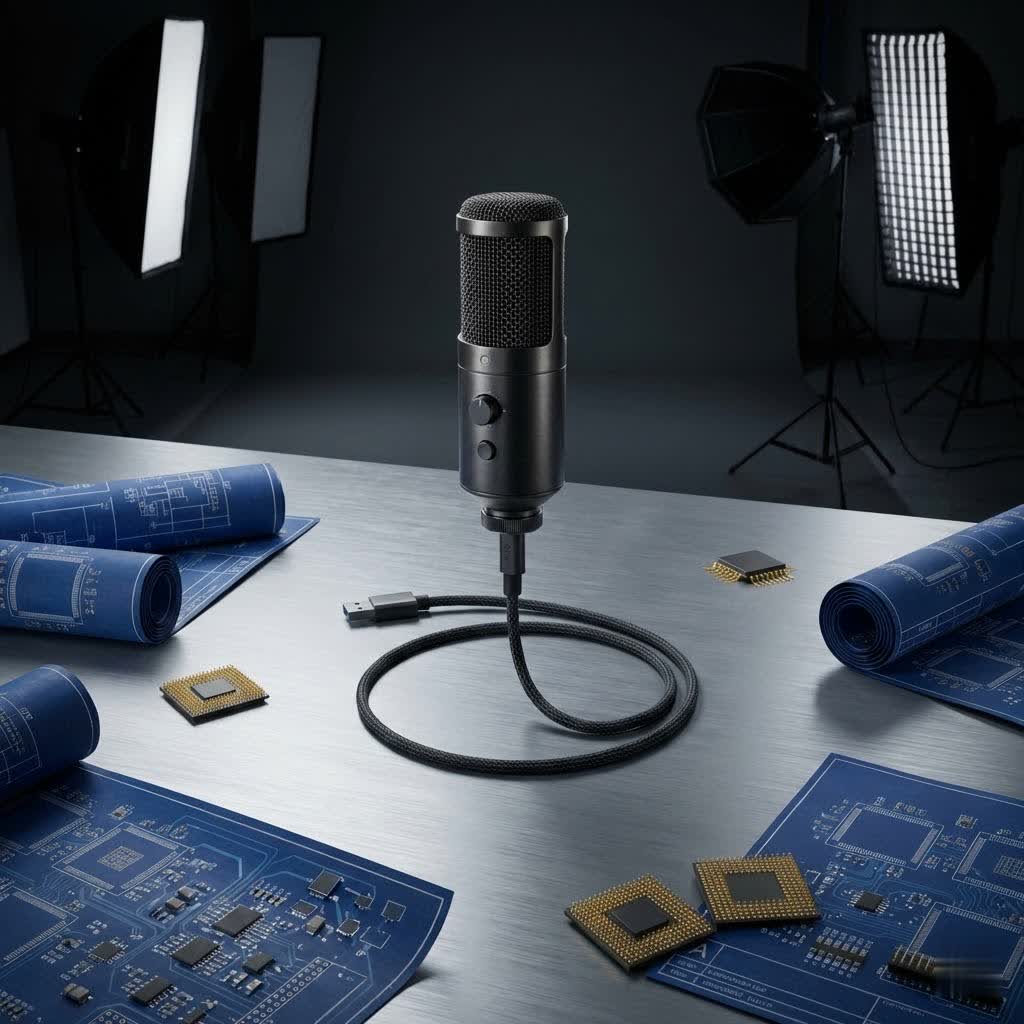
HyperX QuadCast S: Overview and Applications
USB microphones have revolutionized accessibility to high-quality audio, offering a plug-and-play simplicity that bypasses complex audio interfaces. The HyperX QuadCast S exemplifies this convenience, standing out as an all-inclusive solution designed for creators who demand both performance and style. Its immediate popularity stems from its robust feature set packed into a user-friendly design.
The applications for the HyperX QuadCast S are diverse, catering to various digital communication and content creation needs:
- Gaming: For competitive gamers, clear communication with teammates is paramount. The QuadCast S ensures your commands and callouts are heard with pristine clarity, enhancing teamwork and immersion.
- Podcasting: Whether hosting solo episodes or conducting interviews, the microphone provides professional-grade voice capture. Its versatility in polar patterns makes it adaptable for different podcasting formats.
- Streaming (Twitch, YouTube): Beyond crisp audio, the customizable RGB lighting of the QuadCast S transforms your stream’s visual appeal, making it more engaging for viewers and allowing you to match your mic to your overall setup.
- Voiceovers and Content Creation: For narrators, voice actors, and creators working on video projects, the microphone delivers detailed and rich sound, ensuring that every nuance of your delivery is captured faithfully.
Understanding USB Microphone Types: A QuadCast S Perspective
Choosing a microphone involves understanding the basic technologies behind them. The HyperX QuadCast S is a condenser microphone, a popular choice for studio-quality recordings due to its inherent characteristics.
Based on Microphone Element: Condenser vs. Dynamic
- Condenser Microphone: The HyperX QuadCast S falls into this category. Condenser microphones are renowned for their sensitivity and accuracy, capable of capturing a wide frequency range and subtle audio details. This makes them ideal for vocal recording, podcasts, and streaming in controlled environments where nuance is important. Their diaphragms are light and responsive, translating sound waves into electrical signals with high fidelity.
- Dynamic Microphone: In contrast, dynamic microphones are generally less sensitive and more robust. They are often preferred for live performances or in environments with high sound pressure levels, as they are less prone to distortion and typically handle background noise differently.
|
Our Picks for the Best USB Microphone in 2026
As an Amazon Associate I earn from qualifying purchases.
|
||
| Num | Product | Action |
|---|---|---|
| 1 | P PUPGSIS XLR/USB Podcast Microphone, Gaming Mic with Mute Button, Reverb Effects, Noise Cancellation, Boom Arm Stand, Headphones Jack, Dynamic Microphone for Streaming/Recording/Gaming/Vocal-Black |

|
| 2 | Amazon Basics USB Condenser Microphone for Streaming, Recording, and Podcasting on PC, Plug and Play, Cardioid Pickup, Adjustable Stand with 360° Rotation, 5.8 x 3.4 inches, Black |
|
| 3 | JOUNIVO USB Microphone, 360 Degree Adjustable Gooseneck Design, Mute Button & LED Indicator, Noise-Canceling Technology, Plug & Play, Compatible with Windows & MacOS |
|
| 4 | FIFINE USB Microphone, Metal Condenser Recording Microphone for MAC OS, Windows, Cardioid Laptop Mic for Recording Vocals, Voice Overs, Streaming, Meeting and YouTube Videos-K669B |
|
| 5 | DUNGZDUZ USB Microphone for Laptop and Desktop Computer, High Sensitivity for Clear Call, Plug-and-Play, High Gain, Cordless Mini-Sized Portable, Ideal for Work & Study |
|
| 6 | Logitech Creators Blue Yeti USB Microphone for Gaming, Streaming, Podcast, YouTube, Discord, PC, Studio Sound, Plug & Play-Blackout |
|
| 7 | ZealSound Podcast USB Microphone for PC/Mac/iPhone, Cardioid Condenser Mic with Noise Reduction, Tap-to-Mute, RGB Lighting, Zero Latency Monitoring, Volume Control for Gaming, Recording, YouTube |
|
| 8 | Shure MV7+ Podcast Dynamic Microphone – OBS Certified, Enhanced Audio, LED Panel, USB-C & XLR Outputs, Auto Level Mode, Digital Pop Filter, Reverb Effects – For Podcasting, Streaming, Recording, Black |
|
| 9 | FIFINE USB/XLR Dynamic Microphone for Podcast Recording, PC Computer Gaming Streaming Mic with RGB Light, Mute Button, Headphones Jack, Desktop Stand, Vocal Mic for Singing YouTube-AmpliGame AM8 |
|
| 10 | Dynamic Microphone, USB-C/XLR Podcast Recording PC Microphone for Podcast Recording Streaming Gaming with RGB Light, Mute Button, Desktop Stand, Headphones Jack, Vocal Mic for Singing Tiktok YouTube |
|
Based on Polar Patterns
A crucial feature of the HyperX QuadCast S is its ability to switch between four distinct polar patterns, offering unparalleled flexibility for various recording scenarios.
- Cardioid: This pattern captures sound primarily from the front of the microphone, minimizing noise from the sides and rear. It’s the go-to choice for solo streamers, podcasters, and gamers, focusing on your voice and rejecting ambient room noise.
- Omnidirectional: Designed to pick up sound equally from all directions (360 degrees), the omnidirectional pattern is perfect for recording group discussions, roundtable podcasts, or capturing the general ambiance of a room.
- Bidirectional (Figure-8): This pattern captures sound from the front and back of the microphone while rejecting sounds from the sides. It’s ideal for two-person interviews conducted face-to-face across a table.
- Stereo: The stereo pattern captures audio from the left and right channels, creating a more immersive and spatial sound experience. This is excellent for recording music, capturing ASMR, or creating soundscapes that benefit from depth.
Based on Features: Integrated Sound Card
Unlike traditional XLR microphones that require an external audio interface (sound card) for analog-to-digital conversion, USB microphones like the HyperX QuadCast S incorporate this functionality internally. This means they convert analog sound waves into digital data directly within the microphone, simplifying the setup process significantly. You simply plug the USB cable into your computer or console, and the microphone is ready to use, without needing additional drivers or hardware.
Key Factors When Choosing Your USB Microphone
Selecting the right microphone involves considering several critical factors beyond just its aesthetic appeal. These elements directly impact your audio quality and overall user experience.
Sound Quality
The foundation of any good microphone is its sound performance. The HyperX QuadCast S is engineered to deliver clear and crisp audio, crucial for professional-sounding content.
- Sensitivity: This refers to how well the microphone picks up sound. Condenser microphones, including the QuadCast S, are highly sensitive, ensuring that even subtle vocal nuances are captured.
- Frequency Response: The QuadCast S boasts a frequency response of 20Hz to 20kHz, encompassing the full range of human hearing. This ensures that your voice is captured with full depth, from deep lows to clear highs, without any loss of detail.
- Self-Noise: All microphones produce a small amount of internal electronic noise. The QuadCast S is designed to minimize self-noise, ensuring that your recordings are clean and free from unwanted hiss or hum.
- Bit Depth & Sample Rate: These technical specifications define the fidelity of the digital audio. The QuadCast S records at 16-bit/48kHz, a standard for high-quality audio that provides a wide dynamic range and accurate sound reproduction for streaming, gaming, and podcasting.
Durability and Design
A microphone should not only sound good but also withstand regular use and complement your setup’s aesthetics.
- Materials: The HyperX QuadCast S features a durable all-metal casing, ensuring longevity and a premium feel. This robust construction protects the internal components from accidental bumps and wear.
- Aesthetics: Its sleek, cylindrical design is instantly recognizable, and the customizable RGB lighting adds a vibrant, modern touch. Users can personalize lighting effects via HyperX NGENUITY software to match their gaming rig or streaming aesthetic.
- Portability: While designed primarily for desktop use, the QuadCast S is relatively compact and comes with a sturdy desktop stand. Its USB connection makes it easy to transport and set up in different locations, although it is not intended as a highly portable, on-the-go solution.
Additional Features
Modern USB microphones often come with integrated features that enhance usability and audio quality, and the QuadCast S is no exception.
- Gain Control: A conveniently located dial at the bottom of the microphone allows for quick and easy adjustment of input sensitivity. This helps you fine-tune your volume levels on the fly without needing to access software settings.
- Headphone Jack: The built-in 3.5mm headphone jack offers zero-latency monitoring. This means you can hear your voice in real-time as you speak, allowing you to adjust your speaking volume and ensure optimal audio levels without any distracting delay.
- Quick Mute Function: A touch-sensitive tap-to-mute sensor on top of the microphone allows for instant silencing. The RGB lighting intelligently turns off when muted, providing a clear visual indicator of your microphone’s status and preventing accidental broadcasts.
- Built-in Shock Mount & Pop Filter: These integrated features are crucial for clean audio. The anti-vibration shock mount uses elastic rope suspension to isolate the microphone from unintentional rumbles and bumps (e.g., desk knocks). The internal pop filter minimizes plosive sounds (harsh “p” and “b” sounds), ensuring your voice remains smooth and professional.
HyperX QuadCast S vs. Popular USB Microphone Alternatives
The market for USB microphones is competitive, with several strong contenders. Here’s how the HyperX QuadCast S stacks up against some popular alternatives:
| Feature | HyperX QuadCast S | Blue Yeti | Blue Yeti X | Rode NT-USB Mini |
|---|---|---|---|---|
| Type | Condenser | Condenser | Condenser | Condenser |
| Polar Patterns | Cardioid, Omni, Bi-directional, Stereo | Cardioid, Omni, Bi-directional, Stereo | Cardioid, Omni, Bi-directional, Stereo | Cardioid |
| Freq. Response | 20Hz-20kHz | 20Hz-20kHz | 20Hz-20kHz | 20Hz-20kHz |
| Bit Depth/Sample | 16-bit/48kHz | 16-bit/48kHz | 24-bit/48kHz | 24-bit/48kHz |
| Key Pros | Customizable RGB, tap-to-mute, built-in shock mount/pop filter, sleek design, plug-and-play, NGENUITY software for customization | Affordable, versatile polar patterns, good sound quality, robust build | 24-bit audio, LED metering, multi-function dial, robust build, Logitech G HUB software | Compact, excellent sound for size, clean design, desktop stand/boom arm mount |
| Key Cons | Internal pop filter can be improved for extreme plosives, base can feel less substantial than some heavy competitors, NGENUITY software primarily PC | No built-in shock mount/pop filter, older design, clunky mute button, large footprint | More expensive, heavier, sound can be described as “processed” or “robotic” by some | Single polar pattern, less feature-rich control, no on-mic gain |
The HyperX QuadCast S often wins over competitors due to its integrated features like the shock mount and pop filter, which many others require as separate purchases. Its dynamic RGB lighting and user-friendly tap-to-mute function are also significant draws for gamers and streamers. While the Blue Yeti X offers 24-bit audio, the 16-bit/48kHz of the QuadCast S is more than sufficient for most content creation, and many find its sound profile more natural.
Your Guide to Choosing the Right USB Microphone
Making an informed decision about your USB microphone involves a personalized approach. Consider these steps to find the perfect match for your needs.
Defining Your Needs
Begin by clearly outlining your primary use case and constraints.
- Purpose: What will you primarily use the microphone for? If it’s for solo streaming or gaming, a cardioid pattern will be key. For interviews, bidirectional or omnidirectional patterns are vital.
- Environment: Assess your recording space. A quiet, acoustically treated room allows for more sensitive microphones, while a noisy home office might benefit from a microphone with excellent off-axis rejection (like cardioid) and built-in noise reduction.
- Budget: Determine how much you’re willing to invest. The HyperX QuadCast S sits in a competitive mid-range, offering excellent value for its features.
Research and Comparison
Once you have a clear idea of your needs, dive into detailed research.
- Read Professional Reviews: Consult reputable tech websites and audio review publications for in-depth analyses and technical insights.
- Watch Video Reviews and Sound Tests: YouTube is an invaluable resource for listening to actual audio samples from different microphones, allowing you to hear how they perform in various scenarios.
- Consult User Forums and Communities: Engage with other content creators on platforms like Reddit or Discord to gather real-world experiences and recommendations.
Purchasing from Reputable Vendors
Finally, ensure a smooth purchasing experience by choosing reliable sources.
- Authorized Dealers: Purchase from authorized retailers to guarantee a genuine product, valid warranty, and access to customer support.
- Check Policies: Review the store’s return and exchange policies before buying.
- Product Inspection: Upon receiving your microphone, inspect it thoroughly for any physical damage and test its functionality immediately.
Leading Brands in the USB Microphone Market
The USB microphone landscape is populated by several reputable brands, each offering unique strengths.
- HyperX: Renowned for gaming peripherals, HyperX brings its expertise in user experience and aesthetics to microphones like the QuadCast S, making it a favorite among streamers and gamers.
- Blue (now part of Logitech): The Blue Yeti series is almost synonymous with USB microphones, offering robust performance and versatility that have made it a long-standing favorite for podcasters and entry-level creators.
- Rode: A professional audio brand, Rode offers compact yet powerful USB microphones like the NT-USB Mini, known for their exceptional sound quality in a minimalist design.
- Audio-Technica: With a strong legacy in professional audio equipment, Audio-Technica provides reliable USB microphones that cater to a range of recording needs, often prioritizing pure sound performance.
- Shure: Increasingly popular in the streaming and gaming space, Shure’s USB microphones, such as the MV6 and MV7+, bring broadcast-quality sound with user-friendly features.
“The HyperX QuadCast S offers an ideal balance of aesthetics and functionality, making it a compelling choice for content creators who value both high-quality audio and a visually engaging setup.” – Industry Insider, Tech Audio Reviews.
Conclusion
The HyperX QuadCast S RGB USB Condenser Microphone stands as a testament to the evolution of audio technology for content creators. Its blend of clear, rich sound quality, highly versatile polar patterns, and striking customizable RGB lighting makes it a top-tier choice for gamers, streamers, podcasters, and anyone seeking to enhance their digital voice. With convenient features like the tap-to-mute sensor, built-in shock mount and pop filter, and real-time headphone monitoring, the QuadCast S simplifies the path to professional-grade audio. When considering your next microphone upgrade, weigh its comprehensive package against your specific needs and aesthetic preferences. Embrace the power of crystal-clear sound and stunning visuals with the HyperX QuadCast S. What will you create next with such an exceptional audio tool?
Frequently Asked Questions
Is the HyperX QuadCast S suitable for professional music recording?
The HyperX QuadCast S delivers excellent sound quality for vocals and acoustic instruments, making it suitable for demos and home studio projects. However, professional musicians often prefer XLR microphones with dedicated audio interfaces for more advanced control and higher fidelity.
Does the HyperX QuadCast S work with Mac computers?
Yes, the HyperX QuadCast S is plug-and-play compatible with Mac computers for core audio functionality. However, the HyperX NGENUITY software, which allows for customizable RGB lighting effects and advanced mic settings, is primarily available for Windows.
How do I customize the RGB lighting on my QuadCast S?
You can customize the dynamic RGB lighting effects of your HyperX QuadCast S using the HyperX NGENUITY software. This application is available for Windows PCs and allows you to choose from various colors, patterns, and brightness levels to match your aesthetic.
What is the main difference between the original HyperX QuadCast and the QuadCast S?
The primary difference is the RGB lighting. The original HyperX QuadCast features a static red illumination, whereas the QuadCast S offers dynamic, customizable RGB lighting effects that can be personalized via the HyperX NGENUITY software. Functionality-wise, they are very similar.
Can I use the HyperX QuadCast S with a boom arm or other mic stands?
Absolutely. The HyperX QuadCast S comes with an included mount adapter that fits both 3/8-inch and 5/8-inch threaded setups. This makes it compatible with most standard microphone stands and boom arms, allowing for flexible positioning.
How effective are the built-in pop filter and shock mount?
The HyperX QuadCast S features an integrated anti-vibration shock mount and an internal pop filter, which are generally very effective at reducing unwanted rumbles, bumps, and plosive sounds. While they perform well for most users, some highly sensitive recording situations might benefit from an additional external pop filter.
Is the tap-to-mute feature reliable for live streaming?
The tap-to-mute sensor with an LED indicator on the HyperX QuadCast S is highly praised for its convenience and reliability during live streaming and online meetings. A simple touch instantly mutes the microphone, and the RGB lighting visually signals its status, preventing accidental audio broadcasts.
