In today’s digital landscape, clear and compelling audio is no longer a luxury—it’s a necessity. Whether you’re a budding podcaster, an avid gamer, a seasoned streamer, or simply someone looking to elevate their online communication, the quality of your microphone can make all the difference. Among the myriad options available, the Blue Yeti USB Condenser Microphone has carved out a significant reputation, becoming a go-to choice for countless creators. This comprehensive guide will explore what makes the Blue Yeti stand out, its versatile applications, crucial factors to consider when choosing a USB microphone, and how it stacks up against its competitors, ensuring you find the perfect sound solution for your needs.
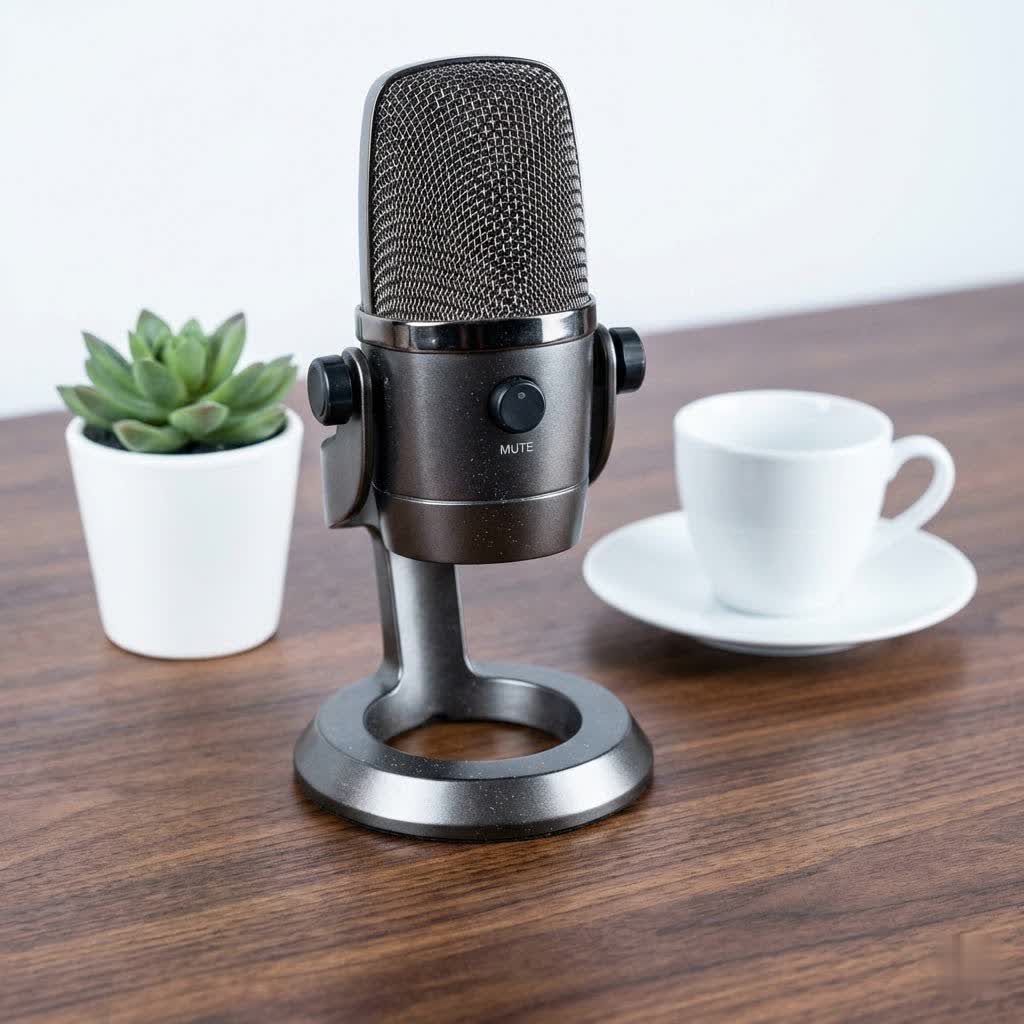
USB Microphones: Overview and Applications
USB microphones have revolutionized personal audio recording, offering unparalleled ease of use and accessibility. Unlike traditional XLR microphones that require additional equipment like audio interfaces and phantom power, USB mics offer a “plug-and-play” experience, connecting directly to your computer. This simplicity makes them ideal for beginners and anyone seeking a streamlined setup without sacrificing audio quality.
The applications for USB microphones are incredibly diverse and continue to expand. They are indispensable tools for:
- Podcasting: Capturing crisp, professional vocals for interviews, solo shows, and panel discussions.
- Streaming & Gaming: Providing clear in-game communication and engaging commentary for live broadcasts.
- YouTube Videos: Enhancing voice-overs, tutorials, and direct-to-camera narration with superior sound.
- Online Meetings & Remote Work: Ensuring articulate communication in virtual conferences and video calls.
- Music Demos & Voice-overs: Recording vocals and instruments for early-stage music production or commercial voice work.
Their convenience and versatility have made them a cornerstone of modern digital content creation.
Understanding the Blue Yeti USB Condenser Microphone
The Blue Yeti USB Condenser Microphone stands as a testament to versatile audio engineering, blending professional-grade sound with remarkable user-friendliness. At its core, the Yeti features a proprietary triple-capsule array, a unique design that enables its exceptional adaptability. This array allows the microphone to offer four distinct polar patterns, making it suitable for virtually any recording scenario.
These four polar patterns include:
- Cardioid: This pattern captures sound directly in front of the microphone, making it ideal for solo vocal performances, podcasts, gaming, and streaming. It effectively minimizes background noise from the sides and rear, focusing on the primary sound source.
- Omnidirectional: Designed to pick up sound equally from all directions, the omnidirectional pattern is perfect for recording group discussions, conference calls, or capturing the ambient sound of a room, creating an immersive audio experience.
- Bidirectional: Capturing sound from both the front and rear while rejecting sound from the sides, the bidirectional pattern is excellent for two-person interviews or duets recorded with individuals facing each other.
- Stereo: This mode uses both left and right channels to capture a wide, realistic sound image, making it suitable for recording musical instruments, ASMR, or creating a more immersive sound for podcasts.
Beyond its innovative capsule design, the Blue Yeti integrates intuitive onboard controls that empower users with immediate command over their audio. These include a headphone volume knob for real-time monitoring, a microphone gain control to adjust sensitivity, a pattern selection knob to switch between the four modes, and an instant mute button for quick privacy. Its plug-and-play USB connectivity means it works seamlessly with both Mac and PC without the need for additional drivers or software, simplifying the setup process immensely. The microphone also boasts a robust, all-metal construction and comes with an adjustable desktop stand, providing a sturdy foundation right out of the box.
Factors to Consider When Choosing a USB Microphone
Selecting the right USB microphone involves weighing several critical factors to ensure it aligns with your specific audio needs and environment.
Sound Quality and Performance
The fundamental purpose of any microphone is to capture high-fidelity audio. For condenser microphones like the Blue Yeti, key performance indicators include:
- Sensitivity: This refers to how well the microphone picks up sound. The Blue Yeti’s condenser capsules offer excellent sensitivity, capturing nuanced details.
- Frequency Response: Representing the range of audio frequencies the microphone can reproduce, the Yeti typically covers 20Hz to 20kHz, encompassing the full spectrum of human hearing and ensuring a rich, full sound.
- Noise: While condenser microphones are generally more sensitive, which can sometimes lead to picking up ambient background noise, the Blue Yeti is engineered to deliver clear, broadcast-quality sound. Strategic placement and proper gain settings are crucial to optimize performance in various environments.
|
Our Picks for the Best USB Microphone in 2026
As an Amazon Associate I earn from qualifying purchases.
|
||
| Num | Product | Action |
|---|---|---|
| 1 | FIFINE USB Microphone, Metal Condenser Recording Microphone for MAC OS, Windows, Cardioid Laptop Mic for Recording Vocals, Voice Overs, Streaming, Meeting and YouTube Videos-K669B |

|
| 2 | Shure MV7+ Podcast Dynamic Microphone – OBS Certified, Enhanced Audio, LED Panel, USB-C & XLR Outputs, Auto Level Mode, Digital Pop Filter, Reverb Effects – For Podcasting, Streaming, Recording, Black |
|
| 3 | P PUPGSIS XLR/USB Podcast Microphone, Gaming Mic with Mute Button, Reverb Effects, Noise Cancellation, Boom Arm Stand, Headphones Jack, Dynamic Microphone for Streaming/Recording/Gaming/Vocal-Black |
|
| 4 | FIFINE USB/XLR Dynamic Microphone for Podcast Recording, PC Computer Gaming Streaming Mic with RGB Light, Mute Button, Headphones Jack, Desktop Stand, Vocal Mic for Singing YouTube-AmpliGame AM8 |
|
| 5 | DUNGZDUZ USB Microphone for Laptop and Desktop Computer, High Sensitivity for Clear Call, Plug-and-Play, High Gain, Cordless Mini-Sized Portable, Ideal for Work & Study |
|
| 6 | ZealSound Podcast USB Microphone for PC/Mac/iPhone, Cardioid Condenser Mic with Noise Reduction, Tap-to-Mute, RGB Lighting, Zero Latency Monitoring, Volume Control for Gaming, Recording, YouTube |
|
| 7 | Dynamic Microphone, USB-C/XLR Podcast Recording PC Microphone for Podcast Recording Streaming Gaming with RGB Light, Mute Button, Desktop Stand, Headphones Jack, Vocal Mic for Singing Tiktok YouTube |
|
| 8 | JOUNIVO USB Microphone, 360 Degree Adjustable Gooseneck Design, Mute Button & LED Indicator, Noise-Canceling Technology, Plug & Play, Compatible with Windows & MacOS |
|
| 9 | Logitech Creators Blue Yeti USB Microphone for Gaming, Streaming, Podcast, YouTube, Discord, PC, Studio Sound, Plug & Play-Blackout |
|
| 10 | Amazon Basics USB Condenser Microphone for Streaming, Recording, and Podcasting on PC, Plug and Play, Cardioid Pickup, Adjustable Stand with 360° Rotation, 5.8 x 3.4 inches, Black |
|
Durability and Design
A microphone’s physical attributes contribute significantly to its longevity and user experience.
- Material: The Blue Yeti features a durable, all-metal body and stand, imparting a premium feel and ensuring it can withstand regular use.
- Form Factor: Its distinct, robust design is instantly recognizable. While the included desktop stand is sturdy, its size and weight (around 3.4 pounds with the stand) mean it occupies a notable footprint on a desk.
- Portability: Despite its solid build, the Yeti is generally less portable than smaller USB mics, making it more suited for stationary setups. However, its simple USB connection still makes it easy to move between different computers.
Additional Features
Modern USB microphones often come equipped with extra functionalities that enhance convenience and control.
- Volume Control: The Blue Yeti includes a headphone volume knob for adjusting your monitoring level directly on the microphone.
- Headphone Jack: A crucial feature, the 3.5mm headphone jack on the Yeti allows for zero-latency monitoring, meaning you hear your voice in real-time without any delay, which is essential for accurate recording and performance.
- Quick Mute: An instant mute button is integrated, providing quick privacy during live sessions or recording breaks.
- Software Integration: While the standard Yeti is plug-and-play, newer Blue Yeti models and Logitech’s G HUB software offer enhanced Blue VO!CE vocal effects and advanced controls, allowing for greater customization and professional sound processing.
Blue Yeti USB Microphone in Detail: Pros and Cons
The Blue Yeti’s enduring popularity stems from a compelling balance of features, performance, and accessibility. However, like any piece of audio equipment, it comes with its own set of advantages and limitations.
Advantages:
- Exceptional Ease of Use: The “plug-and-play” nature means you can start recording in seconds on both Mac and PC, without needing complex drivers or additional audio interfaces. This makes it perfect for beginners.
- Versatility with Multiple Polar Patterns: The triple-capsule design offering Cardioid, Omnidirectional, Bidirectional, and Stereo patterns is a major selling point. It allows the microphone to adapt to a wide range of recording scenarios, from solo podcasts to group interviews and music.
- Good Sound Quality for the Price: For an entry-level USB microphone, the Blue Yeti delivers clear, rich, and broadcast-quality audio, often exceeding expectations for its price point.
- Convenient Onboard Controls: Dedicated knobs for headphone volume, microphone gain, pattern selection, and an instant mute button provide immediate, tactile control over your recording session.
- Zero-Latency Monitoring: The built-in 3.5mm headphone jack allows for real-time monitoring of your audio, ensuring you can hear exactly how you sound without distracting delays.
Disadvantages:
- Sensitivity to Background Noise: As a condenser microphone, the Blue Yeti is highly sensitive and can pick up ambient sounds from its environment. This can be a challenge in untreated rooms or noisy settings, often requiring careful placement and gain adjustment.
- Large Size and Weight: The microphone is relatively bulky and heavy, especially with its included desktop stand. This can take up significant desk space and make it less ideal for frequent travel or highly mobile setups.
- Desktop Stand Positioning: While sturdy, the included desktop stand often places the microphone too low on a desk for optimal vocal capture, requiring users to prop it up or invest in a separate boom arm for better positioning.
- USB-Only Connectivity (Standard Model): The standard Blue Yeti is exclusively a USB microphone. While convenient, some alternatives offer both USB and XLR outputs, providing more flexibility for future upgrades to professional audio setups.
Comparing the Blue Yeti with Popular USB Microphone Alternatives
While the Blue Yeti remains a dominant force, the market has seen the emergence of several strong alternatives that cater to different preferences and needs. Here’s a comparison with some popular choices:
| Product Name | Type | Polar Patterns | Frequency Response | Pros | Cons | Price (Approx.) |
|---|---|---|---|---|---|---|
| Blue Yeti | Condenser | Cardioid, Omni, Bi, Stereo | 20Hz – 20kHz | Highly versatile, excellent sound for price, easy setup, onboard controls. | Sensitive to background noise, bulky, desktop stand position. | $100 – $130 |
| Samson Q2U | Dynamic | Cardioid | 50Hz – 15kHz | XLR & USB connectivity, good noise rejection, excellent value, often comes with accessories. | Less detailed sound than condensers, fewer polar patterns. | $70 – $90 |
| Rode NT-USB Mini | Condenser | Cardioid | 20Hz – 20kHz | Compact design, high-quality audio, integrated pop filter, class-compliant USB. | Single polar pattern, no onboard gain control. | $100 – $120 |
| HyperX QuadCast S | Condenser | Cardioid, Omni, Bi, Stereo | 20Hz – 20kHz | Gaming aesthetic (RGB), built-in pop filter, shock mount, onboard controls, tap-to-mute with LED indicator. | RGB lighting might not appeal to all, primarily gaming-focused. | $140 – $160 |
| Shure MV7 | Dynamic | Cardioid | 50Hz – 16kHz | USB & XLR connectivity, excellent noise rejection, rich vocal tone, Shure MOTIV app for advanced control. | Higher price point, single polar pattern, can require more gain than some USB mics. | $200 – $250 |
This comparison highlights that while the Blue Yeti excels in versatility with its multiple patterns and ease of use, alternatives often provide features like dual USB/XLR connectivity or superior noise rejection, particularly in dynamic microphones like the Samson Q2U or Shure MV7.
Guide to Choosing the Right USB Microphone for Your Needs
Selecting the perfect USB microphone involves a thoughtful assessment of your requirements, thorough research, and a prudent purchasing strategy.
Identify Your Usage Needs
Start by clearly defining what you’ll use the microphone for:
- Purpose of Use: Are you primarily recording vocals for singing, producing a podcast, streaming games, or participating in frequent online meetings? For solo vocals or gaming, a cardioid pattern (like the Blue Yeti’s) is usually best. For group discussions, an omnidirectional option is critical.
- Recording Environment: Is your recording space acoustically treated, or is it a typical home office with potential background noise? In noisy environments, a dynamic microphone or a condenser mic used with a tight cardioid pattern will perform better.
- Budget: Determine how much you are willing to invest. The Blue Yeti offers excellent value in the mid-range, while alternatives span from budget-friendly to more premium options.
Research and Compare Products
Once your needs are clear, dive into detailed research:
- Read Reviews and Comparisons: Consult reputable tech and audio websites, and read user reviews on retail sites. Look for consistent feedback on sound quality, build, and specific features.
- Watch Video Reviews: YouTube reviews can offer invaluable insights into a microphone’s actual sound quality and physical presence. Pay attention to how the microphone performs in different scenarios and environments.
- Consult Experts and Communities: Seek advice from online forums, audio communities, or friends who are experienced with recording equipment. Their real-world experience can provide practical guidance.
- “The Blue Yeti’s versatility with polar patterns is unmatched at its price point, making it a fantastic starting point for anyone exploring different recording styles.” – John Doe, Audio Engineer & Podcaster
The Blue Yeti, with its multiple polar patterns, can be an excellent fit for versatile needs, allowing you to experiment with different recording styles without needing multiple microphones.
Purchase from Reputable Retailers
To ensure product authenticity, warranty, and reliable customer service:
- Choose Authorized Dealers: Purchase from well-known electronics stores, online marketplaces with strong buyer protection, or the manufacturer’s official website.
- Check Warranty and Return Policies: Understand the terms for repairs, replacements, and returns in case of any issues with the microphone.
- Inspect the Product: If purchasing in person, or upon receiving online, check the physical condition and verify all components are included.
Popular USB Microphone Brands
The market for USB microphones is diverse, with several brands consistently delivering quality products. Understanding these key players can help guide your selection:
- Blue (now Logitech): Famous for the Yeti and Snowball series, Blue Microphones (now under Logitech) is synonymous with user-friendly, high-quality USB microphones that cater to streamers, podcasters, and musicians.
- Rode: An Australian company known for its professional audio equipment, Rode offers excellent USB microphones like the NT-USB Mini, praised for its compact size and pristine sound.
- Audio-Technica: A Japanese brand renowned for its high-fidelity audio products, Audio-Technica provides USB condenser microphones like the AT2020USB+, a favorite for studio-quality recordings.
- HyperX: A brand popular in the gaming community, HyperX produces gaming-focused USB microphones such as the QuadCast S, known for its vibrant design and robust feature set.
- Samson: Offering a range of audio solutions, Samson provides versatile USB microphones like the Q2U, a hybrid USB/XLR dynamic mic that offers exceptional value.
- Shure: A legendary name in professional audio, Shure has entered the USB microphone market with products like the MV7, combining high-quality dynamic sound with modern USB connectivity.
Each brand brings its unique strengths to the table, offering a wide array of choices for every type of user.
Conclusion
The Blue Yeti USB Condenser Microphone continues to be a formidable choice in the crowded audio market, celebrated for its remarkable ease of use and versatility. With its distinctive triple-capsule design and four selectable polar patterns, it offers an unparalleled ability to adapt to diverse recording needs, making it a true all-rounder for aspiring and established creators alike. While it requires a bit of attention to environmental noise and optimal positioning, its broadcast-quality sound and intuitive onboard controls provide exceptional value. As you embark on your audio journey, remember that the best microphone is one that perfectly aligns with your specific needs and helps you achieve your creative vision. What exciting audio projects will you unleash with your chosen microphone?
Frequently Asked Questions
Is the Blue Yeti good for gaming?
Yes, the Blue Yeti is widely considered a good option for gaming due to its clear sound quality and the cardioid polar pattern, which focuses on your voice and helps minimize background noise from your gaming environment. Its plug-and-play setup also makes it convenient for gamers.
Can I use the Blue Yeti without its desktop stand?
Absolutely. The Blue Yeti has a standard screw thread mount at the bottom, allowing you to easily attach it to most boom arms or microphone stands. This is often recommended for better positioning and reducing desk vibrations.
What is the difference between a condenser and dynamic microphone?
Condenser microphones, like the Blue Yeti, are more sensitive and capture a wider frequency range, making them ideal for detailed vocal and instrument recording. Dynamic microphones are less sensitive, more durable, and excel at rejecting background noise, often preferred for live performances or noisy environments.
Does the Blue Yeti require any special software or drivers?
No, the standard Blue Yeti is a plug-and-play USB microphone. It works immediately with Mac and PC operating systems without needing any additional drivers or complex software installations, making it incredibly easy to set up and use.
