In today’s digital landscape, clear audio is no longer a luxury but a necessity. From burgeoning podcasters and avid streamers to remote professionals in virtual meetings, the demand for high-quality, user-friendly audio solutions has never been greater. Enter the USB microphone – a revolutionary device that has democratized professional-grade sound, making it accessible to everyone without the need for complex setups or extensive technical knowledge.
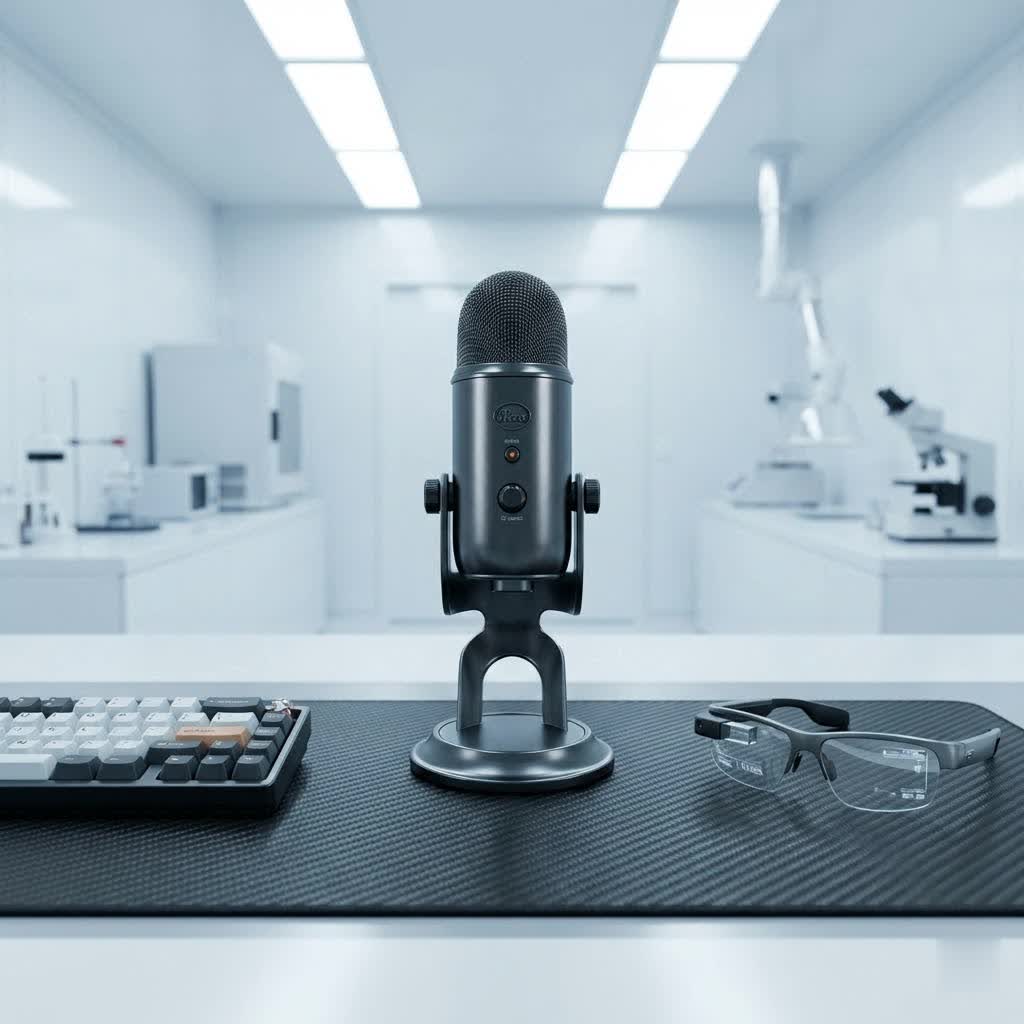
This comprehensive guide will delve into the world of USB microphones, exploring their diverse types, essential features, and key considerations for selection. We will highlight prominent brands, with a special focus on Logitech’s innovative contributions, particularly its acclaimed Blue series, which has become a staple for countless content creators. By the end, you’ll be equipped with the insights to choose the perfect USB microphone to amplify your voice and elevate your audio experience.
USB Microphones: Overview and Applications
A USB microphone is essentially a conventional microphone with a built-in analog-to-digital converter (ADC) and a USB interface. This integration allows it to connect directly to your computer or other compatible devices via a USB cable, bypassing the need for an external audio interface or mixer. The inherent plug-and-play convenience is a major reason for their widespread popularity.
These microphones are favored for their simplicity, portability, and the ability to deliver impressive audio quality that often rivals more complex setups. Their versatility makes them indispensable across a spectrum of applications:
- Podcasting and Voice-overs: USB microphones are the go-to choice for capturing crisp, clear narration, interviews, and voice-overs. Their ease of use allows creators to focus on content rather than complicated audio engineering.
- Streaming and Gaming: For gamers and live streamers, clear communication is paramount. USB microphones ensure that in-game commands are heard, and live commentary or reactions are delivered with excellent fidelity, enhancing viewer engagement. Logitech G’s range, including models like the Yeti GX and Yeti Orb, are specifically designed to meet the demands of this vibrant community.
- Video Conferencing and Online Meetings: In an era of remote work, a professional audio presence makes a significant difference. USB microphones drastically improve voice clarity over built-in laptop mics, ensuring you sound articulate and present during crucial online interactions.
- Home Studio Recording: While not always a direct replacement for professional studio equipment, many high-quality USB microphones are perfectly capable of capturing vocals and acoustic instruments for demos, songwriting, or basic home recordings.
Classifying USB Microphones
Understanding the different classifications of USB microphones is crucial for making an informed choice. These distinctions primarily relate to how they capture sound and their physical characteristics.
By Capsule Type
The capsule is the heart of any microphone, responsible for converting sound waves into electrical signals. USB microphones typically feature one of two main capsule types:
- Condenser Microphones: These are highly sensitive microphones known for their ability to capture a wide frequency response and intricate details in sound. They require phantom power (which is supplied via the USB connection) and are ideal for capturing vocals, acoustic instruments, and generally, any source where fidelity and nuance are key. Many popular models, including the Logitech Blue Yeti, Blue Snowball iCE, and Logitech G Yeti Orb, utilize condenser capsules, making them excellent choices for studio-like recording conditions and detailed sound capture.
- Dynamic Microphones: Characterized by their robustness and lower sensitivity compared to condensers, dynamic microphones are less prone to picking up background noise and excel in louder environments. They are often favored for live vocals, capturing loud instruments, or situations where durability is a primary concern. The Logitech G Yeti GX is an example of a dynamic USB gaming microphone, built to handle intense audio input while focusing on the speaker’s voice.
|
Our Picks for the Best USB Microphone in 2026
As an Amazon Associate I earn from qualifying purchases.
|
||
| Num | Product | Action |
|---|---|---|
| 1 | Amazon Basics USB Condenser Microphone for Streaming, Recording, and Podcasting on PC, Plug and Play, Cardioid Pickup, Adjustable Stand with 360° Rotation, 5.8 x 3.4 inches, Black |

|
| 2 | Logitech Creators Blue Yeti USB Microphone for Gaming, Streaming, Podcast, YouTube, Discord, PC, Studio Sound, Plug & Play-Blackout |
|
| 3 | DUNGZDUZ USB Microphone for Laptop and Desktop Computer, High Sensitivity for Clear Call, Plug-and-Play, High Gain, Cordless Mini-Sized Portable, Ideal for Work & Study |
|
| 4 | Dynamic Microphone, USB-C/XLR Podcast Recording PC Microphone for Podcast Recording Streaming Gaming with RGB Light, Mute Button, Desktop Stand, Headphones Jack, Vocal Mic for Singing Tiktok YouTube |
|
| 5 | ZealSound Podcast USB Microphone for PC/Mac/iPhone, Cardioid Condenser Mic with Noise Reduction, Tap-to-Mute, RGB Lighting, Zero Latency Monitoring, Volume Control for Gaming, Recording, YouTube |
|
| 6 | P PUPGSIS XLR/USB Podcast Microphone, Gaming Mic with Mute Button, Reverb Effects, Noise Cancellation, Boom Arm Stand, Headphones Jack, Dynamic Microphone for Streaming/Recording/Gaming/Vocal-Black |
|
| 7 | FIFINE USB/XLR Dynamic Microphone for Podcast Recording, PC Computer Gaming Streaming Mic with RGB Light, Mute Button, Headphones Jack, Desktop Stand, Vocal Mic for Singing YouTube-AmpliGame AM8 |
|
| 8 | Shure MV7+ Podcast Dynamic Microphone – OBS Certified, Enhanced Audio, LED Panel, USB-C & XLR Outputs, Auto Level Mode, Digital Pop Filter, Reverb Effects – For Podcasting, Streaming, Recording, Black |
|
| 9 | FIFINE USB Microphone, Metal Condenser Recording Microphone for MAC OS, Windows, Cardioid Laptop Mic for Recording Vocals, Voice Overs, Streaming, Meeting and YouTube Videos-K669B |
|
| 10 | JOUNIVO USB Microphone, 360 Degree Adjustable Gooseneck Design, Mute Button & LED Indicator, Noise-Canceling Technology, Plug & Play, Compatible with Windows & MacOS |
|
By Polar Pattern (Directional Pickup)
A microphone’s polar pattern describes its sensitivity to sounds coming from different directions. USB microphones can offer various patterns, with some advanced models featuring multiple switchable options:
- Cardioid: This is the most common pattern, picking up sound primarily from the front of the microphone and rejecting sounds from the sides and rear. It’s ideal for single speakers, voice-overs, streaming, and podcasting, as it helps isolate the voice and reduce ambient room noise.
- Omnidirectional: An omnidirectional microphone captures sound equally from all directions. This pattern is suitable for recording group discussions, ambient room sounds, or capturing a broader soundscape.
- Bidirectional (Figure-8): This pattern picks up sound from the front and back of the microphone while rejecting sounds from the sides. It’s perfect for face-to-face interviews with two participants or capturing specific stereo effects.
- Stereo: A stereo pattern uses two separate capsules to create a left and right audio channel, offering a more immersive and spacious sound capture. The Logitech Blue Yeti is renowned for its versatile multi-pattern capabilities, allowing users to switch between cardioid, omnidirectional, bidirectional, and stereo modes, making it an incredibly adaptable tool for various recording scenarios.
By Integrated Features
While all USB microphones integrate a sound card by definition, some classifications can be made based on other integrated features:
- Standalone USB Microphones: These are dedicated microphones that plug directly into a USB port. They are the focus of this guide and offer superior audio quality compared to built-in mic solutions.
- Headset-Integrated Microphones: Found in gaming headsets or communication devices, these are typically smaller, less feature-rich microphones combined with headphones for convenience in communication.
Crucial Factors When Choosing a USB Microphone
Selecting the right USB microphone involves considering several key factors that influence performance, usability, and overall satisfaction.
Quality of Sound
The primary goal of any microphone is to capture high-quality audio. When evaluating sound quality, consider:
- Sensitivity: A microphone’s sensitivity indicates how well it picks up sound. Higher sensitivity means it can capture subtle sounds more effectively, which is often desirable for vocals and acoustic instruments.
- Frequency Response: This specifies the range of audio frequencies the microphone can detect and reproduce. A wider, flatter frequency response (e.g., 20Hz-20kHz) generally means a more accurate and natural sound reproduction, capturing both deep bass and crisp highs.
- Self-Noise (Signal-to-Noise Ratio – SNR): Every microphone generates a small amount of internal electronic noise. A lower self-noise figure (or higher SNR) means less unwanted background hiss in your recordings, resulting in cleaner audio.
- Sample Rate and Bit Depth: These technical specifications (e.g., 24-bit/48kHz or 96kHz) determine the resolution and detail of the digital audio conversion. Higher numbers generally equate to more professional-grade audio fidelity.
Durability and Design
A microphone’s physical attributes contribute to its longevity and aesthetic appeal:
- Materials: Look for microphones constructed from durable materials like metal for better resilience and a premium feel. Plastic constructions can be lighter but may be less sturdy.
- Form Factor: USB microphones come in various designs, from sleek desktop models like the older Logitech USB Desktop Microphone to more substantial, studio-style microphones like the Logitech Blue Yeti. Consider whether you need a compact, portable mic or a more robust desktop unit that can be mounted on a boom arm.
- Portability: If you plan to travel or record in different locations, a compact and lightweight microphone like the Blue Snowball iCE might be more suitable.
Additional Features
Modern USB microphones often come with a host of supplementary features designed to enhance user experience and control:
- Gain Control: This knob or slider allows you to adjust the microphone’s input sensitivity, preventing distortion when recording loud sources or boosting the signal for quieter voices. The lack of this feature on some budget models, like the Blue Snowball iCE, can be a drawback.
- Headphone Jack (Zero-Latency Monitoring): A crucial feature for serious recording, this allows you to plug headphones directly into the microphone and hear your voice in real-time, without any distracting delay. This helps you monitor your sound and adjust your speaking distance or volume immediately.
- Mute Button: A physical mute button is incredibly convenient for quickly silencing your microphone during calls or streams, preventing accidental “hot mic” situations. Many Logitech G microphones and Blue Yeti models include this.
- Software Integration: Brands like Logitech offer dedicated software (e.g., BLUE VO!CE for the Blue Yeti series) that provides advanced vocal effects, modulation, equalization, and noise reduction capabilities, allowing for professional-grade vocal sound customization.
- RGB Lighting: For gamers and streamers, features like LIGHTSYNC RGB found in models like the Logitech G Yeti Orb and Yeti GX add aesthetic flair and can be synchronized with other gaming peripherals.
Comparing Popular USB Microphone Models (Including Logitech)
The market offers a wide array of USB microphones, each with its strengths. Here’s a comparison highlighting some popular choices, including Logitech’s notable contributions:
| Product Name | Type (Condenser/Dynamic) | Polar Patterns | Frequency Response | Key Advantages | Key Disadvantages |
|---|---|---|---|---|---|
| Logitech Blue Yeti | Condenser | Cardioid, Omnidirectional, Bidirectional, Stereo | 20Hz-20kHz | Highly versatile with multiple patterns, excellent sound quality, BLUE VO!CE software compatibility | Can be bulky, sensitive to desk vibrations if not properly mounted |
| Logitech Blue Snowball iCE | Condenser | Cardioid | 40Hz-18kHz | Highly affordable, simple plug-and-play, compact design | No gain control, no mute button, can pick up background noise |
| Logitech G Yeti Orb | Condenser | Cardioid | 70Hz-20kHz | Gaming-focused design, LIGHTSYNC RGB, clear audio, good for streaming | Single polar pattern, no direct gain control |
| Logitech G Yeti GX | Dynamic | Cardioid | 60Hz-18kHz | Dynamic capsule for noise rejection, LIGHTSYNC RGB, robust build, BLUE VO!CE support | May require closer proximity due to dynamic nature |
| Shure MV7 | Dynamic | Cardioid | 50Hz-16kHz | Hybrid USB/XLR connectivity, excellent vocal tone, auto-leveling features | Higher price point than many USB-only alternatives |
| HyperX QuadCast | Condenser | Cardioid, Omnidirectional, Bidirectional, Stereo | 20Hz-20kHz | Multiple patterns, built-in pop filter, tap-to-mute sensor, gaming aesthetic | Can be sensitive to plosives without an additional pop filter |
Guide to Selecting Your Ideal USB Microphone
Choosing the best USB microphone comes down to aligning its features with your specific needs and environment.
Define Your Needs
Start by clearly outlining what you intend to use the microphone for:
- Purpose: Are you primarily gaming, podcasting, creating music, or simply needing clearer audio for video calls? Different applications prioritize different features. For instance, a multi-pattern mic like the Logitech Blue Yeti is fantastic for varied podcasting, while a cardioid-only mic like the Blue Snowball iCE might suffice for solo streaming.
- Environment: Will you be recording in a quiet, treated room or a noisy home office? Microphones with good off-axis rejection or dynamic capsules (like the Yeti GX) are better for louder, untreated spaces.
- Budget: USB microphones span a wide price range. Determine how much you’re willing to invest, balancing features and quality with your financial constraints. Budget-friendly options like the Blue Snowball iCE offer great value for beginners.
Research and Compare Products
Once you have a clear idea of your needs, dive into research:
- Read Reviews and Watch Videos: Consult trusted tech review sites, audio blogs, and YouTube channels. Pay attention to sound samples to hear how different microphones perform.
- Look for Sound Samples: Many reviews include direct audio recordings, which are invaluable for assessing a microphone’s actual sound quality.
- Consider Compatibility: Ensure the microphone is compatible with your operating system (Windows, macOS) and any specific software you plan to use.
- Explore Accessories: Think about whether you’ll need a boom arm, pop filter, or shock mount, especially for condenser microphones like the Blue Yeti, to optimize performance and reduce unwanted noise.
Purchase from Reputable Retailers
Always buy your microphone from reputable stores, whether online or brick-and-mortar:
- Check Warranty and Return Policies: This provides peace of mind in case of defects or if the microphone doesn’t meet your expectations.
- Inspect the Product: If purchasing in person, quickly check the build quality and ensure all components are present.
Prominent USB Microphone Brands
The USB microphone market is competitive, with several brands consistently delivering quality products.
- Logitech (Blue Microphones): A powerhouse in computer peripherals, Logitech’s acquisition of Blue Microphones solidified its position in the audio space. The Blue Yeti series, now under Logitech for Creators and Logitech G, is perhaps the most recognizable and versatile line of USB microphones, catering to content creators, gamers, and business professionals with its robust feature set and excellent sound quality.
- Rode: An Australian company renowned for producing high-quality, professional-grade microphones. Their USB offerings, like the Rode NT-USB, are often praised for their exceptional sound fidelity and robust build.
- HyperX: A brand popular in the gaming community, HyperX offers USB microphones like the QuadCast and SoloCast, designed with features specifically appealing to streamers and gamers, such as built-in pop filters and RGB lighting.
- Audio-Technica: A long-standing name in professional audio equipment, Audio-Technica provides reliable and well-regarded USB microphones that deliver clear sound for various recording tasks.
- Shure: An industry standard for live and studio microphones, Shure has successfully ventured into the USB market with hybrid USB/XLR microphones like the MV7, offering professional sound quality with consumer-friendly connectivity.
Conclusion
USB microphones have truly revolutionized how we capture and share our voices in the digital age. Offering an unparalleled blend of convenience, versatility, and impressive audio quality, they empower everyone from aspiring content creators to remote work professionals. By understanding the different types, crucial features, and available options—including the innovative and popular Logitech USB microphone lineup like the Blue Yeti and Snowball iCE—you can confidently select a device that perfectly aligns with your specific needs and budget. Your voice is a powerful tool, and with the right USB microphone, it deserves to be heard with clarity and impact.
What audio adventures will you embark on next with your ideal USB microphone?
Frequently Asked Questions
Are Logitech USB microphones good for professional use?
Yes, particularly models like the Logitech Blue Yeti are widely used by podcasters, streamers, and voice-over artists for professional-quality recordings due to their versatile polar patterns, clear audio, and advanced software features like BLUE VO!CE. While some older or budget models are more suited for casual use, Logitech’s higher-end offerings are very capable.
What is the difference between a condenser and dynamic USB microphone?
Condenser microphones (e.g., Logitech Blue Yeti) are more sensitive, capture a wider frequency range, and are ideal for detailed studio recordings. Dynamic microphones (e.g., Logitech G Yeti GX) are more durable, less sensitive, and better at rejecting background noise, making them suitable for loud environments or close-mic applications.
Can I use a USB microphone with my gaming console?
Some USB microphones, including certain Logitech models, are compatible with gaming consoles like PlayStation and Xbox. However, compatibility can vary, so it’s essential to check the microphone’s specifications and the console’s support documentation before purchasing.
Do I need special software for a USB microphone?
Most USB microphones are plug-and-play, meaning they work immediately with your computer’s standard drivers. However, many brands, including Logitech, offer optional software (e.g., G HUB with BLUE VO!CE) that provides advanced controls, effects, and customization options to enhance your audio further.
How do I reduce background noise with my USB microphone?
To reduce background noise, use a microphone with a cardioid polar pattern, ensure good microphone placement (closer to your mouth), minimize room reflections, and consider using acoustic treatment. Software features like noise suppression (often found in Logitech’s BLUE VO!CE) can also significantly help.
