Capturing crystal-clear vocals can be the cornerstone of any impactful recording, whether you’re a budding musician, a passionate podcaster, a dedicated streamer, or a professional voiceover artist. While traditional studio setups often demand complex audio interfaces and XLR microphones, the innovative USB microphone has revolutionized how we achieve professional-grade sound with remarkable simplicity. These devices offer a direct, plug-and-play solution, making high-quality vocal recording more accessible than ever before. This comprehensive guide will delve into the world of USB microphones, exploring their types, essential features, popular models, and how to choose the perfect one to truly make your voice shine.
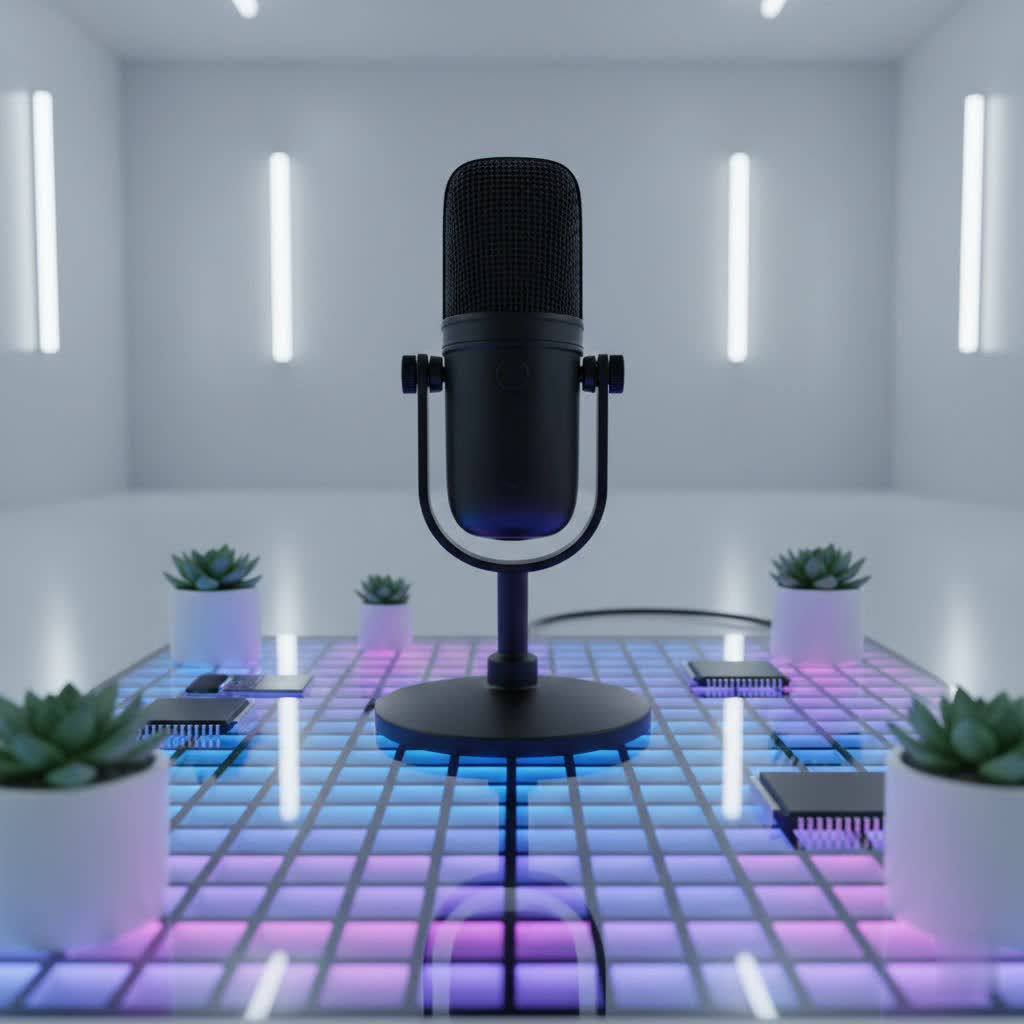
USB Microphone: Overview and Applications
A USB microphone streamlines the recording process by integrating a microphone capsule, a preamplifier, and an analog-to-digital converter (ADC) into a single unit. This means you simply plug it into your computer’s USB port, and you’re ready to record—eliminating the need for additional bulky equipment like external audio interfaces or mixers. This “plug-and-play” convenience, coupled with their often portable design, makes them incredibly popular for a wide array of applications.
Their primary uses include:
- Music Recording: Ideal for capturing lead and backing vocals, acoustic instruments, or creating quick song demos with impressive clarity.
- Podcasting and Streaming: Delivering crisp, professional dialogue for broadcasts, interviews, and live commentary.
- Gaming: Enhancing in-game communication with superior voice quality over standard headset mics.
- Online Meetings and Conferencing: Ensuring clear communication for remote work and virtual collaborations.
- Voiceovers: Producing high-fidelity recordings for narrations, commercials, and audiobooks from a home studio environment.
Classifying USB Microphones
Understanding the different categories of USB microphones is crucial for making an informed choice that aligns with your specific vocal needs.
Based on Capsule Type: Condenser vs. Dynamic
The heart of any microphone is its capsule, which largely determines its sound characteristics.
-
Condenser Microphones:
- Characteristics: Known for their high sensitivity and ability to capture intricate details, a broad frequency response, and a generally brighter, more articulate sound. They require phantom power, which is typically supplied internally by USB connectivity.
- Best for: Studio-quality vocal performances, delicate singing, acoustic instrument recording, and environments where capturing subtle nuances is paramount. They excel in treated rooms where background noise is minimal.
- Examples: Rode NT-USB+, Audio-Technica AT2020USB-X, and Blue Yeti are popular choices that leverage condenser technology for their exceptional clarity.
-
Dynamic Microphones:
- Characteristics: Less sensitive than condensers, more durable, and excellent at rejecting off-axis sounds and handling high sound pressure levels (SPL) without distortion. They offer a robust, often warmer sound.
- Best for: Louder vocalists, capturing spoken word in untreated rooms, live performances, and situations where background noise is a concern. Their rugged build also makes them ideal for frequent travel.
- Examples: The Shure MV7+ and Samson Q2U are prime examples, offering reliability and clear vocal isolation even in less-than-ideal recording spaces.
|
Our Picks for the Best USB Microphone in 2026
As an Amazon Associate I earn from qualifying purchases.
|
||
| Num | Product | Action |
|---|---|---|
| 1 | ZealSound Podcast USB Microphone for PC/Mac/iPhone, Cardioid Condenser Mic with Noise Reduction, Tap-to-Mute, RGB Lighting, Zero Latency Monitoring, Volume Control for Gaming, Recording, YouTube |

|
| 2 | FIFINE USB Microphone, Metal Condenser Recording Microphone for MAC OS, Windows, Cardioid Laptop Mic for Recording Vocals, Voice Overs, Streaming, Meeting and YouTube Videos-K669B |
|
| 3 | Shure MV7+ Podcast Dynamic Microphone – OBS Certified, Enhanced Audio, LED Panel, USB-C & XLR Outputs, Auto Level Mode, Digital Pop Filter, Reverb Effects – For Podcasting, Streaming, Recording, Black |
|
| 4 | Dynamic Microphone, USB-C/XLR Podcast Recording PC Microphone for Podcast Recording Streaming Gaming with RGB Light, Mute Button, Desktop Stand, Headphones Jack, Vocal Mic for Singing Tiktok YouTube |
|
| 5 | DUNGZDUZ USB Microphone for Laptop and Desktop Computer, High Sensitivity for Clear Call, Plug-and-Play, High Gain, Cordless Mini-Sized Portable, Ideal for Work & Study |
|
| 6 | P PUPGSIS XLR/USB Podcast Microphone, Gaming Mic with Mute Button, Reverb Effects, Noise Cancellation, Boom Arm Stand, Headphones Jack, Dynamic Microphone for Streaming/Recording/Gaming/Vocal-Black |
|
| 7 | JOUNIVO USB Microphone, 360 Degree Adjustable Gooseneck Design, Mute Button & LED Indicator, Noise-Canceling Technology, Plug & Play, Compatible with Windows & MacOS |
|
| 8 | FIFINE USB/XLR Dynamic Microphone for Podcast Recording, PC Computer Gaming Streaming Mic with RGB Light, Mute Button, Headphones Jack, Desktop Stand, Vocal Mic for Singing YouTube-AmpliGame AM8 |
|
| 9 | Amazon Basics USB Condenser Microphone for Streaming, Recording, and Podcasting on PC, Plug and Play, Cardioid Pickup, Adjustable Stand with 360° Rotation, 5.8 x 3.4 inches, Black |
|
| 10 | Logitech Creators Blue Yeti USB Microphone for Gaming, Streaming, Podcast, YouTube, Discord, PC, Studio Sound, Plug & Play-Blackout |
|
Based on Polar Pattern
A microphone’s polar pattern describes its sensitivity to sounds coming from different directions.
- Cardioid: This is the most common pattern, picking up sound primarily from the front while significantly reducing noise from the sides and rear. It’s ideal for solo vocals, focusing on the singer and minimizing room reflections or ambient sounds.
- Omnidirectional: Captures sound equally from all directions. This pattern is suitable for recording group vocals, capturing ambient room sound, or recording multiple people around a table.
- Bidirectional (Figure-8): Sensitive to sounds from the front and back, while rejecting sounds from the sides. This is perfect for two-person interviews or duets where microphones are positioned between two sound sources.
- Multi-pattern: Some advanced USB microphones, like the Blue Yeti, offer switchable polar patterns, providing incredible versatility for different recording scenarios.
Based on Connectivity and Features
All USB microphones inherently integrate a sound card for digital conversion. However, some models offer enhanced connectivity and smart features.
- Hybrid (USB & XLR): A significant advancement in USB microphone technology is the inclusion of both USB and XLR outputs. This provides the convenience of direct USB connection for simple setups and the flexibility of XLR output for integration with professional audio interfaces or mixers, allowing for future expansion. The Shure MV7+ and Samson Q2U are excellent hybrid options, offering a path from basic home recording to more sophisticated studio environments.
Essential Factors When Choosing a USB Microphone
Selecting the right USB microphone for your vocals involves considering several key factors beyond just the brand name.
Quality of Sound
The ultimate goal is to capture your voice with the best possible fidelity.
- Sensitivity: A microphone’s sensitivity indicates how well it picks up subtle sounds. For nuanced vocal performances, higher sensitivity is often desirable.
- Frequency Response: This refers to the range of audio frequencies the microphone can capture. A wide, balanced frequency response (typically 20Hz-20kHz) ensures your vocals sound full and natural, from deep lows to crisp highs.
- Self-Noise: All electronics generate a small amount of internal noise. A microphone with low self-noise is critical for clean, professional recordings, especially in quiet environments.
- Bit Depth & Sample Rate: These specifications determine the digital audio quality. Most good USB microphones offer 24-bit resolution and sample rates of 48kHz or 96kHz, providing excellent dynamic range and detail suitable for professional production.
Durability and Design
A microphone is an investment, and its physical attributes matter.
- Build Material: Microphones constructed from robust materials like metal tend to be more durable and resistant to wear and tear, offering longevity.
- Form Factor: Consider whether you prefer a desktop mic, one designed for a boom arm, or a highly portable option for recording on the go. The size and weight can impact your setup and mobility.
- Aesthetics: While secondary to performance, a professional and appealing design can contribute positively to your workspace.
Additional Features
Modern USB microphones come packed with features designed to enhance usability and recording quality.
- Gain Control: An on-mic gain knob allows you to quickly adjust the input level, preventing clipping (distortion) or ensuring your signal is strong enough.
- Headphone Jack: A crucial feature for zero-latency monitoring. This allows you to hear your voice in real-time through headphones directly from the microphone, without any delay, which is essential for accurate performance.
- Mute Button: A physical mute button on the microphone provides quick and convenient silence during live sessions or calls.
- Pop Filter & Shock Mount: These accessories are vital for vocal recording. A pop filter reduces harsh “p” and “b” sounds (plosives), while a shock mount minimizes vibrations and handling noise. Some microphones, like the Rode NT-USB+, have integrated pop filters.
- DSP & Software: Digital Signal Processing (DSP) can include built-in EQ, compression, or noise gates to refine your sound before it even hits your computer. Companion software (e.g., ShurePlus, Elgato Wave Link) often unlocks advanced controls, virtual mixing, and features like Clipguard (Elgato Wave:3) to prevent distortion or Voice Isolation Technology (Shure MV7+) to reduce background noise.
“The best USB microphone isn’t just about raw sound quality; it’s about how seamlessly it integrates into your workflow and addresses your specific recording challenges, especially for vocalists.” – Admin, reviewtawk.com
Comparing Popular USB Microphones for Vocals
Here’s a detailed comparison of some of the leading USB microphones favored by vocalists, podcasters, and streamers, highlighting their key specifications, advantages, disadvantages, and typical price ranges.
| Product Name | Type | Polar Pattern(s) | Freq. Response | Key Strengths | Key Weaknesses | Price Range |
|---|---|---|---|---|---|---|
| Shure MV7+ | Dynamic (Hybrid) | Cardioid | 50 Hz – 16 kHz | Hybrid USB/XLR for versatility; excellent voice isolation; integrated DSP via ShurePlus app (Auto Level, EQ, Limiter); touch controls; robust build. Ideal for untreated rooms and professional podcasting. | Higher price point compared to some USB-only mics. | $250 – $300 |
| Rode NT-USB+ | Condenser | Cardioid | 20 Hz – 20 kHz | Studio-grade sound quality; Revolution Preamp for clean audio; built-in DSP via Rode Connect software; zero-latency monitoring; integrated pop filter; USB-C connectivity. Great for detailed vocal capture. | No multi-pattern options; might pick up more room noise than a dynamic mic. | $180 – $200 |
| Audio-Technica AT2020USB-X | Condenser | Cardioid | 20 Hz – 20 kHz | Clean, neutral, and transparent sound; detailed large-diaphragm capture; high-resolution A/D conversion (24-bit/96kHz); headphone jack with mix control; physical gain knob. A reliable choice for accurate vocal reproduction. | USB-only; not ideal for extremely noisy environments. | $170 – $190 |
| Blue Yeti X | Condenser | Cardioid, Omni, Bi, Stereo | 20 Hz – 20 kHz | Highly versatile with four switchable polar patterns; real-time LED metering; Blue VO!CE software for vocal shaping (EQ, compression, effects); built-in headphone monitoring. Excellent for diverse recording needs. | Large and bulky design can be less portable; can be sensitive to room acoustics in untreated spaces. | $170 – $200 |
| Samson Q2U | Dynamic (Hybrid) | Cardioid | 50 Hz – 15 kHz | Exceptional value; dual USB/XLR outputs; dynamic capsule reduces background noise; on-mic headphone monitoring and physical on/off switch; durable build. Perfect for beginners and mobile recording. | Sound quality may not be as detailed as higher-end condensers; frequency response is slightly more limited. | $70 – $100 |
| Elgato Wave:3 | Condenser | Cardioid | 70 Hz – 20 kHz | Integrated Clipguard technology prevents clipping; powerful Wave Link software for mixing multiple audio sources; USB-C connection; clear aesthetic; touch mute button. Ideal for streamers and content creators managing complex audio setups. | Fixed cardioid pattern limits versatility for multi-person recordings; software-dependent features. | $150 – $170 |
| Earthworks Icon | Condenser | Cardioid | 20 Hz – 20 kHz | Premium, rich, and warm vocal performance; stunning stainless steel design; high-fidelity capture; simple and elegant operation with onboard gain. Delivers studio-level quality with USB convenience. | Premium price point; no DSP or multi-pattern options. | $250 – $300 |
Guide to Buying the Right USB Microphone
Navigating the options can be daunting, but a structured approach will help you find the best USB microphone for your unique vocal journey.
Define Your Usage Needs
Before diving into product specifications, clarify your primary purpose:
- Purpose of Use: Are you primarily singing (lead vocals, harmonies), podcasting, doing voiceovers, streaming gameplay, or focusing on online meetings? Different uses might prioritize different microphone characteristics. For instance, a singer might prefer a detailed condenser, while a podcaster in a less-than-ideal room might benefit more from a dynamic mic with strong noise rejection.
- Recording Environment: Is your recording space acoustically treated, or are you working in a typical home office with potential background noise? The environment will heavily influence your choice of polar pattern and capsule type.
- Budget: USB microphones range from budget-friendly options to premium studio-grade devices. Setting a realistic budget will narrow down your choices considerably.
Research and Compare Products
Once you have a clear idea of your needs, dedicate time to research:
- Read Professional Reviews: Consult reputable audio equipment review sites for in-depth analysis and sound comparisons.
- Watch Video Reviews: YouTube channels often feature sound tests and demonstrations, allowing you to hear how different microphones perform in real-world scenarios.
- Consult Communities: Engage with online forums or social media groups dedicated to audio production or your specific application (e.g., podcasting forums) to get user experiences and recommendations.
Purchase from Reputable Retailers
Ensure a smooth purchasing experience and reliable product support:
- Check Warranty and Return Policies: Understand the retailer’s policies in case the microphone doesn’t meet your expectations or has a defect.
- Inspect Before Purchase: If buying in person, visually inspect the microphone for any physical damage. If buying online, unbox and test it promptly upon arrival.
Leading USB Microphone Brands
Several brands have established themselves as leaders in the USB microphone market, consistently delivering quality and innovation:
- Shure: Renowned for professional audio, Shure offers the popular MV7 series, known for its hybrid connectivity and exceptional voice isolation technology, making it a favorite among podcasters and streamers.
- Rode: An Australian company celebrated for its high-quality studio microphones, Rode’s USB offerings like the NT-USB+ provide pristine sound and robust build, often integrating advanced software features.
- Audio-Technica: With a long history in audio, Audio-Technica provides reliable and clear-sounding USB microphones such as the AT2020USB-X, highly valued for their neutral and accurate sound reproduction.
- Blue Microphones (now Logitech for Creators): Famous for their iconic Blue Yeti series, these microphones are praised for their versatility with multiple polar patterns and user-friendly design, appealing to a broad range of content creators.
- Samson: Offering excellent value, Samson microphones like the Q2U are a go-to for beginners, providing both USB and XLR connectivity at an accessible price point.
- Elgato: Specializing in streaming and content creation gear, Elgato’s Wave series (e.g., Wave:3) integrates powerful software features like Clipguard and Wave Link to manage complex audio setups with ease.
Conclusion
Choosing the best USB microphone for your vocals is a pivotal step towards achieving the sound quality you envision. Modern USB microphones brilliantly combine convenience with professional performance, making high-fidelity vocal capture accessible to everyone. By understanding the nuances of capsule types, polar patterns, and essential features like zero-latency monitoring and advanced software integration, you can confidently select a microphone that not only fits your budget but also perfectly matches your unique vocal style and recording environment. With the right USB microphone in hand, you’re empowered to create clear, compelling, and consistent vocal recordings that truly captivate your audience. Ready to elevate your vocal recordings and unlock your full creative potential?
Frequently Asked Questions
What is the best USB mic for recording music?
The best USB microphone for recording music, especially singing, is typically a condenser microphone due to its high sensitivity and ability to capture intricate details and a wide frequency range. Models like the Rode NT-USB+ or Audio-Technica AT2020USB-X are often recommended for their studio-grade sound.
Are USB microphones good for recording vocals?
Yes, modern USB microphones are excellent for recording vocals. They offer convenience, good sound quality, and essential features like headphone monitoring, making them a superb choice for home studios, podcasts, streaming, and voiceovers without requiring additional equipment.
What type of mic is better for vocals: condenser or dynamic?
For most studio vocal recordings, condenser microphones are generally preferred for their detail and clarity. However, dynamic microphones are better for louder vocals, untreated rooms, or situations with significant background noise, as they are less sensitive and excel at isolating the primary sound source.
How can I improve USB microphone quality?
To improve your USB microphone quality, focus on proper mic placement (6-12 inches from your mouth), use a pop filter to reduce plosives, record in a quiet environment with minimal reflections, and utilize any built-in gain controls or software DSP features to optimize your sound.
What is zero-latency monitoring?
Zero-latency monitoring is a crucial feature on many USB microphones that allows you to hear your own voice through headphones directly from the microphone, without any noticeable delay (latency). This enables you to accurately gauge your performance and adjust your vocal levels in real-time.
