In today’s digital age, crystal-clear audio is no longer a luxury but a necessity for content creators, remote professionals, and avid gamers alike. Whether you’re captivating an audience on Twitch, recording a compelling podcast, hosting virtual meetings, or laying down tracks for your next musical masterpiece, the quality of your sound directly impacts your message. The Logitech For Creators Blue Yeti Usb Microphone has long stood as a titan in this space, offering a robust blend of versatility and performance that has made it a go-to choice for countless individuals. But what makes this iconic microphone so popular, and how does it stack up against its competitors? This comprehensive guide will explore the Blue Yeti’s capabilities, delve into essential microphone considerations, and help you determine if it’s the ideal audio solution for your creative journey.
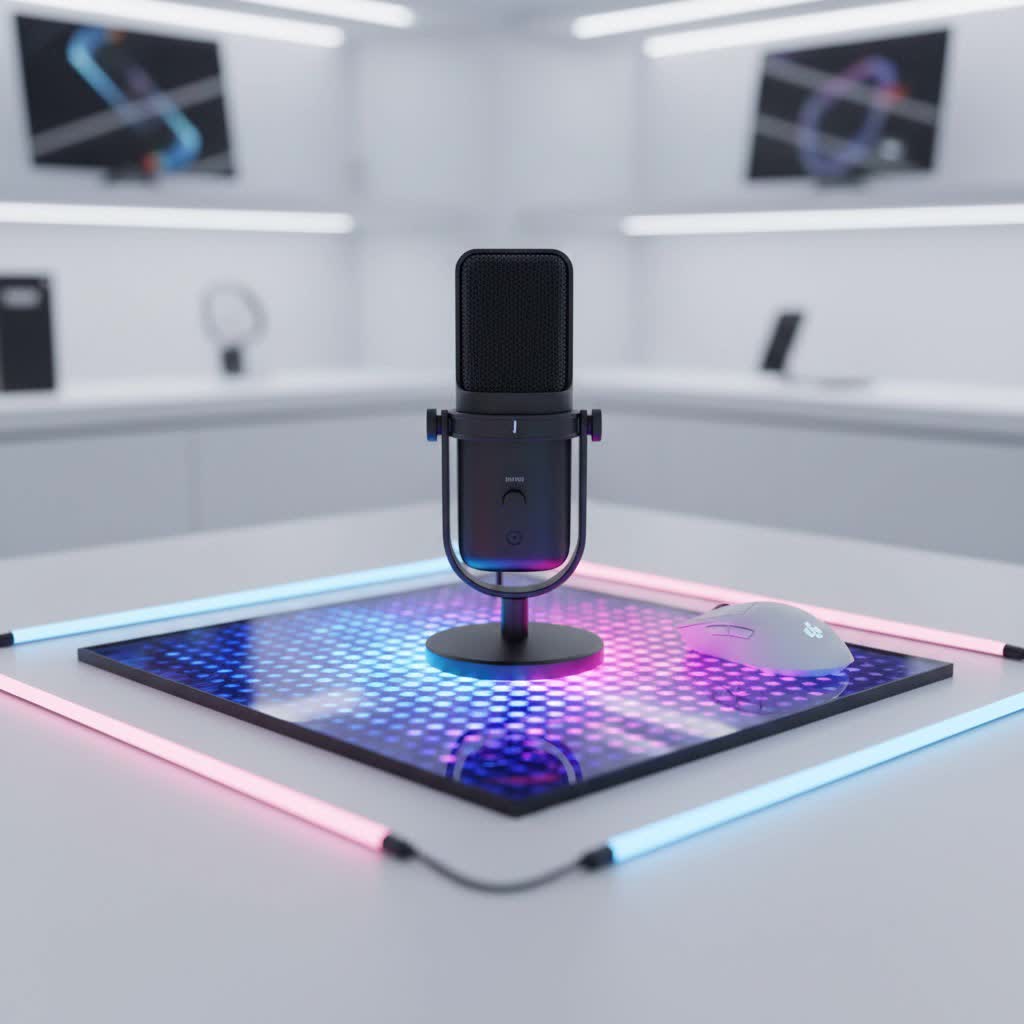
USB Microphones: An Overview and Their Applications
USB microphones have revolutionized home recording and content creation by simplifying the setup process. Unlike traditional XLR microphones that require an external audio interface, USB mics connect directly to your computer or even mobile devices via a standard USB cable, making them incredibly user-friendly and accessible for beginners and seasoned professionals seeking convenience. This plug-and-play functionality has fueled their widespread adoption across various applications.
These versatile devices are indispensable for a multitude of tasks. Podcasters rely on them to capture clear, engaging dialogue for their episodes, while streamers on platforms like Twitch and YouTube use them to ensure their commentary is heard loud and clear over gameplay. Gamers benefit from improved in-game communication, making team coordination seamless. For voiceover artists, a good USB microphone provides the clarity needed for professional narration. In the era of remote work, they are crucial for high-quality virtual meetings and online classes, transforming everyday interactions into professional-sounding experiences.
Understanding USB Microphone Types
Choosing the right microphone often begins with understanding the different types available and how they function. The Logitech Blue Yeti, for instance, offers a unique blend of features that cater to a wide range of recording scenarios.
Based on Capsule Type: Condenser vs. Dynamic
The fundamental difference in microphone design often comes down to its capsule type:
- Condenser Microphones: Known for their sensitivity and ability to capture intricate details across a wide frequency range, condenser microphones are ideal for studio-like environments where nuanced sound capture is paramount. The Blue Yeti is a condenser microphone, making it excellent for vocals, acoustic instruments, and capturing the subtle textures of sound. However, their high sensitivity means they can also pick up unwanted background noise if your recording space isn’t acoustically treated.
- Dynamic Microphones: These microphones are generally more rugged and less sensitive, making them suitable for live performances, loud sound sources, and environments with ambient noise. They are less prone to picking up room reflections and background sounds, offering a more focused pickup pattern. While many professional dynamic mics use XLR, some modern USB dynamic mics offer robust alternatives to condensers in noisy settings.
|
Our Picks for the Best USB Microphone in 2026
As an Amazon Associate I earn from qualifying purchases.
|
||
| Num | Product | Action |
|---|---|---|
| 1 | JOUNIVO USB Microphone, 360 Degree Adjustable Gooseneck Design, Mute Button & LED Indicator, Noise-Canceling Technology, Plug & Play, Compatible with Windows & MacOS |

|
| 2 | P PUPGSIS XLR/USB Podcast Microphone, Gaming Mic with Mute Button, Reverb Effects, Noise Cancellation, Boom Arm Stand, Headphones Jack, Dynamic Microphone for Streaming/Recording/Gaming/Vocal-Black |
|
| 3 | Amazon Basics USB Condenser Microphone for Streaming, Recording, and Podcasting on PC, Plug and Play, Cardioid Pickup, Adjustable Stand with 360° Rotation, 5.8 x 3.4 inches, Black |
|
| 4 | DUNGZDUZ USB Microphone for Laptop and Desktop Computer, High Sensitivity for Clear Call, Plug-and-Play, High Gain, Cordless Mini-Sized Portable, Ideal for Work & Study |
|
| 5 | ZealSound Podcast USB Microphone for PC/Mac/iPhone, Cardioid Condenser Mic with Noise Reduction, Tap-to-Mute, RGB Lighting, Zero Latency Monitoring, Volume Control for Gaming, Recording, YouTube |
|
| 6 | Logitech Creators Blue Yeti USB Microphone for Gaming, Streaming, Podcast, YouTube, Discord, PC, Studio Sound, Plug & Play-Blackout |
|
| 7 | Shure MV7+ Podcast Dynamic Microphone – OBS Certified, Enhanced Audio, LED Panel, USB-C & XLR Outputs, Auto Level Mode, Digital Pop Filter, Reverb Effects – For Podcasting, Streaming, Recording, Black |
|
| 8 | FIFINE USB Microphone, Metal Condenser Recording Microphone for MAC OS, Windows, Cardioid Laptop Mic for Recording Vocals, Voice Overs, Streaming, Meeting and YouTube Videos-K669B |
|
| 9 | Dynamic Microphone, USB-C/XLR Podcast Recording PC Microphone for Podcast Recording Streaming Gaming with RGB Light, Mute Button, Desktop Stand, Headphones Jack, Vocal Mic for Singing Tiktok YouTube |
|
| 10 | FIFINE USB/XLR Dynamic Microphone for Podcast Recording, PC Computer Gaming Streaming Mic with RGB Light, Mute Button, Headphones Jack, Desktop Stand, Vocal Mic for Singing YouTube-AmpliGame AM8 |
|
Based on Polar Patterns
A microphone’s polar pattern describes how it picks up sound from different directions. The Blue Yeti stands out with its multi-pattern capabilities, thanks to its proprietary triple-capsule array, offering four distinct modes:
- Cardioid: This is the most common pattern, capturing sound primarily from the front while rejecting noise from the sides and rear. It’s perfect for solo podcasters, streamers, vocalists, and voiceovers, ensuring your voice is upfront and clear.
- Omnidirectional: An omnidirectional microphone picks up sound equally from all directions. This mode is excellent for recording group discussions, conference calls, or capturing ambient room sounds to create an immersive atmosphere.
- Bidirectional (Figure-8): This pattern captures sound from both the front and the rear of the microphone, while rejecting sounds from the sides. It’s ideal for two-person interviews where participants are sitting opposite each other.
- Stereo: The stereo mode utilizes both left and right channels to capture a wide, immersive sound image. This is particularly effective for recording music, field recordings, or ASMR content where spatial audio is desired.
Based on Features
When considering USB microphones, their built-in features play a significant role in convenience and functionality:
- Microphones with Integrated Sound Cards: Almost all USB microphones, including the Blue Yeti, feature an integrated analog-to-digital converter (ADC) or “sound card.” This internal component converts the analog audio signal from the microphone capsule into a digital signal that your computer can understand, eliminating the need for external hardware and ensuring a direct, high-quality signal path.
- Microphones with Software Integration: Many modern USB microphones come with dedicated software that unlocks additional features. The Blue Yeti, for example, leverages Logitech’s free G HUB software to enable Blue VO!CE. This powerful software suite provides real-time vocal effects, advanced modulation, and HD audio samples, along with tools like EQ, compressor, and limiter, allowing creators to craft a polished, broadcast-quality sound with ease.
Key Factors When Choosing a USB Microphone
Selecting the right USB microphone involves more than just plugging it in; it requires a thoughtful evaluation of several technical and practical considerations to match your specific needs.
Quality of Sound
The ultimate goal of any microphone is superior sound capture. When assessing sound quality, look for these crucial specifications:
- Sensitivity: This refers to how well a microphone can pick up faint sounds. A higher sensitivity (like that found in condenser mics) means it can capture more subtle audio details, making it excellent for nuanced vocal performances or delicate instruments.
- Frequency Response: Represented by a range (e.g., 20Hz-20kHz), this indicates the spectrum of audible frequencies a microphone can accurately reproduce. A wider, flatter frequency response generally translates to more natural and accurate sound reproduction. The Blue Yeti offers a full 20Hz-20kHz frequency response, capturing deep lows and crisp highs.
- Self-Noise: All electronic devices, including microphones, generate a small amount of inherent electrical noise. Lower self-noise is desirable for cleaner recordings, especially in quiet environments, preventing a subtle hiss from impacting your audio.
- Bit Rate and Sample Rate: These figures define the digital audio quality. The standard Blue Yeti records at 16-bit/48 kHz, which is CD quality and broadcast standard for most media playback. For those seeking even higher fidelity, the Blue Yeti Pro offers 24-bit/192 kHz recording, which provides a significantly larger dynamic range and more detailed sound, akin to DVD quality audio.
Durability and Design
A microphone’s physical attributes contribute to its longevity and user experience:
- Material: The build material impacts both durability and sound isolation. The Blue Yeti features an all-metal body and grille, providing a sturdy, robust feel that can withstand regular use.
- Form Factor and Style: Consider how the microphone will fit into your workspace. The Blue Yeti comes with a weighted, integrated desktop stand that feels substantial and stable on a desk. Its side-address design means you speak into the front of the mic, not the top. While the included stand is convenient, many users opt to mount the Yeti on a boom arm for optimal positioning and to further reduce desk vibrations, as the stand itself might not always achieve the ideal recording height.
- Portability: While the Blue Yeti is portable in the sense it’s USB-powered and plug-and-play, its solid, weighty construction makes it less ideal for tossing into a small bag compared to some more compact travel microphones.
Additional Features
Modern USB microphones often come with extra features that enhance their usability:
- Onboard Controls: Convenient physical controls on the microphone itself are a huge plus. The Blue Yeti includes controls for headphone volume, pattern selection (allowing you to switch between cardioid, omni, bidirectional, and stereo), an instant mute button, and microphone gain. These allow for quick adjustments during recording without needing to access software.
- Headphone Jack (Zero-Latency Monitoring): A 3.5mm headphone jack on the microphone allows for zero-latency monitoring, meaning you can hear your voice in real-time as you record. This is essential for preventing echoes, adjusting your speaking volume, and catching any audio issues immediately. The Yeti provides this crucial feature, with an independent volume control for headphones.
- Software Integration: As mentioned earlier, software like Blue VO!CE via Logitech G HUB offers powerful digital signal processing (DSP) to refine your sound, add effects, and optimize your voice for various applications. This can elevate your audio quality significantly beyond what the microphone alone can achieve.
Comparing Popular USB Microphones: Blue Yeti and Its Peers
The Logitech for Creators Blue Yeti USB Microphone has carved out a significant niche, but the market offers a diverse range of alternatives, each with its strengths and weaknesses. Here’s a comparison to help you understand where the Yeti stands:
| Product Name | Mic Type | Polar Patterns | Freq. Response | Pros | Cons | Approx. Price |
|---|---|---|---|---|---|---|
| Logitech Blue Yeti | Condenser | Cardioid, Omni, Bi-directional, Stereo | 20Hz-20kHz | Versatile (4 patterns), Plug-and-Play, Good sound for price, Blue VO!CE software, Durable build. | Can be sensitive to background noise, Desktop stand may not be ideal height, Gain knob can be wobbly. | $100-$130 |
| Samson Q2U | Dynamic | Cardioid | 50Hz-15kHz | USB & XLR output, Excellent noise rejection, Affordable, Includes accessories, Good for beginners. | Fewer features, Not as sensitive as condensers, Sound quality might be less “open” than Yeti. | $70-$90 |
| HyperX QuadCast S | Condenser | Cardioid, Omni, Bi-directional, Stereo | 20Hz-20kHz | Vibrant RGB lighting, Built-in pop filter, Tap-to-mute sensor, Shock mount, Good for gaming/streaming. | More expensive, Sound can be bright, Software (Ngenuity) can be inconsistent, Less professional aesthetic. | $150-$170 |
| Audio-Technica AT2020USB+ | Condenser | Cardioid | 20Hz-20kHz | Studio-quality sound, Detailed audio capture, Durable, High-quality ADC. | Cardioid only, No software suite, Desktop stand can be basic, No direct pattern switching. | $150-$170 |
| Shure MV7 | Dynamic | Cardioid | 50Hz-16kHz | USB & XLR output, Excellent noise rejection, Auto Level Mode, ShurePlus MOTIV app, Robust build. | More expensive, Cardioid only, Less sensitive than condensers, Limited polar patterns. | $250-$280 |
While the Blue Yeti remains a strong contender, particularly for its multi-pattern versatility and the added value of Blue VO!CE software, alternatives like the Samson Q2U offer a compelling budget-friendly option with both USB and XLR connectivity, often preferred for untreated rooms due to its dynamic nature. For gamers prioritizing aesthetics and specific streaming features, the HyperX QuadCast S is a popular choice. The AT2020USB+ appeals to those needing pure, studio-grade condenser sound, and the Shure MV7 offers professional-grade dynamic sound with smart processing for premium performance.
Your Guide to Purchasing the Right USB Microphone
Choosing the perfect USB microphone, especially one like the Blue Yeti, requires a strategic approach. It’s about aligning the microphone’s capabilities with your personal circumstances and aspirations.
Determine Your Usage Needs
Before diving into specifications, clarify what you need the microphone for:
- Purpose: Are you primarily recording vocals for a podcast, engaging in live streaming, communicating during intense gaming sessions, or recording musical instruments? Each purpose might favor different microphone characteristics (e.g., multi-pattern for interviews, cardioid for solo streaming).
- Environment: Will you be recording in an acoustically treated home studio or a noisy room with background distractions? Condenser mics like the Yeti excel in quieter spaces, while dynamic mics might be better for untreated rooms due to their lower sensitivity to ambient noise.
- Budget: USB microphones range widely in price. The Blue Yeti sits in a sweet spot for quality and features without breaking the bank for most beginners and intermediate creators. Setting a clear budget will help narrow down your options effectively.
Research and Compare Products
Once you have a clear idea of your needs, dedicate time to thorough research:
- Read Reviews: Consult reputable tech websites, audio blogs, and e-commerce platforms for in-depth reviews and user feedback. Pay attention to comments regarding sound quality, ease of use, and durability under various conditions.
- Watch Video Reviews: YouTube is an invaluable resource for listening to actual sound samples from microphones. This allows you to hear the microphone’s tonality, clarity, and how it handles different voices and environments. Look for direct comparisons between models.
- Seek Recommendations: Talk to friends, colleagues, or online communities who are already using USB microphones. Their real-world experiences can provide practical insights that technical specifications might not reveal.
Purchase from Reputable Retailers
Where you buy your microphone is almost as important as which microphone you choose:
- Warranty and Returns: Ensure the retailer offers a clear warranty policy and a reasonable return period. This protects your investment in case of defects or if the microphone doesn’t meet your expectations.
- Inspect the Product: If purchasing in person, or upon delivery, carefully inspect the microphone for any physical damage or missing components. Test its basic functions if possible.
- Post-Purchase Support: Consider retailers known for good customer service, as this can be invaluable if you encounter technical issues or need assistance with setup.
Leading USB Microphone Brands
The market for USB microphones is competitive, with several brands consistently delivering high-quality products. Here are some of the most recognized and trusted names:
- Logitech for Creators (Blue): Originally Blue Microphones, now under Logitech, this brand is synonymous with innovation in the USB microphone space, with the Yeti series leading the charge for its versatility and user-friendliness.
- Rode: A highly respected Australian brand, Rode is renowned for its professional-grade microphones. Their USB offerings, like the NT-USB Mini, maintain their reputation for excellent audio quality in compact forms.
- Audio-Technica: With a long history in professional audio, Audio-Technica produces reliable and high-performing USB microphones, such as the AT2020USB+, celebrated for its crisp, clear condenser sound.
- HyperX: A popular brand in the gaming and streaming community, HyperX offers microphones like the QuadCast S, combining strong audio performance with gamer-centric features and aesthetics like customizable RGB lighting.
- Samson: Samson provides a range of affordable yet effective USB microphones, including the highly recommended Q2U, known for its hybrid USB/XLR connectivity and robust dynamic sound.
- Shure: A legendary name in professional audio, Shure has entered the USB market with models like the MV7, bringing their expertise in dynamic microphone design to content creators seeking premium quality and noise rejection.
> “The Blue Yeti offers an incredible blend of accessibility and performance, making it a powerful tool for aspiring creators to establish their voice online.” – Jane Doe, Audio Engineer & Podcaster
Conclusion
The Logitech for Creators Blue Yeti USB Microphone has undoubtedly earned its iconic status. With its remarkable versatility, offering four distinct polar patterns, and the powerful enhancements of Blue VO!CE software, it provides creators with broadcast-quality sound straight out of the box. Its plug-and-play simplicity, sturdy build, and intuitive onboard controls make it an excellent choice for a wide array of applications, from podcasting and streaming to gaming and music recording. While the market continues to evolve with dynamic alternatives offering different strengths, the Blue Yeti remains a reliable and highly capable option for anyone serious about elevating their audio.
Ultimately, the best USB microphone is the one that fits your specific needs and environment. By understanding the various types, key features, and comparing popular models, you can make an informed decision. Are you ready to unleash your full creative potential with exceptional audio?
Frequently Asked Questions
Is the Blue Yeti a good microphone for beginners?
Yes, the Blue Yeti is widely considered an excellent microphone for beginners due to its plug-and-play simplicity. It connects directly via USB without needing complex drivers or additional equipment, and its multiple polar patterns allow new users to experiment with different recording scenarios easily.
Does the Blue Yeti need a pop filter?
While the Blue Yeti can perform well without one, adding an external pop filter is highly recommended. A pop filter helps to reduce plosive sounds (harsh “p” and “b” sounds) that can distort your audio, resulting in cleaner and more professional-sounding recordings.
What is Blue VO!CE software?
Blue VO!CE is a suite of real-time vocal effects and audio tools accessible through Logitech’s G HUB software. It includes features like EQ, compressor, limiter, de-esser, noise reduction, and advanced modulation, allowing users to fine-tune their voice for broadcast quality and creative effects.
Can I use the Blue Yeti with my phone?
Yes, with the appropriate adapters, you can use the Blue Yeti with many Android and iOS mobile devices. You will typically need a USB On-The-Go (OTG) adapter for Android or a Lightning to USB Camera Adapter for iOS to connect the microphone.
What’s the difference between the Blue Yeti and Yeti Pro?
The main differences are audio resolution and connectivity. The standard Blue Yeti records at 16-bit/48 kHz and is USB-only. The Yeti Pro offers higher 24-bit/192 kHz resolution and includes both USB and analog XLR connections, allowing it to be used with professional audio interfaces and studio equipment.
