In today’s vibrant digital landscape, whether you’re a seasoned streamer, an aspiring podcaster, a dedicated gamer, or simply someone who relies on clear online communication, the quality of your audio is paramount. A great visual setup can be undermined by poor sound, leaving your audience disengaged and frustrated. This is where a high-quality Usb Microphone For Streaming steps in, offering a perfect blend of professional audio performance and unparalleled ease of use. This comprehensive guide will walk you through everything you need to know to select the ideal USB microphone, transforming your audio from amateur to articulate.
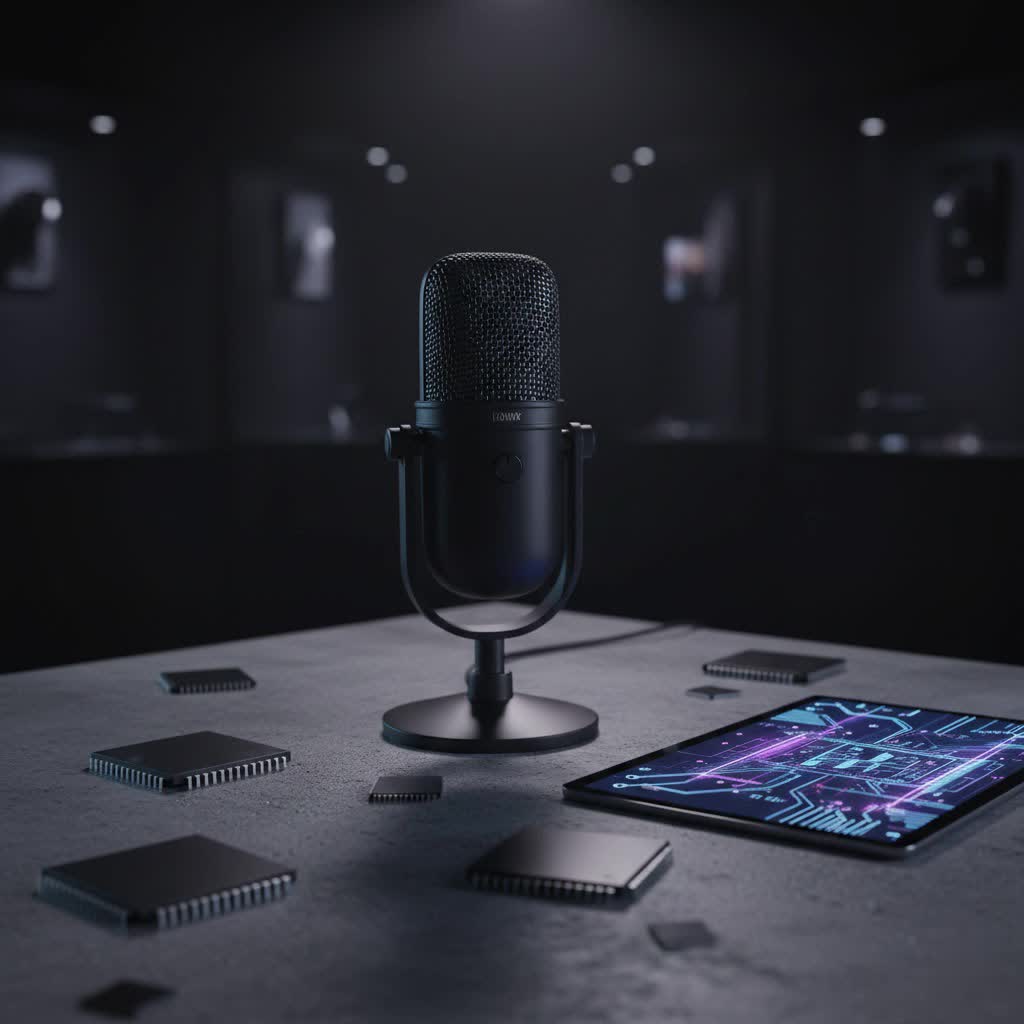
USB Microphones: Overview and Applications for Streamers
USB microphones have rapidly become the go-to solution for content creators due to their simplicity and effectiveness. Unlike traditional XLR microphones that require an audio interface, mixers, and separate cables, USB microphones are true plug-and-play devices. They connect directly to your computer via a single USB cable, handling all the analog-to-digital conversion internally. This seamless integration makes them incredibly appealing for anyone looking to achieve broadcast-quality sound without the complexity of a professional studio setup.
The applications for a good USB microphone are vast, especially in the streaming world. For live streamers on platforms like Twitch and YouTube, a clear voice ensures your commentary, reactions, and interactions are heard distinctly, enhancing viewer experience. Podcasters benefit from crisp vocal recordings that give their shows a polished, professional edge. Gamers often use them to communicate with teammates and audience members with superior clarity compared to headset microphones. Furthermore, for virtual meetings, online teaching, or even casual voice chats, a USB microphone drastically improves speech intelligibility, making every word count.
Types of USB Microphones
Understanding the different types of USB microphones available is crucial for making an informed decision tailored to your specific streaming environment and needs.
Based on Microphone Type
The core technology inside a microphone largely determines its sound characteristics and best use cases.
- Condenser Microphones: These are highly sensitive microphones, excellent at capturing subtle nuances and a broad frequency range. They require power, which in a USB microphone, is supplied directly via the USB connection. Condenser mics are often preferred for studio-like environments where clarity, detail, and a wide dynamic range are paramount, making them ideal for vocals, acoustic instruments, and general voiceovers in quiet settings.
- Dynamic Microphones: Known for their durability and ability to handle high sound pressure levels (SPLs), dynamic microphones are less sensitive than condensers. This makes them excellent at rejecting background noise, as they primarily pick up sound directly in front of them. Dynamic USB microphones are a great choice for streamers who operate in noisy environments, have a powerful speaking voice, or require a microphone that can withstand frequent handling and transport.
|
Our Picks for the Best USB Microphone in 2026
As an Amazon Associate I earn from qualifying purchases.
|
||
| Num | Product | Action |
|---|---|---|
| 1 | Dynamic Microphone, USB-C/XLR Podcast Recording PC Microphone for Podcast Recording Streaming Gaming with RGB Light, Mute Button, Desktop Stand, Headphones Jack, Vocal Mic for Singing Tiktok YouTube |

|
| 2 | P PUPGSIS XLR/USB Podcast Microphone, Gaming Mic with Mute Button, Reverb Effects, Noise Cancellation, Boom Arm Stand, Headphones Jack, Dynamic Microphone for Streaming/Recording/Gaming/Vocal-Black |
|
| 3 | Logitech Creators Blue Yeti USB Microphone for Gaming, Streaming, Podcast, YouTube, Discord, PC, Studio Sound, Plug & Play-Blackout |
|
| 4 | Shure MV7+ Podcast Dynamic Microphone – OBS Certified, Enhanced Audio, LED Panel, USB-C & XLR Outputs, Auto Level Mode, Digital Pop Filter, Reverb Effects – For Podcasting, Streaming, Recording, Black |
|
| 5 | DUNGZDUZ USB Microphone for Laptop and Desktop Computer, High Sensitivity for Clear Call, Plug-and-Play, High Gain, Cordless Mini-Sized Portable, Ideal for Work & Study |
|
| 6 | Amazon Basics USB Condenser Microphone for Streaming, Recording, and Podcasting on PC, Plug and Play, Cardioid Pickup, Adjustable Stand with 360° Rotation, 5.8 x 3.4 inches, Black |
|
| 7 | FIFINE USB/XLR Dynamic Microphone for Podcast Recording, PC Computer Gaming Streaming Mic with RGB Light, Mute Button, Headphones Jack, Desktop Stand, Vocal Mic for Singing YouTube-AmpliGame AM8 |
|
| 8 | FIFINE USB Microphone, Metal Condenser Recording Microphone for MAC OS, Windows, Cardioid Laptop Mic for Recording Vocals, Voice Overs, Streaming, Meeting and YouTube Videos-K669B |
|
| 9 | JOUNIVO USB Microphone, 360 Degree Adjustable Gooseneck Design, Mute Button & LED Indicator, Noise-Canceling Technology, Plug & Play, Compatible with Windows & MacOS |
|
| 10 | ZealSound Podcast USB Microphone for PC/Mac/iPhone, Cardioid Condenser Mic with Noise Reduction, Tap-to-Mute, RGB Lighting, Zero Latency Monitoring, Volume Control for Gaming, Recording, YouTube |
|
Based on Polar Patterns
A microphone’s polar pattern describes its directionality – how it picks up sound from different angles.
- Cardioid: This is the most common polar pattern for streaming. A cardioid microphone primarily picks up sound from the front, while significantly reducing sound from the sides and rear. This is ideal for single-person setups, helping to isolate your voice and minimize room echo or background distractions like keyboard clicks or fan noise.
- Omnidirectional: An omnidirectional microphone picks up sound equally from all directions. While less common for solo streamers, it’s perfect for situations where you need to capture audio from multiple sources around the microphone, such as group podcasts, round-table discussions, or capturing ambient room sound.
- Bidirectional (Figure-8): This pattern picks up sound equally from the front and back of the microphone, while rejecting sound from the sides. It’s often used for two-person interviews where the participants sit opposite each other, making it a niche but valuable option for specific streaming formats. Many versatile USB microphones offer multiple switchable polar patterns.
Based on Features
While all USB microphones integrate an analog-to-digital converter, additional features can significantly enhance their utility for streamers. Microphones with integrated sound cards essentially mean they have built-in audio processing. Beyond this, look for features like direct monitoring via a headphone jack, which allows you to hear your own voice in real-time without delay. This is crucial for adjusting your speaking level and ensuring you sound natural. Mute buttons, gain control dials, and sometimes even built-in pop filters or shock mounts further add to the convenience and audio quality.
Key Factors When Choosing a USB Microphone for Streaming
Selecting the right USB microphone involves considering several critical factors that directly impact your audio quality and user experience. Paying attention to these elements will ensure you get a device that not only sounds great but also fits seamlessly into your streaming workflow.
Audio Quality
The primary purpose of any microphone is to capture high-fidelity sound. For streamers, vocal clarity and richness are paramount.
- Sensitivity: This refers to how well a microphone picks up sound. A highly sensitive microphone can capture subtle nuances in your voice, but it might also pick up more background noise. For a home streaming setup, a balance is key – sensitive enough for detail, but not so much that it becomes overly noisy.
- Frequency Response: This indicates the range of frequencies (low, mid, high) a microphone can capture. For spoken word, a microphone with a flat and wide frequency response ensures your voice sounds natural, full, and clear, without any specific frequencies being overly emphasized or cut out. Most modern USB microphones are optimized for vocal frequencies.
- Self-Noise: Also known as equivalent input noise (EIN), this is the inherent electronic hum or hiss produced by the microphone itself. Lower self-noise values (measured in dB SPL) mean a quieter microphone, resulting in cleaner recordings, especially important for quiet vocal passages or whispers.
Durability and Design
A microphone is an investment, and its physical attributes contribute to its longevity and usability.
- Materials: Microphones built with metal bodies and sturdy grilles tend to be more durable and resistant to accidental bumps and drops than those made predominantly of plastic. High-quality materials also often contribute to a more premium feel.
- Form Factor: Consider whether you prefer a desktop microphone with an integrated stand, or a microphone designed to be mounted on a boom arm. Desktop stands are convenient for quick setups, while boom arms offer more flexibility in positioning and can help reduce desk vibrations, leading to cleaner audio.
- Portability: If you plan to stream from different locations or travel frequently, a compact and lightweight USB microphone might be a priority. Some models are designed specifically for on-the-go content creation.
Additional Features
Beyond basic sound capture, several features can significantly enhance a streamer’s experience and audio control.
- Volume Control: Independent volume controls for both the microphone gain (input level) and the headphone monitoring output are highly beneficial. This allows you to adjust how loud your voice is captured and how loud you hear yourself, independently.
- Headphone Jack: A crucial feature for streamers is a built-in 3.5mm headphone jack for zero-latency monitoring. This allows you to hear your own voice directly from the microphone without any delay (latency) introduced by your computer, making it easy to adjust your speaking volume and avoid clipping.
- Quick Mute Button: A physical mute button on the microphone itself is invaluable for live streaming. It allows you to instantly cut your audio feed for coughs, sneezes, or private conversations without fumbling with software settings, ensuring a professional broadcast.
- Integrated Pop Filter/Shock Mount: Some USB microphones come with built-in pop filters to reduce harsh plosive sounds (like “p” and “b”) and internal shock mounts to minimize vibrations and bumps transferred through the desk or stand.
Comparing Popular USB Microphones for Streaming
The market for USB microphones is diverse, with several models standing out for their audio quality, features, and popularity among streamers. Here’s a comparison of some top contenders to help you weigh your options.
| Product Name | Type | Polar Pattern(s) | Frequency Response | Pros | Cons | Estimated Price |
|---|---|---|---|---|---|---|
| Blue Yeti | Condenser | Cardioid, Omni, Bi, Stereo | 20Hz-20kHz | Versatile, multiple patterns, easy to use | Can pick up background noise, bulky | $100-$130 |
| HyperX QuadCast S | Condenser | Cardioid, Omni, Bi, Stereo | 20Hz-20kHz | Excellent sound, customizable RGB, tap-to-mute | Pricey, design might not suit all aesthetics | $150-$170 |
| Rode NT-USB+ | Condenser | Cardioid | 20Hz-20kHz | Broadcast-quality sound, robust build, DSP | Premium price, single pattern | $170-$200 |
| Shure MV7 | Hybrid (USB/XLR) | Cardioid | 50Hz-16kHz | Dual USB/XLR, excellent voice isolation, app | Higher price point, slightly less detailed than some | $220-$250 |
| Razer Seiren Mini | Condenser | Cardioid | 20Hz-20kHz | Compact, affordable, good clarity | Limited features, basic stand | $50-$60 |
> “For streaming, the clarity of your voice is your connection to the audience. A good USB microphone simplifies achieving that professional sound without the technical hurdles.” – Alex Chen, Audio Engineer & Streaming Consultant
How to Choose the Right USB Microphone for Your Stream
Making the final decision requires a structured approach, aligning the microphone’s capabilities with your personal streaming requirements and environment.
Determine Your Streaming Needs
Start by clearly defining what you need the microphone for and where you’ll be using it.
- Purpose of Use: Are you primarily streaming gaming commentary, doing solo podcasts, conducting interviews, or singing? Different purposes might prioritize different microphone characteristics, such as a strong cardioid pattern for isolating your voice versus an omnidirectional for group discussions.
- Recording Environment: Is your streaming space acoustically treated and quiet, or is it a shared room with ambient noise like computer fans, pets, or family members? A quiet environment might benefit from a sensitive condenser mic, while a noisier one might call for a dynamic mic’s superior noise rejection.
- Budget: USB microphones range from budget-friendly options under $50 to premium models costing over $200. Establish a realistic budget and prioritize features that are most important to you within that range.
Research and Compare Products
Once you have a clear idea of your needs, dive into the research.
- Read Reviews and Comparisons: Websites dedicated to audio gear, tech reviews, and streaming hardware often provide in-depth analyses and comparisons of different USB microphones. Pay attention to user reviews for real-world insights into performance and common issues.
- Watch Video Reviews: YouTube is an excellent resource for hearing sound samples and seeing microphones in action. Many content creators specifically review microphones for streaming, allowing you to gauge audio quality firsthand.
- Seek Recommendations: Ask fellow streamers, audio enthusiasts, or content creation communities for their personal experiences and recommendations. Sometimes, a trusted peer’s advice can be more valuable than dozens of written reviews.
Purchase from Reputable Retailers
Where you buy your microphone is almost as important as which microphone you choose.
- Warranty and Return Policies: Ensure the retailer offers a clear warranty and a hassle-free return policy. This protects your investment in case of defects or if the microphone simply doesn’t meet your expectations.
- Product Inspection: If purchasing in-store, always inspect the product for any physical damage. If buying online, check the packaging upon arrival. A reputable seller will ensure you receive a pristine product.
Top USB Microphone Brands for Streamers
Several brands have established themselves as leaders in the USB microphone market, consistently delivering quality and innovation. Familiarizing yourself with these names can guide your selection process.
- Rode: An Australian company renowned for its professional audio equipment, Rode offers exceptional USB microphones like the NT-USB+ and the Rode X series, known for their superior sound quality and robust build.
- Blue (now Logitech): Perhaps one of the most recognizable brands in the USB microphone space, Blue (now under Logitech) revolutionized desktop audio with iconic products like the Blue Yeti and Snowball, celebrated for their versatility and ease of use.
- Audio-Technica: A respected name in audio, Audio-Technica brings its expertise to the USB market with models like the AT2020USB+, providing excellent condenser microphone quality in a USB format.
- HyperX: Primarily known for gaming peripherals, HyperX has made a strong impact with its QuadCast and SoloCast USB microphones, favored by gamers and streamers for their features, design, and clear audio.
- Shure: A legendary name in professional audio, Shure entered the USB market with the MV7, offering a hybrid USB/XLR solution that brings their renowned vocal clarity and noise rejection to a more accessible format.
- Samson: Samson provides a range of affordable yet capable USB microphones, including the Q2U and G-Track Pro, which are popular for their value and feature sets.
Conclusion
Choosing the right USB microphone for streaming is a pivotal step in elevating your content and engaging your audience with crystal clear audio. By understanding the different types, key features, and popular models available, you can confidently select a device that aligns perfectly with your specific needs, environment, and budget. Remember, a great microphone isn’t just about capturing sound; it’s about capturing attention and delivering your message with impact. Invest wisely, and prepare to hear the difference. What aspects of your streaming audio are you most excited to enhance with a new USB microphone?
