In today’s dynamic world of content creation, from professional podcasts to immersive gaming streams, crystal-clear audio is no longer a luxury—it’s a necessity. If you’ve ever wrestled with complex audio setups or been frustrated by the muffled sound from your device’s built-in mic, you understand the transformative power of a dedicated recording tool. Enter the Usb Recording Microphone: a game-changer offering studio-quality sound with unparalleled simplicity. This comprehensive guide will demystify USB microphones, helping you navigate the options and choose the perfect device to capture your voice with professional fidelity, ensuring your message is heard exactly as you intend.
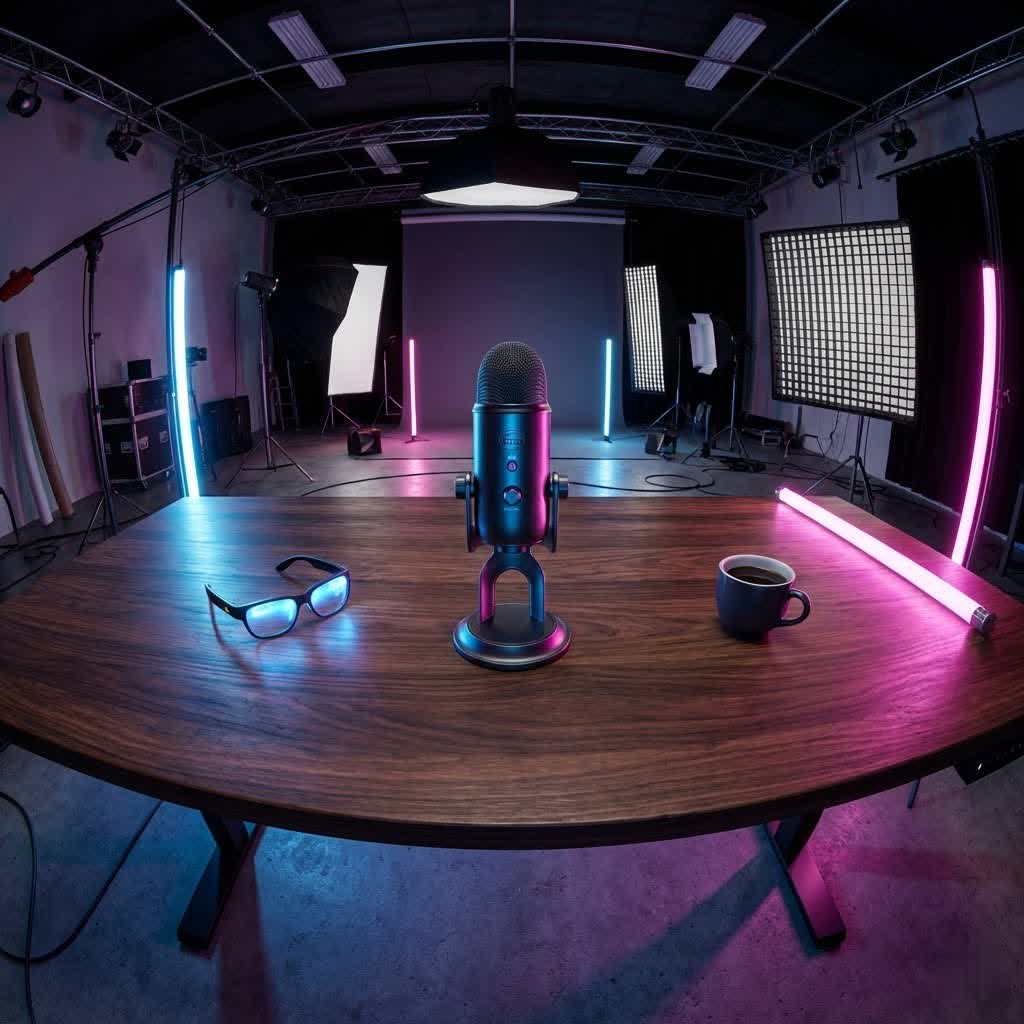
USB Recording Microphones: Overview and Applications
A USB microphone is an all-in-one audio solution, ingeniously combining a microphone capsule, a preamplifier, and an analog-to-digital (A/D) converter into a single, compact unit. This integration means you can plug it directly into your computer, laptop, or even some mobile devices via a standard USB cable, bypassing the need for an external audio interface or mixer. This “plug-and-play” convenience has made USB microphones incredibly popular across a diverse range of applications.
These versatile devices are now indispensable tools for:
- Podcasting and Broadcasting: Delivering clear, articulate speech for interviews, storytelling, and news segments.
- Live Streaming: Enhancing vocal presence for gamers, artists, and educators engaging with audiences in real-time.
- Music Recording: Capturing vocals and acoustic instruments with detail, perfect for home studio musicians.
- Voice-overs and Narration: Providing crisp, professional audio for videos, presentations, and audiobooks.
- Online Meetings and Conferencing: Ensuring clear communication in remote work and virtual classroom settings.
The inherent simplicity and impressive audio quality of modern USB microphones make them an accessible entry point for anyone serious about improving their sound without the complexity of traditional setups.
Types of USB Microphones
Understanding the different types of USB microphones is crucial for selecting one that aligns with your specific recording needs and environment. Mics are primarily categorized by their transducer type and polar pattern.
By Transducer Type: Condenser vs. Dynamic
The core technology that converts sound waves into electrical signals largely defines a microphone’s characteristics.
- Condenser Microphones: These microphones feature a lightweight diaphragm that is highly sensitive to sound waves.
- Pros: They excel at capturing subtle nuances, high-frequency details, and a wide dynamic range. This makes them ideal for studio vocals, acoustic instruments, and environments where capturing ambient sound with clarity is desired. USB condenser mics draw the necessary power (typically 5V) directly from the USB connection, simplifying setup.
- Cons: Their high sensitivity means they can also pick up more room noise and background sounds, requiring a quieter recording environment.
- Dynamic Microphones: Dynamic mics use a more robust diaphragm and a voice coil suspended in a magnetic field.
- Pros: They are less sensitive than condensers, making them excellent for louder sound sources like powerful vocals, electric guitars, or drums. Their reduced sensitivity also means they are more forgiving in noisy environments, focusing primarily on the sound source directly in front of them. Many users find they produce a “larger-than-life” or broadcast-ready sound for voices.
- Cons: They generally require the speaker to be closer to the microphone for optimal pickup, which might be a consideration for video creators.
|
Our Picks for the Best USB Microphone in 2026
As an Amazon Associate I earn from qualifying purchases.
|
||
| Num | Product | Action |
|---|---|---|
| 1 | Dynamic Microphone, USB-C/XLR Podcast Recording PC Microphone for Podcast Recording Streaming Gaming with RGB Light, Mute Button, Desktop Stand, Headphones Jack, Vocal Mic for Singing Tiktok YouTube |

|
| 2 | DUNGZDUZ USB Microphone for Laptop and Desktop Computer, High Sensitivity for Clear Call, Plug-and-Play, High Gain, Cordless Mini-Sized Portable, Ideal for Work & Study |
|
| 3 | Amazon Basics USB Condenser Microphone for Streaming, Recording, and Podcasting on PC, Plug and Play, Cardioid Pickup, Adjustable Stand with 360° Rotation, 5.8 x 3.4 inches, Black |
|
| 4 | FIFINE USB Microphone, Metal Condenser Recording Microphone for MAC OS, Windows, Cardioid Laptop Mic for Recording Vocals, Voice Overs, Streaming, Meeting and YouTube Videos-K669B |
|
| 5 | FIFINE USB/XLR Dynamic Microphone for Podcast Recording, PC Computer Gaming Streaming Mic with RGB Light, Mute Button, Headphones Jack, Desktop Stand, Vocal Mic for Singing YouTube-AmpliGame AM8 |
|
| 6 | Shure MV7+ Podcast Dynamic Microphone – OBS Certified, Enhanced Audio, LED Panel, USB-C & XLR Outputs, Auto Level Mode, Digital Pop Filter, Reverb Effects – For Podcasting, Streaming, Recording, Black |
|
| 7 | ZealSound Podcast USB Microphone for PC/Mac/iPhone, Cardioid Condenser Mic with Noise Reduction, Tap-to-Mute, RGB Lighting, Zero Latency Monitoring, Volume Control for Gaming, Recording, YouTube |
|
| 8 | JOUNIVO USB Microphone, 360 Degree Adjustable Gooseneck Design, Mute Button & LED Indicator, Noise-Canceling Technology, Plug & Play, Compatible with Windows & MacOS |
|
| 9 | Logitech Creators Blue Yeti USB Microphone for Gaming, Streaming, Podcast, YouTube, Discord, PC, Studio Sound, Plug & Play-Blackout |
|
| 10 | P PUPGSIS XLR/USB Podcast Microphone, Gaming Mic with Mute Button, Reverb Effects, Noise Cancellation, Boom Arm Stand, Headphones Jack, Dynamic Microphone for Streaming/Recording/Gaming/Vocal-Black |
|
By Polar Pattern (Pickup Pattern)
A microphone’s polar pattern describes its directional sensitivity—how well it picks up sound from different angles.
- Cardioid: This is the most common pattern, characterized by its heart-shaped pickup area. A cardioid microphone primarily captures sound from the front, with significant rejection from the sides and rear. It’s excellent for isolating a single vocal or instrument, minimizing background noise and preventing feedback in live settings.
- Omnidirectional: As the name suggests, an omnidirectional microphone picks up sound equally from all directions (360 degrees). This pattern is ideal for capturing the ambiance of a room, recording multiple speakers around a table, or capturing a choir or ensemble where a natural, inclusive sound is desired.
- Bidirectional (Figure-8): A bidirectional microphone picks up sound equally from the front and the rear, while largely rejecting sound from the sides. This pattern is perfect for two-person interviews, where individuals sit on opposite sides of the microphone.
- Multi-pattern Microphones: Some advanced USB microphones, like the popular Blue Yeti, offer selectable polar patterns. This versatility allows you to switch between cardioid, omnidirectional, bidirectional, and sometimes stereo modes, making them adaptable to various recording scenarios.
Integrated Features and Connectivity
Beyond transducer type and polar pattern, USB microphones often come with a suite of integrated features designed to enhance user experience and recording quality.
- Zero-Latency Headphone Monitoring: Many USB mics include a 3.5mm headphone jack that allows you to monitor your audio in real-time, directly from the microphone, without any distracting delay (latency). This is essential for ensuring your voice sounds clear and properly leveled during recording.
- Onboard Controls: Look for microphones with easily accessible controls for gain (microphone sensitivity), headphone volume, and a quick mute button. These allow for on-the-fly adjustments without needing to delve into software settings.
- Dual USB/XLR Connectivity: Some premium USB microphones, like the Shure MV7, offer both USB and XLR outputs. This provides incredible flexibility, allowing for simple plug-and-play USB use initially, with the option to connect to professional XLR audio interfaces as your setup evolves.
- Built-in Pop Filters and Shock Mounts: These accessories, often integrated into higher-end models, help reduce plosive sounds (harsh “p” and “b” sounds) and minimize vibrations transmitted through your desk or stand, contributing to cleaner recordings.
Key Factors When Choosing a USB Recording Microphone
Selecting the right USB microphone involves considering several critical factors that impact audio performance, usability, and durability.
Audio Quality
The primary goal of any microphone is to capture high-fidelity audio. Key specifications to look for include:
- Sample Rate and Bit Depth: These determine the resolution and detail of your digital audio. Most modern USB microphones offer 24-bit depth and sample rates of 48kHz or 96kHz, which are considered broadcast quality and more than sufficient for most professional applications. While 16-bit/44.1kHz (CD quality) is acceptable, higher rates provide more headroom for editing.
- Frequency Response: This indicates the range of frequencies the microphone can capture. A wider, flatter frequency response generally means a more accurate and natural reproduction of sound.
- Sensitivity: A microphone’s sensitivity rating tells you how effectively it converts acoustic sound into an electrical signal. Higher sensitivity means it can pick up quieter sounds more easily, which is crucial for condenser mics.
- Self-Noise: All electronic devices generate a small amount of internal noise. Lower self-noise specifications indicate a cleaner audio signal, especially important for capturing delicate sounds or in very quiet environments.
Build Quality and Design
A well-built microphone is a reliable investment, offering longevity and consistent performance.
- Materials: Mics constructed from durable metals, rather than plastic, tend to be more resilient to accidental bumps and drops.
- Form Factor: Consider whether a desktop mic, a handheld model, or one designed for boom arms best suits your setup. Desktop mics are convenient for static setups, while portable designs cater to on-the-go recording.
- Portability: If you plan to travel or record in different locations, a compact, lightweight design is essential. Some mics even fold for easy storage.
Additional Features
Beyond the core audio performance, certain features can significantly enhance your recording experience.
- Zero-Latency Headphone Monitoring: As mentioned, this is a vital feature for real-time sound checks.
- Onboard Controls: Gain knobs, volume dials for headphones, and mute buttons offer immediate control and convenience, preventing the need to adjust settings within your computer’s software.
- Built-in Accessories: Features like integrated pop filters and shock mounts not only save you from purchasing separate accessories but also streamline your setup and improve audio clarity.
- Software Compatibility: Ensure the microphone is compatible with your operating system (Windows, macOS, Linux) and your preferred digital audio workstation (DAW) or recording software.
Popular USB Recording Microphones: A Comparison
The market is rich with excellent USB microphone options, each with its strengths. Here’s a brief comparison of some popular models to give you an idea of their characteristics:
| Product Name | Type | Polar Patterns | Key Features | Pros | Cons | Price Range (Approx.) |
|---|---|---|---|---|---|---|
| Blue Yeti | Condenser | Cardioid, Omnidirectional, Bidirectional, Stereo | Multi-pattern selection, headphone jack, gain control. | Extremely versatile, great for varied uses, easy to set up. | Can be sensitive to room noise, large desktop footprint. | Mid |
| Shure MV7 | Dynamic | Cardioid | USB & XLR outputs, touch panel controls, Voice Isolation Technology, Auto Level Mode. | Excellent vocal clarity, dual connectivity for flexibility, great noise rejection. | Higher price point, benefits from close mic positioning. | Upper-Mid |
| Rode NT-USB Mini | Condenser | Cardioid | Compact design, built-in pop filter, studio-quality sound, magnetic stand. | Portable, excellent sound for its size, clean aesthetics. | Less versatile with single polar pattern, no onboard gain control knob. | Mid |
| Audio-Technica ATR2100x-USB | Dynamic | Cardioid | USB & XLR outputs, headphone jack, rugged build. | Excellent value, durable, great for spoken word, dual connectivity. | Can be sensitive to handling noise, requires closer speaking. | Budget-Mid |
| HyperX QuadCast S | Condenser | Cardioid, Omnidirectional, Bidirectional, Stereo | RGB lighting, built-in pop filter, shock mount, gain control. | Visually appealing for streamers, good sound, multi-pattern flexibility. | RGB might not appeal to all, can be sensitive to desk vibrations. | Mid |
> “Choosing a USB microphone isn’t just about technical specs; it’s about finding the right tool that seamlessly integrates into your workflow and elevates your creative output.” – Reviewtawk Admin, Audio Technology Expert
How to Choose the Right USB Recording Microphone
Making an informed decision ensures you invest in a microphone that genuinely meets your needs and enhances your audio projects.
Determine Your Needs and Use Case
Start by clearly defining what you’ll primarily use the microphone for.
- Purpose: Are you recording vocals, acoustic guitar, podcasts, gaming commentary, or online meetings? Each application might benefit from different microphone characteristics. For instance, podcasters often prioritize clear vocal reproduction and noise rejection, while musicians might seek a wider frequency response for instruments.
- Recording Environment: Is your recording space acoustically treated and quiet, or do you have background noise (e.g., computer fans, street sounds)? Dynamic microphones with cardioid patterns are generally more forgiving in noisy environments.
- Budget: USB microphones range from budget-friendly options under $50 to premium models exceeding $200. Establish a realistic budget and focus on getting the best features and quality within that range.
Research and Compare Products Thoroughly
Once you have a clear idea of your needs, dive into research.
- Read Reviews: Consult reputable tech and audio websites, as well as user reviews on retail sites. Look for consistent feedback regarding sound quality, ease of use, and durability.
- Watch Video Reviews and Demos: YouTube is an invaluable resource for listening to actual audio samples of microphones. This allows you to hear how different mics sound with various voices and instruments.
- Seek Expert Opinions: Consult fellow creators, musicians, or audio enthusiasts for their recommendations and experiences.
Purchase from Reputable Retailers
Where you buy your microphone is almost as important as which one you choose.
- Warranty and Return Policy: Ensure the retailer offers a clear warranty and a flexible return policy in case the microphone doesn’t meet your expectations or has a defect.
- Product Inspection: If purchasing in-store, physically inspect the microphone for any signs of damage or wear. If buying online, check the packaging and product thoroughly upon arrival.
Top USB Microphone Brands
Several brands have established themselves as leaders in the USB microphone market, consistently delivering quality and innovation.
- Rode: Known for professional-grade audio equipment, Rode offers a range of high-quality USB microphones that deliver pristine sound, often with robust build quality and thoughtful design, like the NT-USB Mini and NT1 5th Generation.
- Blue (Logitech): Blue Microphones, now part of Logitech, is synonymous with accessible, high-performance USB mics, most notably the iconic Blue Yeti. They are praised for their versatility and user-friendly features.
- Shure: A legendary name in professional audio, Shure brings its expertise to the USB market with models like the MV7, offering exceptional vocal clarity and advanced features often found in their studio-grade XLR microphones.
- Audio-Technica: Another respected audio company, Audio-Technica provides reliable and high-fidelity USB microphones such as the ATR2100x-USB and AT2040USB, catering to various needs from podcasting to home recording.
- HyperX: Popular in the gaming and streaming communities, HyperX offers microphones like the QuadCast S that combine good audio performance with gamer-centric aesthetics and features.
- Samson: Samson provides a variety of affordable yet capable USB microphones, including the compact and portable Meteor Mic, often favored by content creators on the go.
Conclusion
Choosing the right USB recording microphone is a pivotal step in elevating your audio quality, whether you’re podcasting, streaming, making music, or simply enhancing your online communication. By understanding the different types, key features, and popular models, you can make an informed decision that aligns with your specific needs and budget. The simplicity and high performance of modern USB microphones empower creators of all levels to achieve professional-sounding results with ease. Don’t let subpar audio hinder your message; unlock your vocal potential with a dedicated USB recording microphone. What will you create first with your new, crystal-clear sound?
Frequently Asked Questions
What is the main difference between a USB condenser mic and a USB dynamic mic?
The main difference lies in sensitivity and ideal use. USB condenser microphones are highly sensitive, capturing fine details and a broad frequency range, making them excellent for studio vocals and acoustic instruments in quiet environments. USB dynamic microphones are less sensitive, better suited for louder sound sources and noisy settings, effectively rejecting background noise.
Do USB microphones require phantom power?
No, USB microphones do not require external phantom power. Unlike traditional XLR condenser microphones which need 48V phantom power from an audio interface, USB condenser microphones draw the necessary 5V operating current directly from the USB connection of your computer or device. This simplifies setup and eliminates the need for additional power sources.
