In today’s digital landscape, where content creation, remote work, and virtual communication dominate, the demand for high-quality audio has never been greater. For many, achieving professional-grade sound once meant navigating a labyrinth of complex equipment and technical jargon. However, the evolution of the professional USB microphone has democratized superior audio, making it accessible with unparalleled ease. These plug-and-play powerhouses offer studio-quality sound without the need for intricate setups, transforming laptops, desktops, and even mobile devices into fully functional recording studios.
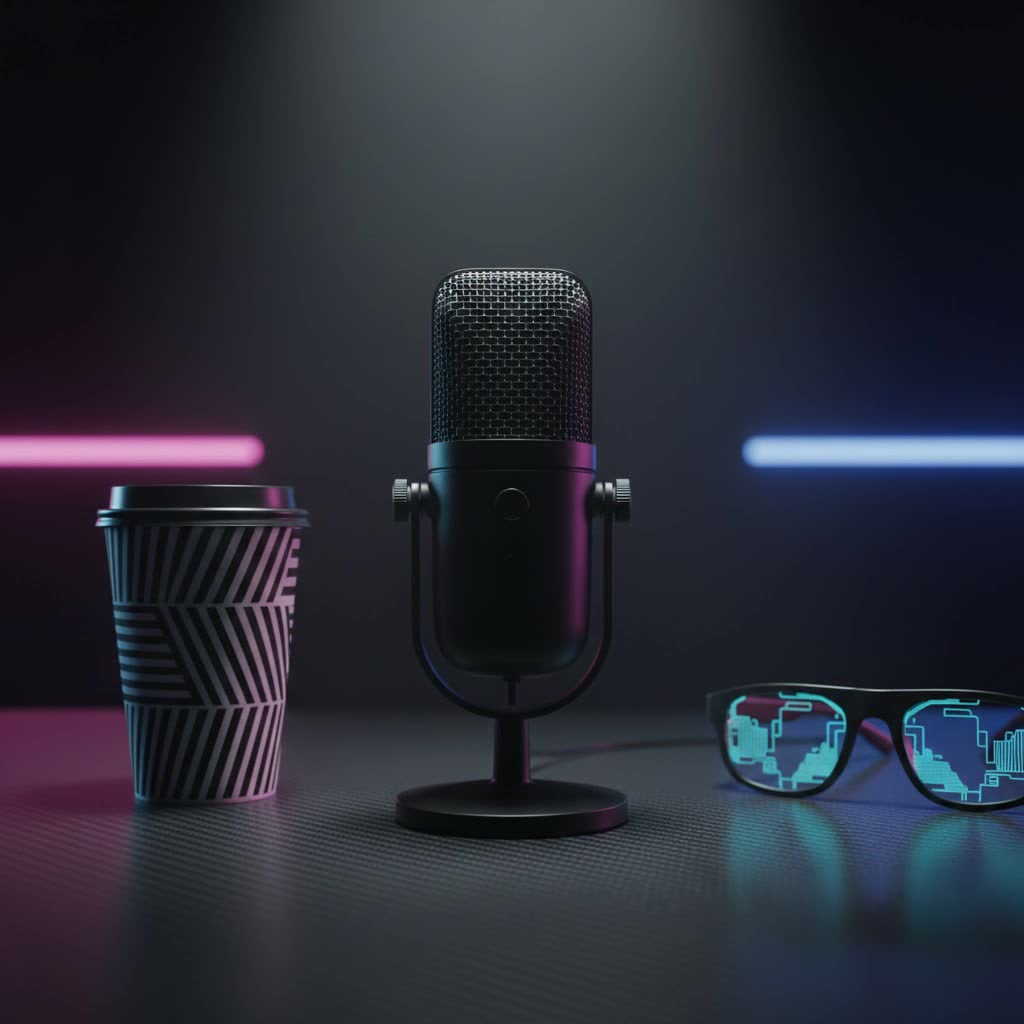
This comprehensive guide will delve into the world of professional USB microphones, exploring their types, essential features, and how they stack up against their XLR counterparts. We’ll equip you with the knowledge to select the perfect microphone that not only meets your needs but significantly enhances your audio presence.
USB Microphones: An Overview and Their Versatile Applications
What truly defines a professional USB microphone is its all-in-one design. Unlike traditional microphones that require external preamplifiers and analog-to-digital converters (ADCs), a USB microphone integrates these components directly into the unit. This means you can simply plug it into your computer or compatible device via a USB cable and start recording instantly. This simplicity, coupled with significant advancements in audio technology, has propelled USB microphones into the professional sphere, making them a popular choice for a wide array of applications.
These versatile devices are now staples in many professional and semi-professional setups, offering crisp, clear audio for various purposes:
- Podcasting and Broadcast: For solo hosts or small co-host setups, professional USB microphones deliver the clear, articulate vocal capture essential for engaging content. Their ease of use allows creators to focus on their message rather than technical complexities.
- Live Streaming and Gaming: Streamers and gamers rely on these microphones for crystal-clear communication with their audience and teammates. Features like integrated pop filters and headphone jacks enhance the live experience, minimizing distractions and ensuring seamless monitoring.
- Voiceovers and Content Creation: From YouTube videos to e-learning modules, professional USB microphones provide the high-fidelity audio required for compelling narration and sound design, bringing scripts to life with impressive clarity.
- Home Studio Recording: Musicians can record vocal demos, acoustic instruments, and podcasts with impressive quality. While not a full replacement for multi-track XLR studio setups, high-end USB mics offer excellent results for single-track recordings.
- Online Meetings and Remote Work: Elevate your virtual presence with superior voice quality in video conferences, webinars, and online collaborations, ensuring every word is heard with impact and professionalism.
Demystifying USB Microphones: Types and Key Characteristics
Understanding the core characteristics of USB microphones is crucial for making an informed decision. These typically revolve around their transducer type and polar pattern.
Based on Transducer Type
The transducer type dictates how a microphone converts sound waves into electrical signals. The two primary types are condenser and dynamic.
- Condenser Microphones: Renowned for their sensitivity and detailed sound capture, condenser microphones are ideal for picking up nuances in vocals, acoustic instruments, and speech. They excel in controlled studio environments where capturing a wide frequency range and subtle details is paramount. Many professional USB microphones utilize condenser capsules for their high-fidelity output.
- Dynamic Microphones: These microphones are celebrated for their durability and ability to handle high sound pressure levels, making them excellent for loud vocals, amplified instruments, and environments with some background noise. Dynamic USB microphones are often favored for podcasting and live streaming due to their robust nature and tendency to produce a “broadcast” quality sound that focuses on the primary audio source while rejecting ambient sounds.
|
Our Picks for the Best USB Microphone in 2026
As an Amazon Associate I earn from qualifying purchases.
|
||
| Num | Product | Action |
|---|---|---|
| 1 | FIFINE USB Microphone, Metal Condenser Recording Microphone for MAC OS, Windows, Cardioid Laptop Mic for Recording Vocals, Voice Overs, Streaming, Meeting and YouTube Videos-K669B |

|
| 2 | Dynamic Microphone, USB-C/XLR Podcast Recording PC Microphone for Podcast Recording Streaming Gaming with RGB Light, Mute Button, Desktop Stand, Headphones Jack, Vocal Mic for Singing Tiktok YouTube |
|
| 3 | DUNGZDUZ USB Microphone for Laptop and Desktop Computer, High Sensitivity for Clear Call, Plug-and-Play, High Gain, Cordless Mini-Sized Portable, Ideal for Work & Study |
|
| 4 | Amazon Basics USB Condenser Microphone for Streaming, Recording, and Podcasting on PC, Plug and Play, Cardioid Pickup, Adjustable Stand with 360° Rotation, 5.8 x 3.4 inches, Black |
|
| 5 | Shure MV7+ Podcast Dynamic Microphone – OBS Certified, Enhanced Audio, LED Panel, USB-C & XLR Outputs, Auto Level Mode, Digital Pop Filter, Reverb Effects – For Podcasting, Streaming, Recording, Black |
|
| 6 | FIFINE USB/XLR Dynamic Microphone for Podcast Recording, PC Computer Gaming Streaming Mic with RGB Light, Mute Button, Headphones Jack, Desktop Stand, Vocal Mic for Singing YouTube-AmpliGame AM8 |
|
| 7 | ZealSound Podcast USB Microphone for PC/Mac/iPhone, Cardioid Condenser Mic with Noise Reduction, Tap-to-Mute, RGB Lighting, Zero Latency Monitoring, Volume Control for Gaming, Recording, YouTube |
|
| 8 | Logitech Creators Blue Yeti USB Microphone for Gaming, Streaming, Podcast, YouTube, Discord, PC, Studio Sound, Plug & Play-Blackout |
|
| 9 | P PUPGSIS XLR/USB Podcast Microphone, Gaming Mic with Mute Button, Reverb Effects, Noise Cancellation, Boom Arm Stand, Headphones Jack, Dynamic Microphone for Streaming/Recording/Gaming/Vocal-Black |
|
| 10 | JOUNIVO USB Microphone, 360 Degree Adjustable Gooseneck Design, Mute Button & LED Indicator, Noise-Canceling Technology, Plug & Play, Compatible with Windows & MacOS |
|
Based on Polar Pattern (Directionality)
A microphone’s polar pattern describes its sensitivity to sounds coming from different directions. Many professional USB microphones offer switchable patterns, increasing their versatility.
- Cardioid: This is the most common pattern, characterized by a heart-shaped pickup area that is most sensitive to sound directly in front of the microphone and significantly rejects sounds from the sides and rear. It’s perfect for recording a single speaker, vocalist, or instrument, minimizing room reflections and background noise.
- Omnidirectional: An omnidirectional microphone picks up sound equally from all directions (360 degrees). This pattern is suitable for recording group discussions, ambient sounds, or capturing the natural acoustics of a room.
- Bidirectional (Figure-8): This pattern is sensitive to sound from the front and rear while rejecting sound from the sides. It’s often used for interviews with two speakers facing each other across the microphone.
Some advanced USB microphones offer multiple switchable polar patterns, providing creators with the flexibility to adapt to various recording scenarios with a single device.
Integrated Features and Connectivity
The core appeal of USB microphones lies in their integrated nature. They house an onboard preamp and an analog-to-digital converter (ADC), simplifying the signal chain. This “all-in-one” design allows for a direct USB connection to a computer or mobile device. Increasingly, hybrid models feature both USB and XLR outputs, offering the best of both worlds – plug-and-play convenience with the option to integrate into more complex professional XLR setups when needed.
Essential Factors When Choosing Your Professional USB Microphone
Selecting the right professional USB microphone involves considering several critical factors beyond just plug-and-play convenience. These elements directly impact the quality of your recordings and your overall user experience.
Audio Quality Parameters
For professional results, scrutinizing a microphone’s audio specifications is key.
- Sensitivity & Frequency Response: A microphone’s sensitivity indicates how effectively it converts sound pressure into an electrical signal. Higher sensitivity means it can pick up softer sounds. Frequency response describes the range of frequencies (from bass to treble) the microphone can capture. A wide, flat frequency response is desirable for accurate and natural sound reproduction. Look for microphones that can capture the full spectrum of human hearing (20Hz to 20kHz) and beyond.
- Signal-to-Noise Ratio (SNR) / Low Self-Noise: The SNR measures the ratio between the desired audio signal and the inherent electronic noise generated by the microphone itself. A higher SNR (or lower self-noise) indicates a cleaner audio signal with less unwanted hiss, which is crucial for professional recordings, especially for quiet sources like speech.
- Sample Rate and Bit Depth: These specifications determine the fidelity of the digital audio. A sample rate of 48kHz or 96kHz and a bit depth of 24-bit are considered professional standards, offering excellent dynamic range and detail, surpassing the quality of typical CD audio.
Build Quality and Design
A professional microphone should not only sound good but also be built to last and complement your workflow.
- Material & Durability: Microphones constructed from robust materials like metal are more resilient to wear and tear, offering longevity and a premium feel. Durability is particularly important for microphones that will be frequently transported or used in dynamic environments.
- Form Factor: USB microphones come in various designs, including compact desktop models, handheld mics, and larger studio-style microphones. Consider your primary use case: a desktop mic with an integrated stand might be perfect for a home studio, while a more portable option could be better for on-the-go recording. Many professional USB mics offer threads for mounting on standard mic stands or boom arms for optimal placement.
Smart Features and Controls
Modern professional USB microphones often include a suite of features designed to enhance usability and recording quality.
- Zero-Latency Headphone Monitoring: This essential feature allows you to hear your audio output directly from the microphone in real-time, without any perceptible delay. This is vital for accurately monitoring your sound, adjusting your speaking distance, and ensuring a natural performance during recording or live streams.
- Onboard Gain Control: A physical knob on the microphone to adjust the input sensitivity (gain) is invaluable. It allows you to quickly optimize your recording levels to prevent clipping (distortion) or ensure your voice is loud and clear, especially in varying environments.
- Mute Button: A dedicated, easily accessible mute button provides instant control during live sessions, allowing you to pause audio input without disrupting your software settings.
- Integrated Pop Filter & Shock Mount: These built-in accessories improve audio quality by reducing plosive sounds (harsh “p” and “b” sounds) and minimizing vibrations or handling noise that can otherwise mar recordings.
- Software Integration & DSP: Some professional USB microphones come with dedicated software or apps that unlock advanced digital signal processing (DSP) features. These can include EQ presets, compressors, limiters, and even noise gates, offering enhanced control over your sound without needing external hardware or complex audio software.
USB vs. XLR Microphones: The Professional Perspective
The debate between USB and XLR microphones has evolved significantly. While XLR was traditionally the undisputed choice for “professional” audio, USB microphones have undeniably closed the gap, challenging the notion that one is inherently superior.
“The line between ‘amateur’ USB and ‘professional’ XLR has blurred considerably,” says Emily Chen, a Broadcast Audio Engineer with 15 years of experience. “High-end USB mics now offer quality that can rival many mid-range XLR setups, especially for single-source recording.”
Advantages of Professional USB Microphones
- Unmatched Convenience: The plug-and-play nature eliminates the need for additional interfaces or mixers, simplifying your setup dramatically.
- Lower Entry Cost: Generally, a complete USB microphone setup is more affordable than an equivalent XLR system, as it requires fewer components.
- Portability: Their all-in-one design makes them ideal for recording on the go, compatible with laptops, tablets, and even some smartphones.
- Excellent Quality for Digital Platforms: For platforms like Zoom, YouTube, Twitch, and podcasts, where audio is often compressed, the high-quality output of a professional USB mic is more than sufficient and often indistinguishable from more complex XLR setups.
Advantages of XLR Microphones
- Ultimate Flexibility and Expandability: XLR systems are modular, allowing you to mix and match microphones, preamps, interfaces, and mixers. This provides endless possibilities for customization and expansion.
- Superior Signal Chain Potential: With high-end XLR components, you can achieve the absolute best possible audio fidelity, dynamic range, and signal-to-noise ratio, crucial for intricate multi-track music production.
- Multi-Mic Setups: XLR connections are standard for recording multiple audio sources simultaneously, such as a band or a panel discussion, using a multi-channel audio interface or mixer.
When to Choose Each
- Choose a Professional USB Microphone if: You are a solo podcaster, streamer, content creator, or remote worker seeking excellent audio quality with maximum convenience, portability, and a straightforward setup. Hybrid USB+XLR models offer a great stepping stone.
- Choose an XLR Microphone if: You are an experienced audio engineer, recording professional-grade music with multiple instruments, engaging in complex multi-track production, or require the utmost flexibility and control over every aspect of your sound chain.
Top Professional USB Microphone Brands and Models
The market is rich with excellent professional USB microphones, each catering to slightly different needs. Here are some of the most acclaimed brands and models:
- Rode: Known for exceptional build quality and audio fidelity, Rode offers several standout USB microphones. The Rode NT-USB+ is highly praised for its studio-quality condenser capsule, offering crystal-clear vocals and instrument capture. For broadcasters and podcasters seeking that classic “radio voice,” the Rode PodMic USB delivers a rich, warm dynamic sound. The NT-USB Mini is also a popular choice for its compact size and professional audio.
- Shure: A legendary name in audio, Shure has successfully translated its professional legacy into the USB market. The Shure MV7 and its successor, the MV7+, are often cited as ideal professional USB microphones. They offer both USB and XLR connectivity, intelligent auto-leveling, and robust DSP features via the ShurePlus MOTIV app, making them incredibly versatile for podcasting, streaming, and vocals.
- Blue (Logitech): Blue Microphones, now part of Logitech, pioneered the USB microphone space with the iconic Blue Yeti. Models like the Yeti X offer multiple polar patterns (cardioid, omnidirectional, bidirectional, stereo), integrated high-resolution LED metering, and customizable lighting, making them versatile for various content creation needs. The Yeti line is celebrated for its ease of use and solid sound quality.
- Audio-Technica: With a strong reputation in studio microphones, Audio-Technica brings its expertise to the USB realm. The Audio-Technica AT2020USB+ is the USB version of their highly popular AT2020 condenser, delivering a clean, full-range sound suitable for vocals and instruments. The AT2040USB is a dynamic option, providing a broadcast-quality sound with excellent off-axis rejection.
- Samson: Offering excellent value, Samson provides reliable USB microphone solutions. The Samson Q2U is a standout hybrid USB/XLR dynamic microphone, perfect for beginners who want flexibility for future upgrades. The Samson G-Track Pro combines a USB microphone with an audio interface, allowing direct instrument input alongside vocal recording.
Your Guide to Selecting the Perfect Professional USB Microphone
Making the right choice involves a systematic approach tailored to your individual circumstances.
Assess Your Specific Needs
Start by honestly evaluating how you intend to use the microphone.
- Primary Use Case: Are you primarily recording vocals for a podcast, streaming gameplay, conducting online meetings, or capturing acoustic guitar? Different applications may favor different microphone types (condenser vs. dynamic) and polar patterns.
- Recording Environment: Consider the acoustics of your recording space. If you’re in a well-treated room, a sensitive condenser might be ideal. For untreated rooms with ambient noise, a dynamic microphone with a cardioid pattern can offer better isolation.
- Budget & Future Expansion: Determine your budget. While USB mics are generally more affordable, investing in a slightly higher-end model with dual USB/XLR outputs can provide a seamless upgrade path if your needs grow into more complex XLR setups.
Research and Compare Thoroughly
Once you have a clearer idea of your needs, dive into research.
- Read Expert Reviews and User Testimonials: Consult reputable audio technology websites and read feedback from other users. Pay attention to comments regarding sound quality, ease of use, durability, and specific features.
- Watch Video Demonstrations and Sound Tests: YouTube is an invaluable resource for listening to audio samples from different microphones. This can give you a real-world sense of how a microphone sounds with various voices and instruments.
- Seek Advice from Audio Communities: Forums and online groups dedicated to audio production, podcasting, or streaming can offer personalized recommendations based on your specific requirements.
Purchase from Reputable Retailers
Finally, when you’re ready to buy, choose a trusted vendor. Ensure the retailer offers clear warranty policies, a reasonable return period, and reliable customer support. This safeguards your investment and provides peace of mind.
Frequently Asked Questions About Professional USB Microphones
Can a USB microphone truly be “professional”?
Absolutely. While historically XLR microphones dominated professional studios, modern high-end USB microphones, like the Shure MV7+ or Rode NT-USB+, offer exceptional sound quality, robust features, and reliability that meet the demands of many professional content creators, podcasters, streamers, and voiceover artists.
Do USB microphones require phantom power?
No, USB microphones do not require external phantom power. They draw all necessary power directly from the USB connection of your computer or device, simplifying their setup and eliminating the need for additional power supplies or audio interfaces.
What is zero-latency monitoring?
Zero-latency monitoring is a crucial feature on many professional USB microphones that allows you to hear your own voice or instrument in your headphones directly from the microphone, without any audible delay. This ensures you can monitor your audio in real-time, making it easier to adjust your performance and avoid unwanted echoes or distractions.
Can I use a professional USB mic with my phone/tablet?
Many professional USB microphones are compatible with smartphones and tablets, especially those with USB-C ports. For devices with Lightning or older Micro-USB ports, you might need a specific adapter (e.g., Apple’s Lightning to USB Camera Adapter). Always check the microphone’s specifications for mobile device compatibility.
How do I reduce background noise with a USB microphone?
To minimize background noise with a USB microphone:
- Choose a Cardioid Pattern: If your mic has switchable patterns, select cardioid to focus on sound directly in front of the mic.
- Acoustic Treatment: Add soft furnishings, blankets, or dedicated acoustic panels to your room to absorb reflections.
- Proximity: Position the microphone close to your mouth (e.g., 4-8 inches) to ensure your voice is louder than ambient sounds.
- Gain Settings: Set the gain appropriately to avoid picking up excessive room noise; don’t turn it up higher than necessary.
- Environment: Record in the quietest possible environment, turning off fans, air conditioners, and closing windows.
Conclusion
The journey to superior audio quality begins with the right tools, and professional USB microphones have emerged as a cornerstone for creators and professionals alike. Offering an impressive blend of convenience, accessibility, and high-fidelity sound, they empower you to capture your voice and music with clarity and impact, without the steep learning curve or prohibitive cost of traditional setups. By understanding the different types, key features, and how to choose wisely, you can unlock a new level of audio excellence.
Don’t let technical hurdles stand between you and your audience’s ears. Invest in a professional USB microphone and let your voice be heard in full definition. What sonic stories will you tell next?
