In today’s digital age, crystal-clear audio is no longer a luxury but a necessity, whether you’re a seasoned podcaster, an avid gamer, a virtual meeting professional, or an aspiring musician. While many devices come with built-in microphones, they often fall short of delivering the quality and versatility required for compelling sound. This is where a dedicated USB microphone shines, transforming your computer or mobile device into a powerful audio workstation with simple plug-and-play convenience. This guide will navigate you through the world of USB microphones, helping you understand their types, crucial features, and most importantly, how to find the ideal one at a store near you.
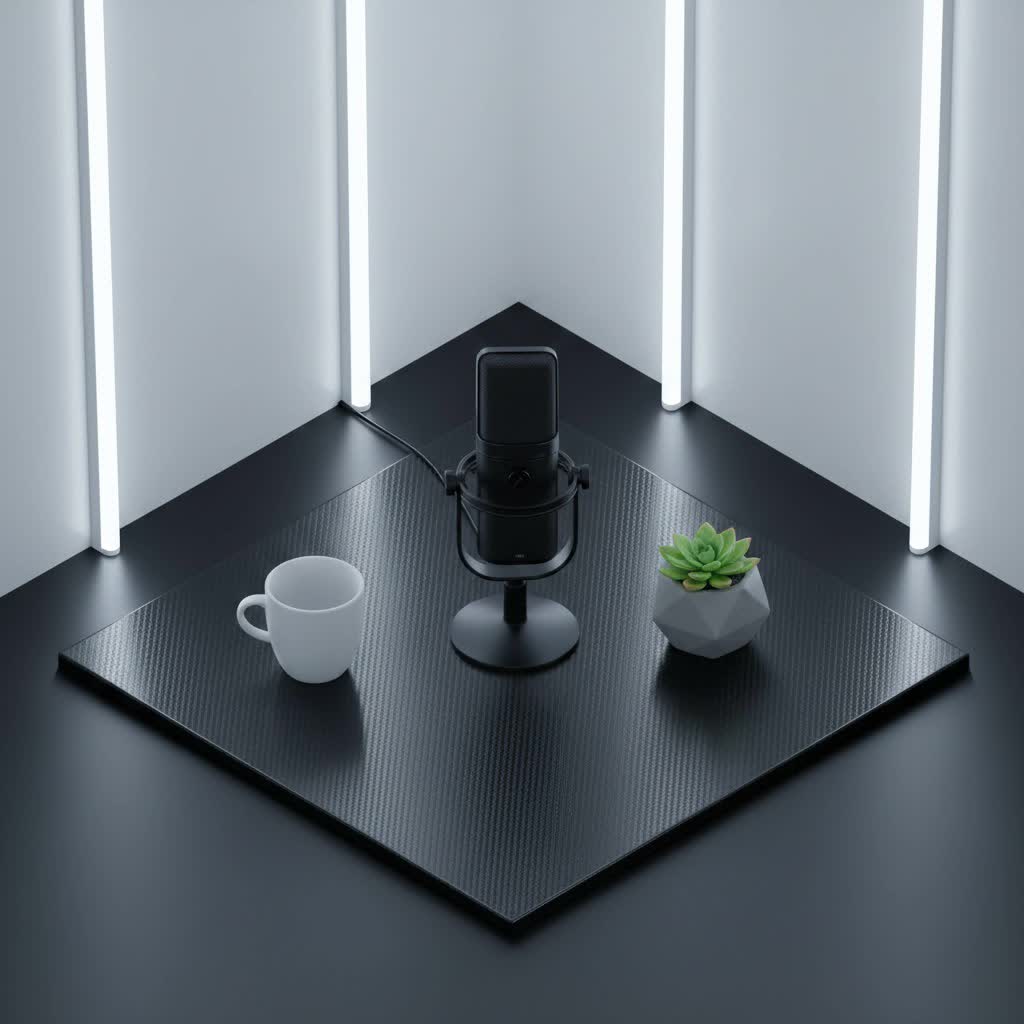
USB Microphones: An Overview and Their Versatile Applications
A USB microphone is a self-contained recording device that connects directly to your computer, laptop, or even some mobile devices via a USB cable. Unlike traditional microphones that require additional interfaces and mixers, USB mics integrate all necessary components, including an analog-to-digital converter and a preamp, into one simple unit. This makes them incredibly convenient for anyone looking to upgrade their audio quality without a complex setup.
Their popularity stems from their ease of use and immediate impact on audio clarity. From capturing pristine vocals for a new song to ensuring every word is heard clearly during an online conference, USB microphones are indispensable tools. They are widely used across various fields:
- Podcasting and Broadcasting: Delivering professional-sounding interviews and monologues.
- Live Streaming: Engaging audiences with crisp, clear commentary for gaming, tutorials, or live events.
- Gaming: Enhancing in-game communication with teammates and creating high-quality commentary.
- Home Recording: Capturing vocals, acoustic instruments, or voiceovers with studio-grade fidelity.
- Virtual Meetings and Online Education: Ensuring clear communication in a remote work or learning environment.
Classifying USB Microphones
Understanding the different categories of USB microphones is crucial for making an informed decision. These devices can be broadly classified based on their transducer type, polar pattern, and form factor.
By Transducer Type
The internal mechanism that converts sound waves into electrical signals largely determines a microphone’s sound characteristics.
- Condenser Microphones: These are highly sensitive microphones known for their wide frequency response and ability to capture subtle nuances. They excel at picking up intricate details, making them ideal for vocal recordings, acoustic instruments, podcasts, and studio applications where high fidelity is paramount. Many popular USB microphones, such as the Blue Yeti and Rode NT-USB, utilize condenser technology.
- Dynamic Microphones: Less sensitive than condensers, dynamic microphones are robust and can handle high sound pressure levels (SPLs) without distortion. This makes them perfect for recording loud instruments like electric guitars or drums, and for environments with significant background noise, such as live performances or untreated rooms. The Samson Q2U, a hybrid USB/XLR mic, is a well-regarded dynamic option.
|
Our Picks for the Best USB Microphone in 2026
As an Amazon Associate I earn from qualifying purchases.
|
||
| Num | Product | Action |
|---|---|---|
| 1 | P PUPGSIS XLR/USB Podcast Microphone, Gaming Mic with Mute Button, Reverb Effects, Noise Cancellation, Boom Arm Stand, Headphones Jack, Dynamic Microphone for Streaming/Recording/Gaming/Vocal-Black |

|
| 2 | ZealSound Podcast USB Microphone for PC/Mac/iPhone, Cardioid Condenser Mic with Noise Reduction, Tap-to-Mute, RGB Lighting, Zero Latency Monitoring, Volume Control for Gaming, Recording, YouTube |
|
| 3 | FIFINE USB/XLR Dynamic Microphone for Podcast Recording, PC Computer Gaming Streaming Mic with RGB Light, Mute Button, Headphones Jack, Desktop Stand, Vocal Mic for Singing YouTube-AmpliGame AM8 |
|
| 4 | DUNGZDUZ USB Microphone for Laptop and Desktop Computer, High Sensitivity for Clear Call, Plug-and-Play, High Gain, Cordless Mini-Sized Portable, Ideal for Work & Study |
|
| 5 | Shure MV7+ Podcast Dynamic Microphone – OBS Certified, Enhanced Audio, LED Panel, USB-C & XLR Outputs, Auto Level Mode, Digital Pop Filter, Reverb Effects – For Podcasting, Streaming, Recording, Black |
|
| 6 | JOUNIVO USB Microphone, 360 Degree Adjustable Gooseneck Design, Mute Button & LED Indicator, Noise-Canceling Technology, Plug & Play, Compatible with Windows & MacOS |
|
| 7 | Amazon Basics USB Condenser Microphone for Streaming, Recording, and Podcasting on PC, Plug and Play, Cardioid Pickup, Adjustable Stand with 360° Rotation, 5.8 x 3.4 inches, Black |
|
| 8 | Logitech Creators Blue Yeti USB Microphone for Gaming, Streaming, Podcast, YouTube, Discord, PC, Studio Sound, Plug & Play-Blackout |
|
| 9 | FIFINE USB Microphone, Metal Condenser Recording Microphone for MAC OS, Windows, Cardioid Laptop Mic for Recording Vocals, Voice Overs, Streaming, Meeting and YouTube Videos-K669B |
|
| 10 | Dynamic Microphone, USB-C/XLR Podcast Recording PC Microphone for Podcast Recording Streaming Gaming with RGB Light, Mute Button, Desktop Stand, Headphones Jack, Vocal Mic for Singing Tiktok YouTube |
|
By Polar Pattern
A microphone’s polar pattern describes how it picks up sound from different directions. Choosing the right pattern is essential for isolating desired audio and minimizing unwanted noise.
- Cardioid: This is the most common pattern, designed to pick up sound primarily from the front, while rejecting sound from the sides and rear. Cardioid mics are excellent for single vocalists, podcasters, or streamers who want to focus on their voice and reduce room ambiance or background noise.
- Omnidirectional: An omnidirectional microphone captures sound equally from all directions. This pattern is suitable for recording group discussions, ambient room sounds, or capturing the natural acoustics of a space.
- Bidirectional (Figure-8): This pattern picks up sound from the front and the back of the microphone with equal sensitivity, while rejecting sounds from the sides. It’s ideal for interviews where two people are facing each other across a table or for recording two instruments simultaneously.
- Multi-pattern: Some advanced USB microphones, like the Blue Yeti, offer multiple selectable polar patterns (cardioid, omnidirectional, bidirectional, stereo), providing immense flexibility for various recording scenarios.
By Features and Form Factor
Beyond their core sound-capturing capabilities, USB microphones come in various physical designs and include additional features for enhanced user experience.
- Desktop Microphones: Most USB microphones are designed for desktop use, often coming with their own stands or mounts. These are convenient for static setups like a podcasting desk or a gaming station.
- Lavalier Microphones: These small, clip-on microphones are discreet and designed to attach to clothing. They are ideal for presenters, vloggers, or anyone needing hands-free operation and consistent audio capture regardless of head movement.
- Handheld Microphones: Some USB microphones resemble traditional stage mics, offering a familiar feel for vocalists or those who prefer to hold their microphone. The Samson Q2U is a prime example, offering both USB and XLR connectivity for versatility.
- Integrated Features: Many USB microphones boast useful additions such as a headphone jack for real-time monitoring, gain control knobs to adjust input sensitivity, and quick-mute buttons for privacy. Some even include onboard digital signal processing (DSP) for noise reduction or vocal effects.
Essential Factors When Choosing a USB Microphone
Selecting the right USB microphone involves considering several key factors to match your specific needs and environment.
Audio Quality & Specifications
The core purpose of a microphone is sound capture, so audio quality should be a top priority.
- Sensitivity: A microphone’s sensitivity indicates how effectively it converts sound pressure into an electrical signal. Higher sensitivity generally means the mic can pick up quieter sounds, which is good for detailed recordings but can also pick up more ambient noise.
- Frequency Response: This specifies the range of frequencies a microphone can capture. A wider, flatter frequency response typically translates to a more accurate and natural sound reproduction. For vocals, a response that covers the human voice range (around 80Hz to 15kHz) is important.
- Sample Rate and Bit Depth: These numbers (e.g., 24-bit/48kHz) indicate the digital resolution of the audio. Higher numbers mean more detailed and accurate digital sound, crucial for professional-grade recordings. Most modern USB mics offer excellent specifications for general use.
- Noise Levels: Look for microphones with low self-noise, especially condenser mics, to ensure your recordings are clean and free from unwanted hiss.
Build Quality & Design
A well-built microphone will not only last longer but also offer a more stable and reliable recording experience.
- Material: Durable materials like metal casings provide better protection against bumps and drops than plastic.
- Form Factor: Consider if a desktop mic, lavalier, or handheld design best suits your recording setup and mobility needs.
- Integrated Stand/Mount: Many desktop USB mics come with basic stands, but some offer robust, adjustable designs or integrate directly into boom arms for better positioning.
Essential Features
Modern USB microphones often come equipped with features that greatly enhance usability and control.
- Headphone Monitoring (Zero-Latency): A crucial feature that allows you to hear your voice directly through the microphone’s headphone jack without any delay, enabling you to monitor your levels and performance in real-time.
- Gain Control: An onboard gain knob allows you to adjust the microphone’s input level directly, preventing clipping (distortion) or ensuring your signal is strong enough.
- Mute Button: A physical mute button on the microphone is incredibly convenient for quickly silencing your audio during live streams or conference calls.
- Compatibility: Most USB mics are compatible with Windows and macOS. If you plan to use it with mobile devices, ensure it has USB-C or Lightning connectivity and supports your device’s operating system (iOS/Android).
Finding a USB Microphone “Near Me”: Your Local Buying Guide
When you’re searching for a “USB microphone near me,” you’re likely looking for the convenience of a physical store where you can see, and sometimes even test, products before purchasing. Fortunately, several major retailers and specialized audio stores stock a wide range of USB microphones.
Here’s where to look and what to consider:
- Major Electronics Retailers (e.g., Best Buy, Target, Walmart): These stores are excellent starting points. They typically carry popular consumer-friendly USB microphones from brands like Blue Microphones (Yeti, Nano), HyperX (QuadCast), Razer (Seiren), and Fifine. Many offer online inventory checks and “in-store pickup” options, allowing you to verify availability before you visit. This is often the quickest way to get a common USB microphone.
- Music & Pro Audio Stores (e.g., Guitar Center, Sweetwater): For more specialized needs, or if you want to explore higher-end models and professional-grade options, these stores are invaluable. Guitar Center and Sweetwater stock a broader selection of brands like Shure, Rode, Audio-Technica, Sennheiser, AKG, and Apogee. Their staff often possess deep product knowledge and can offer tailored advice. While Sweetwater is well-known as an online retailer, they also have a flagship store with product showrooms. Check their websites for local store hours and directions.
- Office Supply Stores (e.g., Office Depot/OfficeMax): These stores may carry basic USB microphones primarily designed for conference calls or general voice recording, often from brands like Logitech or HyperX. They might be a good option for simpler, budget-friendly needs.
Tips for Local Shopping:
- Check Online First: Always use the retailer’s website to check product availability at your nearest store. Look for options like “in-store pickup” or “check local stock.”
- Compare in Person: If possible, visit a store to compare the physical size, build quality, and included accessories of different models. While testing audio might not always be feasible, holding the mic can give you a better sense of its ergonomics.
- Ask for Expert Advice: Don’t hesitate to ask store associates, especially at music and pro audio stores, for their recommendations based on your specific application.
Popular USB Microphone Brands and Models
The market for USB microphones is diverse, with several brands offering excellent products for various needs and budgets.
- Blue Microphones (Yeti & Yeti Nano): The Blue Yeti is arguably one of the most iconic USB microphones, beloved for its multi-pattern versatility and solid audio quality, making it a favorite for podcasters and streamers. The Yeti Nano offers a more compact form factor with excellent sound.
- Shure (MV7 & MV6): Shure brings its legendary audio expertise to the USB mic world. The Shure MV7 is a hybrid USB/XLR dynamic microphone, offering both plug-and-play convenience and professional connectivity, with features like Voice Isolation Technology. The MV6 is a gaming-focused option, providing clear communication.
- Rode (NT-USB Mini & PodMic USB): Rode is renowned for its high-quality microphones. The NT-USB Mini is a compact condenser mic with a magnetic desk stand and integrated pop filter, delivering studio-grade sound. The PodMic USB is a dynamic broadcast mic offering both USB and XLR outputs for diverse setups.
- HyperX (QuadCast): Popular among gamers and streamers, the HyperX QuadCast series features striking RGB lighting, multiple polar patterns, and a built-in pop filter, combining aesthetics with strong performance.
- Audio-Technica (AT2020USB-X & AT2005USB): Audio-Technica offers reliable and respected options. The AT2020USB-X is a condenser mic known for its clear sound, while the AT2005USB is a versatile dynamic mic with both USB and XLR outputs.
- Samson (Meteor Mic & Q2U): Samson provides excellent value. The Meteor Mic is a stylish, portable condenser mic with a fold-back leg design, perfect for on-the-go recording. The Q2U offers a dynamic handheld experience with both USB and XLR.
- Elgato (Wave Series): Designed for content creators, the Elgato Wave mics integrate seamlessly with Elgato’s ecosystem, offering advanced software control and pristine audio.
Setting Up and Optimizing Your USB Microphone
One of the greatest advantages of a USB microphone is its straightforward setup.
Typically, you simply plug the USB cable into your computer or device, and the operating system recognizes it automatically. For best results, follow these general tips:
- Driver Installation: Most USB mics are class-compliant and don’t require special drivers. However, some advanced models might benefit from custom software or drivers available from the manufacturer’s website.
- Placement is Key: Position the microphone close to your sound source (e.g., your mouth) to capture a strong signal and minimize room echo. For cardioid mics, ensure you’re speaking directly into the front.
- Gain Staging: Adjust the microphone’s gain (input level) to a point where your audio is strong but doesn’t “clip” or distort during the loudest parts. Many mics have an indicator light to help you set the optimal level.
- Use a Pop Filter: For vocal recordings, a pop filter is essential to reduce plosive sounds (harsh “p” and “b” sounds) and protect the microphone capsule.
- Minimize Background Noise: Record in a quiet environment and use a cardioid microphone pattern if possible to reduce unwanted ambient sounds.
Conclusion
A high-quality USB microphone is an indispensable tool for anyone looking to elevate their audio, offering an accessible entry point to professional sound. By understanding the differences between condenser and dynamic types, the various polar patterns, and key features like headphone monitoring, you can confidently choose a microphone that meets your specific needs. With many excellent options available from major electronics stores like Best Buy and specialized audio retailers such as Guitar Center, finding the perfect USB microphone near you is easier than ever. Simply check local stock online, compare models in person, and prepare to unlock a new level of audio clarity.
What audio project will you embark on with your new USB microphone?
Frequently Asked Questions
What is the main advantage of a USB microphone over a regular microphone?
The primary advantage of a USB microphone is its plug-and-play convenience. It contains all the necessary components (preamp, analog-to-digital converter) within the unit, allowing it to connect directly to your computer or device via a single USB cable without needing additional audio interfaces.
Can I use a USB microphone for professional music recording?
While many USB microphones offer excellent quality for home recording, podcasting, and streaming, professional studios often use XLR microphones with dedicated audio interfaces for greater flexibility, pristine preamps, and advanced signal routing. However, high-end USB microphones can certainly produce professional-sounding results for certain applications, especially vocals and acoustic instruments.
Are USB microphones compatible with all devices?
Most USB microphones are designed for broad compatibility with Windows and macOS computers. Many also work with specific mobile devices (iOS/Android) if they have the correct connector (USB-C, Lightning) or require an adapter. Always check the manufacturer’s specifications for device compatibility before purchasing.
