In today’s digital landscape, where clear communication and high-quality audio are paramount, a reliable microphone is no longer just for professionals. Whether you’re a budding podcaster, an avid gamer, a content creator, or simply seeking to enhance your online meetings, a good USB microphone can transform your sound from muddy to crystal clear. This comprehensive guide will navigate the world of USB microphones, helping you understand their core features, types, and what to look for, so you can make an informed choice and find the optimal audio solution for your needs.
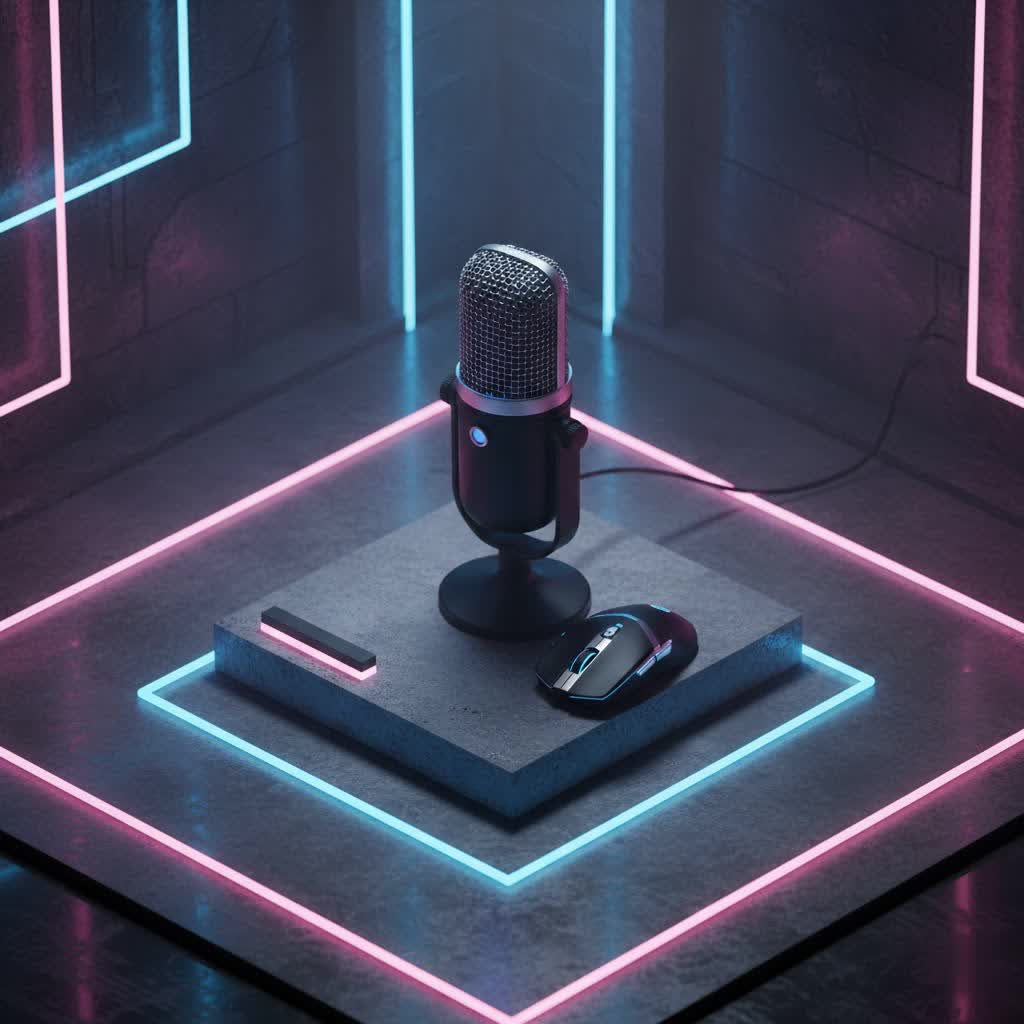
USB Microphones: An Overview and Their Applications
A USB microphone is a specialized type of microphone that connects directly to your computer or device via a USB cable, eliminating the need for an external audio interface or mixer. This plug-and-play convenience has made them incredibly popular, especially for those new to audio recording or who require a portable setup. Inside every USB microphone are the essential components of a traditional microphone—a capsule and diaphragm—along with an integrated preamp and an analog-to-digital (A/D) converter. This all-in-one design means the microphone processes and converts the sound into a digital signal directly, ready for your computer to record or transmit.
The versatility of USB microphones makes them suitable for a wide array of applications:
- Podcasting and Broadcasting: Capture crisp, engaging vocals for interviews, storytelling, or news segments.
- Streaming and Gaming: Ensure your voice stands out during live streams and in-game communication.
- Vocal Recording and Music Demos: Record clear vocals or acoustic instruments for songwriting and demos.
- Video Conferencing and Online Education: Improve the clarity of your voice for professional calls and virtual classrooms.
- Voiceovers and Content Creation: Produce high-quality narration for videos, presentations, and digital content.
Classifying USB Microphones
Understanding the different classifications of USB microphones is key to choosing one that aligns with your specific audio requirements. These can generally be categorized by their transducer type, polar pattern, and additional features.
Based on Transducer Type
The transducer type refers to how the microphone converts sound waves into an electrical signal, significantly impacting its sound characteristics.
-
Condenser Microphones:
Condenser microphones are renowned for their sensitivity and ability to capture detailed, natural-sounding audio across a broad frequency range. They are ideal for recording vocals, acoustic instruments, and for use in controlled studio environments where capturing subtle nuances is important. However, their high sensitivity also means they can pick up more ambient background noise, making them less suitable for untreated, noisy rooms. -
Dynamic Microphones:
Dynamic microphones are generally more robust and less sensitive than condensers. They excel at handling high sound pressure levels, making them excellent for loud vocals, instruments like electric guitars or drums, and live performances. For speech applications like podcasting or streaming in less-than-perfect acoustic environments, dynamic microphones are often preferred because they are less prone to picking up room reflections and background noise, offering a focused, “broadcast” sound.
|
Our Picks for the Best USB Microphone in 2026
As an Amazon Associate I earn from qualifying purchases.
|
||
| Num | Product | Action |
|---|---|---|
| 1 | Amazon Basics USB Condenser Microphone for Streaming, Recording, and Podcasting on PC, Plug and Play, Cardioid Pickup, Adjustable Stand with 360° Rotation, 5.8 x 3.4 inches, Black |

|
| 2 | ZealSound Podcast USB Microphone for PC/Mac/iPhone, Cardioid Condenser Mic with Noise Reduction, Tap-to-Mute, RGB Lighting, Zero Latency Monitoring, Volume Control for Gaming, Recording, YouTube |
|
| 3 | FIFINE USB Microphone, Metal Condenser Recording Microphone for MAC OS, Windows, Cardioid Laptop Mic for Recording Vocals, Voice Overs, Streaming, Meeting and YouTube Videos-K669B |
|
| 4 | Dynamic Microphone, USB-C/XLR Podcast Recording PC Microphone for Podcast Recording Streaming Gaming with RGB Light, Mute Button, Desktop Stand, Headphones Jack, Vocal Mic for Singing Tiktok YouTube |
|
| 5 | P PUPGSIS XLR/USB Podcast Microphone, Gaming Mic with Mute Button, Reverb Effects, Noise Cancellation, Boom Arm Stand, Headphones Jack, Dynamic Microphone for Streaming/Recording/Gaming/Vocal-Black |
|
| 6 | Logitech Creators Blue Yeti USB Microphone for Gaming, Streaming, Podcast, YouTube, Discord, PC, Studio Sound, Plug & Play-Blackout |
|
| 7 | Shure MV7+ Podcast Dynamic Microphone – OBS Certified, Enhanced Audio, LED Panel, USB-C & XLR Outputs, Auto Level Mode, Digital Pop Filter, Reverb Effects – For Podcasting, Streaming, Recording, Black |
|
| 8 | JOUNIVO USB Microphone, 360 Degree Adjustable Gooseneck Design, Mute Button & LED Indicator, Noise-Canceling Technology, Plug & Play, Compatible with Windows & MacOS |
|
| 9 | FIFINE USB/XLR Dynamic Microphone for Podcast Recording, PC Computer Gaming Streaming Mic with RGB Light, Mute Button, Headphones Jack, Desktop Stand, Vocal Mic for Singing YouTube-AmpliGame AM8 |
|
| 10 | DUNGZDUZ USB Microphone for Laptop and Desktop Computer, High Sensitivity for Clear Call, Plug-and-Play, High Gain, Cordless Mini-Sized Portable, Ideal for Work & Study |
|
Based on Polar Pattern
A microphone’s polar pattern describes its directionality—the areas around the microphone from which it picks up sound. Many USB microphones offer switchable patterns, increasing their versatility.
-
Cardioid:
This is the most common polar pattern, characterized by its heart-shaped pickup area. A cardioid microphone primarily captures sound from the front, with some rejection from the sides and significant rejection from the rear. This makes it excellent for single vocalists, instruments, or podcasters who want to isolate their voice and minimize ambient room noise. -
Omnidirectional:
An omnidirectional microphone picks up sound equally from all directions (360 degrees). This pattern is ideal for recording group conversations, capturing the overall ambiance of a room, or when you need to record multiple sound sources simultaneously, such as a round-table interview or a choir. -
Bidirectional (Figure-8):
The bidirectional pattern picks up sound from both the front and the rear of the microphone, while rejecting sound from the sides. This pattern is perfect for two-person interviews where participants are sitting opposite each other, or for recording a single instrument alongside its natural room reflections.
Based on Additional Features
While all USB microphones offer basic connectivity, some come with integrated features that enhance usability and performance.
-
Microphones with Integrated Sound Cards:
All USB microphones essentially have an integrated sound card (the A/D converter and preamp) that allows them to connect directly to your computer. This is their defining characteristic, enabling digital audio conversion and processing within the mic itself. -
Microphones without Integrated Sound Cards (Traditional XLR with USB Option):
While the core definition of a USB mic implies an integrated sound card, some advanced models offer hybrid connectivity. These microphones primarily use an XLR connection for professional studio use with an audio interface but also include a USB output for direct computer connection. This gives users the flexibility of both worlds, allowing for professional studio expansion later while offering simple plug-and-play functionality initially.
Essential Factors When Choosing a USB Microphone
Selecting the right USB microphone involves considering several critical factors beyond just connectivity. These aspects contribute significantly to the overall user experience and audio quality.
Sound Quality
The ultimate goal of any microphone is to deliver clear and accurate sound. Several specifications influence a USB microphone’s sound quality:
- Sensitivity: This refers to how well a microphone picks up quiet sounds. Highly sensitive mics (often condensers) are excellent for capturing nuanced vocals or acoustic instruments but can also pick up unwanted background noise in untreated rooms.
- Frequency Response: This indicates the range of frequencies (from bass to treble) a microphone can capture. A wide and flat frequency response (e.g., 20Hz-20kHz) generally means the microphone can reproduce sound accurately across the human hearing spectrum, resulting in a natural and balanced tone.
- Self-Noise (Noise Floor): Measured in dB SPL (decibels Sound Pressure Level), self-noise represents the inherent electrical noise a microphone produces even in a completely silent environment. Lower self-noise values (e.g., under 15 dB SPL) indicate a cleaner signal, crucial for professional recordings where unwanted hiss can be detrimental.
Durability and Design
A microphone is an investment, and its physical attributes play a role in its longevity and practicality.
- Material: Microphones constructed with metal bodies are generally more durable and can withstand the rigors of frequent use and travel. Plastic builds, while lighter and often more affordable, may be less resilient.
- Form Factor: USB microphones come in various designs:
- Desktop microphones: Often come with their own stand, ideal for static setups like podcasting or streaming at a desk.
- Handheld microphones: Resemble traditional vocal mics, suitable for interviews or performers who prefer to hold the mic.
- Compact/Portable microphones: Smaller designs, sometimes clip-on or miniature, for mobile recording or on-the-go content creation.
- Portability: Consider how often you’ll be moving your microphone. Lighter, more compact designs are better for travel, while sturdier, heavier models might be preferred for a permanent home studio setup.
Additional Features
Many USB microphones offer extra functionalities that can significantly enhance their utility.
- Volume/Gain Control: On-board dials or software controls allow you to adjust the microphone’s input level (gain) directly, preventing distortion and optimizing signal strength.
- Headphone Jack for Zero-Latency Monitoring: A crucial feature, this allows you to listen to your voice in real-time as you speak, without any delay. This helps you monitor your volume, pronunciation, and ensures you sound clear, directly from the microphone’s output.
- Quick Mute Button: A physical button to instantly mute the microphone, essential for live streaming, calls, or when you need a moment of privacy.
- XLR Output (Hybrid Mics): As mentioned, some mics include an XLR port, offering flexibility for connection to professional audio interfaces or mixers, future-proofing your setup.
- Built-in Pop Filter/Shock Mount: These accessories help reduce plosive sounds (P and B sounds) and isolate the microphone from vibrations and desk bumps, respectively, improving overall sound clarity.
Comparing Popular USB Microphones on the Market
To help you visualize the differences, here’s a comparison of some highly-rated USB microphones, highlighting their key characteristics, pros, cons, and estimated price ranges.
| Product Name | Microphone Type | Polar Patterns | Frequency Response | Pros | Cons | Estimated Price |
|---|---|---|---|---|---|---|
| Blue Yeti | Condenser | Cardioid, Omni, Bi-dir, Stereo | 20Hz – 20kHz | Versatile with multiple patterns, good sound quality for various uses, popular for beginners. | Can pick up significant background noise in untreated rooms, large footprint. | $100 – $130 |
| Shure MV7 | Dynamic | Cardioid | 50Hz – 16kHz | Hybrid USB/XLR, excellent voice isolation, “broadcast” sound, ShurePlus MOTIV app for DSP, great for noisy rooms. | Higher price point, no stereo pattern, might require a mic arm for optimal positioning. | $220 – $280 |
| Rode NT-USB+ | Condenser | Cardioid | 20Hz – 20kHz | Studio-grade sound quality, low-noise Revolution Preamp, integrated pop filter, USB-C. | Higher price for a condenser, single polar pattern, may require separate desk stand or boom arm. | $170 – $200 |
| Audio-Technica ATR2100x-USB | Dynamic | Cardioid | 50Hz – 15kHz | Excellent value, hybrid USB/XLR, good for speech, durable build, includes stand and cables, good noise rejection. | Sound might be less “open” than a condenser, basic included stand, discontinued but still available and highly rated. | $70 – $100 |
| HyperX QuadCast S | Condenser | Cardioid, Omni, Bi-dir, Stereo | 20Hz – 20kHz | Multiple polar patterns, built-in anti-vibration shock mount, customizable RGB lighting, good for gaming/streaming. | RGB lighting may not appeal to all, condenser sensitivity can capture room noise, sound quality may not be as “premium” as higher-end dedicated studio condensers. | $150 – $170 |
| Samson Q2U | Dynamic | Cardioid | 50Hz – 15kHz | Best budget hybrid USB/XLR, robust build, good for vocals/podcasting, includes accessories (stand, cables, clip). | Less refined sound than premium options, may require careful positioning, included stand is basic. | $60 – $80 |
Guide to Purchasing the Right USB Microphone
Navigating the options can be overwhelming, but a systematic approach will ensure you find a USB microphone that truly meets your needs.
Determine Your Usage Needs
Before diving into specific models, clarify your primary use case.
- Purpose: What will you primarily use the microphone for?
- Vocal Recording (Singing): Look for condenser mics with a wide frequency response and low self-noise (e.g., Rode NT-USB+).
- Podcasting (Solo): Cardioid pattern, either dynamic for noisy rooms (Shure MV7, ATR2100x) or condenser for treated rooms (Blue Yeti, Rode NT-USB+).
- Podcasting (Interviews/Groups): Multi-pattern condenser mics (Blue Yeti, HyperX QuadCast S) or multiple dynamic mics.
- Gaming/Streaming: Clear speech (HyperX QuadCast S, Shure MV7), often with a cardioid pattern.
- Online Meetings/Voiceovers: Simpler, plug-and-play options with good clarity (Samson Q2U, Blue Yeti).
- Recording Environment:
- Professional Studio: You can leverage the sensitivity of high-end condensers.
- Home Office/Untreated Room: Dynamic microphones or condenser mics with good software processing are often better to minimize background noise.
- Budget: USB microphones range widely. Set a realistic budget and focus on the best microphone within that range. Often, a mid-range mic offers the best balance of quality and features.
Research and Compare Products
Once you have a clear idea of your needs, dedicate time to researching specific models.
- Read Reputable Reviews: Consult tech websites, audio enthusiast forums, and expert reviews that offer in-depth analysis and sound samples.
- Watch Video Reviews: YouTube offers many reviews where you can hear the microphone’s sound quality in different scenarios and see its physical attributes.
- Seek Personal Recommendations: Friends, colleagues, or online communities with similar interests can offer valuable insights based on their real-world experiences.
Purchase from Reputable Retailers
Where you buy your microphone is as important as which microphone you choose.
- Check Warranty and Return Policies: Ensure the retailer offers a clear warranty and a hassle-free return policy in case the product doesn’t meet your expectations or has defects.
- Inspect the Product: If buying in-store, check for any physical damage or missing components. If buying online, examine the packaging upon arrival.
- Consider Bundles: Some retailers offer microphone bundles that include essential accessories like pop filters, shock mounts, or boom arms, which can save you money.
Renowned USB Microphone Brands
Several brands have established themselves as leaders in the audio industry, consistently producing high-quality USB microphones trusted by users worldwide.
- Rode: An Australian company celebrated for its high-quality microphones across all categories. Their USB offerings like the NT-USB+ are known for studio-grade sound and robust build.
- Blue (now Logitech G): Famous for the iconic Blue Yeti, Blue Microphones revolutionized the USB mic market with its versatility and ease of use. They continue to be a go-to for many content creators.
- Audio-Technica: A Japanese audio giant with a long history of professional audio equipment. Their USB microphones, such as the AT2020USB+ and ATR2100x-USB, offer excellent performance and value.
- HyperX: A brand popular in the gaming community, HyperX offers feature-rich USB microphones like the QuadCast S, combining good audio with gamer-centric aesthetics.
- Samson: Known for producing reliable and affordable audio equipment, Samson offers excellent entry-level and mid-range USB microphones like the Samson Q2U, which is highly recommended for its hybrid USB/XLR functionality and value.
- Shure: A legendary name in professional audio, Shure brings its heritage of robust and high-performance microphones to the USB market with models like the MV7, which offers broadcast-quality sound and advanced features.
> “The best USB microphone isn’t necessarily the most expensive one; it’s the one that best fits your specific environment, budget, and purpose. Always prioritize clarity and noise rejection if you’re not in a treated space.” – Admin, reviewtawk.com
Conclusion
Choosing a good USB microphone is a vital step in elevating your audio quality, whether for professional endeavors or personal projects. We’ve explored the diverse world of USB microphones, from their fundamental types—condenser for detailed clarity and dynamic for robust noise rejection—to crucial features like polar patterns, on-board controls, and hybrid connectivity.
Ultimately, the best USB microphone for you is one that aligns perfectly with your specific needs, environment, and budget. By carefully considering your intended use, researching reputable brands, and understanding key specifications, you can confidently select a device that not only captures your voice but also enhances your overall audio presence. Invest wisely, and you’ll unlock a world of pristine sound.
What audio project are you embarking on next that demands a superior USB microphone?
Frequently Asked Questions
What is the main advantage of a USB microphone over a traditional XLR microphone?
The primary advantage of a USB microphone is its plug-and-play simplicity. It connects directly to your computer via a single USB cable, eliminating the need for additional equipment like an audio interface or mixer. This makes it a cost-effective and convenient solution for beginners and those needing a portable setup, though XLR setups often offer more flexibility and advanced control.
Do USB microphones need phantom power?
No, USB condenser microphones do not require separate phantom power. Unlike traditional XLR condenser microphones that need 48V phantom power from a mixer or audio interface, USB microphones draw the necessary 5V power directly from their USB connection to your computer or device.
Which polar pattern is best for solo podcasting in a noisy room?
For solo podcasting in a noisy room, a cardioid polar pattern is generally best. Cardioid microphones primarily pick up sound from the front and reject sounds from the sides and rear, helping to isolate your voice and minimize ambient background noise and room reflections. Dynamic microphones with a cardioid pattern are often particularly effective in such environments.
Can I use a USB microphone with my smartphone or tablet?
Many USB microphones are compatible with smartphones and tablets, especially newer models with USB-C ports. For devices with Lightning ports (older iPhones/iPads) or micro-USB, you may need an adapter (e.g., Apple’s Lightning to USB Camera Adapter) to connect the microphone. Always check the microphone’s specifications for mobile device compatibility.
What is zero-latency monitoring and why is it important for a USB microphone?
Zero-latency monitoring is a feature that allows you to hear your own voice through headphones directly from the microphone, without any audible delay. This is crucial because software monitoring can introduce a slight lag (latency), which can be distracting and make it difficult to perform or speak naturally. A headphone jack on the microphone itself ensures real-time feedback, helping you adjust your volume and tone effectively.
