In today’s digital age, capturing pristine audio is more crucial than ever, whether you’re a budding podcaster, an avid gamer, a professional streamer, or a musician laying down tracks in a home studio. Forget complicated setups and bulky equipment; the USB condenser microphone offers a streamlined, high-quality solution to bring your voice and instruments to life. This comprehensive guide will navigate you through everything you need to know about these versatile devices, helping you select the perfect microphone to achieve crystal-clear sound with unparalleled ease.
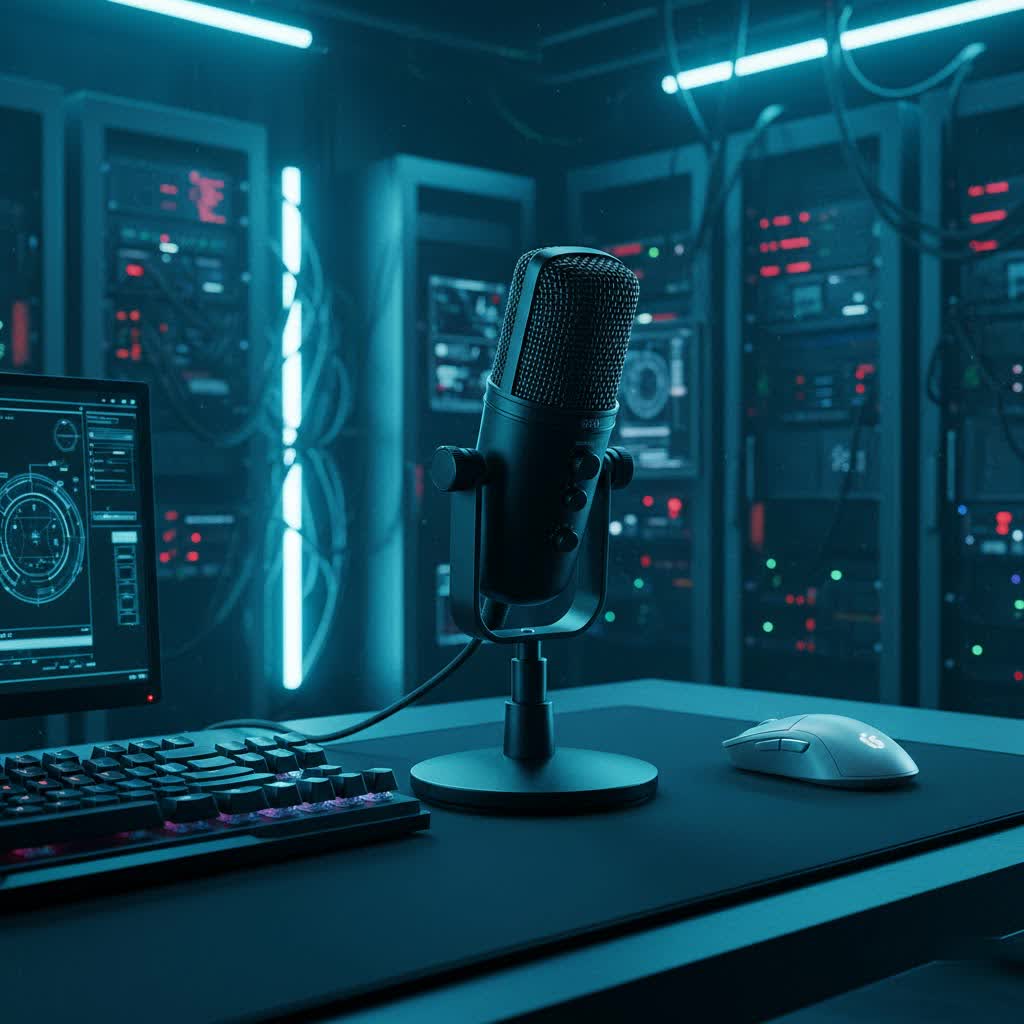
USB Condenser Microphones: An Overview and Applications
USB condenser microphones are a revolutionary class of audio equipment that merges the exceptional clarity and detail of a condenser microphone with the plug-and-play simplicity of USB connectivity. Unlike traditional XLR microphones, which require external audio interfaces and phantom power, USB condenser mics integrate an analog-to-digital converter directly into the microphone itself. This “all-in-one” design allows for direct connection to your computer, laptop, or even mobile device, making professional-grade audio accessible to everyone.
Their widespread popularity stems from their versatility across various applications. For podcasters and broadcasters, these microphones offer studio-quality vocal reproduction, ensuring every word is crisp and engaging. Streamers and gamers benefit from clear communication with their audience and teammates, enhancing the interactive experience. Musicians can effortlessly record vocals and acoustic instruments with remarkable fidelity in their home studios, capturing subtle nuances. Furthermore, for online meetings, virtual classrooms, and voice-over work, USB condenser microphones provide a significant upgrade over built-in computer microphones, delivering professional presence and intelligibility.
Categorizing USB Condenser Microphones
Understanding the different ways USB condenser microphones are classified can help you narrow down your choices and align them with your specific needs. These classifications primarily revolve around their physical design, how they capture sound, and their integrated features.
Based on Design Type
The core of a USB condenser microphone is its condenser capsule, known for sensitivity and detailed sound capture. While the underlying technology is condenser, the external form factor can vary:
- Desktop Microphones: These are the most common, often coming with a stand for desk placement. They are ideal for stationary use in home studios, for podcasts, or streaming where portability is less of a concern. Examples include the Blue Yeti and Audio-Technica AT2020USB+.
- Compact/Portable Microphones: Designed for on-the-go recording, these small, lightweight mics are perfect for mobile journalists, field recording, or travelers. Some even clip onto clothing or devices, like certain lavalier USB mics.
- Integrated Stand/Boom Arm Microphones: Some premium models come with built-in stands or even integrated boom arms, offering convenience and reducing the need for additional accessories.
|
Our Picks for the Best USB Microphone in 2026
As an Amazon Associate I earn from qualifying purchases.
|
||
| Num | Product | Action |
|---|---|---|
| 1 | ZealSound Podcast USB Microphone for PC/Mac/iPhone, Cardioid Condenser Mic with Noise Reduction, Tap-to-Mute, RGB Lighting, Zero Latency Monitoring, Volume Control for Gaming, Recording, YouTube |

|
| 2 | FIFINE USB/XLR Dynamic Microphone for Podcast Recording, PC Computer Gaming Streaming Mic with RGB Light, Mute Button, Headphones Jack, Desktop Stand, Vocal Mic for Singing YouTube-AmpliGame AM8 |
|
| 3 | FIFINE USB Microphone, Metal Condenser Recording Microphone for MAC OS, Windows, Cardioid Laptop Mic for Recording Vocals, Voice Overs, Streaming, Meeting and YouTube Videos-K669B |
|
| 4 | Dynamic Microphone, USB-C/XLR Podcast Recording PC Microphone for Podcast Recording Streaming Gaming with RGB Light, Mute Button, Desktop Stand, Headphones Jack, Vocal Mic for Singing Tiktok YouTube |
|
| 5 | JOUNIVO USB Microphone, 360 Degree Adjustable Gooseneck Design, Mute Button & LED Indicator, Noise-Canceling Technology, Plug & Play, Compatible with Windows & MacOS |
|
| 6 | Amazon Basics USB Condenser Microphone for Streaming, Recording, and Podcasting on PC, Plug and Play, Cardioid Pickup, Adjustable Stand with 360° Rotation, 5.8 x 3.4 inches, Black |
|
| 7 | Shure MV7+ Podcast Dynamic Microphone – OBS Certified, Enhanced Audio, LED Panel, USB-C & XLR Outputs, Auto Level Mode, Digital Pop Filter, Reverb Effects – For Podcasting, Streaming, Recording, Black |
|
| 8 | P PUPGSIS XLR/USB Podcast Microphone, Gaming Mic with Mute Button, Reverb Effects, Noise Cancellation, Boom Arm Stand, Headphones Jack, Dynamic Microphone for Streaming/Recording/Gaming/Vocal-Black |
|
| 9 | DUNGZDUZ USB Microphone for Laptop and Desktop Computer, High Sensitivity for Clear Call, Plug-and-Play, High Gain, Cordless Mini-Sized Portable, Ideal for Work & Study |
|
| 10 | Logitech Creators Blue Yeti USB Microphone for Gaming, Streaming, Podcast, YouTube, Discord, PC, Studio Sound, Plug & Play-Blackout |
|
Based on Pickup Pattern
The pickup pattern, or polar pattern, describes the direction(s) from which the microphone primarily captures sound. This is a critical factor for isolating desired audio and minimizing unwanted background noise. Many USB condenser microphones offer multiple selectable patterns for increased flexibility.
- Cardioid: This is the most common pattern, picking up sound primarily from the front while rejecting sound from the sides and rear. It’s excellent for single vocalists, podcasters, or streamers who want to focus on their voice and minimize room echo or background noise.
- Omnidirectional: Captures sound equally from all directions (360 degrees). Ideal for recording group discussions, ambient room sounds, or capturing instruments from a distance where natural room acoustics are desired.
- Bidirectional (Figure-8): Picks up sound equally from the front and rear, while rejecting sound from the sides. This pattern is perfect for two-person interviews conducted across a table.
- Stereo: Utilizes two condenser capsules to create a stereo image, capturing a wider soundstage. Great for recording music, field recordings, or immersive soundscapes.
Based on Additional Features
While the “USB condenser” defines the core functionality, many microphones integrate additional features that enhance usability and performance.
- Microphones with Integrated Sound Cards: All USB microphones inherently have a built-in analog-to-digital converter, acting as a basic sound card. This is what allows direct digital connection to your computer.
- Microphones without Integrated Sound Cards: This category doesn’t apply to USB microphones, as the USB functionality requires a built-in sound card for digital conversion. This distinction is more relevant when comparing to traditional analog XLR microphones.
- Hybrid USB/XLR Microphones: Some advanced models offer both USB and XLR connectivity, providing the convenience of USB for casual use and the flexibility of XLR for more professional studio setups where an audio interface is desired. This offers a path for upgrading without replacing the microphone entirely.
Essential Factors When Choosing a USB Condenser Microphone
Selecting the right USB condenser microphone involves evaluating several key factors that directly impact sound quality, user experience, and overall value. Paying attention to these elements will ensure you invest in a microphone that truly meets your expectations.
Sound Quality
The primary goal of any microphone is to capture high-quality sound. For USB condenser microphones, several specifications indicate their audio performance:
- Sensitivity: This refers to how well a microphone converts acoustic sound into an electrical signal. Highly sensitive condenser mics can pick up subtle details, making them ideal for vocals and nuanced instruments. However, high sensitivity can also mean picking up more unwanted background noise if your environment isn’t treated.
- Frequency Response: This indicates the range of frequencies the microphone can capture, typically expressed in Hertz (Hz). A wide and flat frequency response (e.g., 20Hz-20kHz) is generally desirable for capturing the full spectrum of human hearing accurately, from deep bass to crisp highs. Different microphones might have specific frequency response curves tailored for voices or instruments.
- Self-Noise (Equivalent Input Noise – EIN): Measured in dB SPL (decibels Sound Pressure Level), self-noise is the inherent electronic hiss a microphone produces even in a perfectly silent environment. Lower EIN values (e.g., below 15 dBA) indicate a quieter microphone, which is crucial for capturing clean audio, especially for quiet sources or speech.
Durability and Design
A microphone isn’t just about sound; its physical attributes contribute to its longevity and ease of use.
- Materials: Look for microphones constructed from robust materials like metal (aluminum, steel) rather than lightweight plastics. This ensures it can withstand regular handling, minor bumps, and provides a professional feel.
- Form Factor and Style: The design should be practical for your intended use. A compact design is great for portability, while a larger, more stable desktop unit might be better for a permanent studio setup. Aesthetic appeal can also be a factor, especially for streamers who display their gear.
- Portability: If you plan to record on the go, a lightweight and compact microphone with an integrated stand or a design that easily detaches from its stand is advantageous. Some even come with travel pouches.
Additional Features
Modern USB condenser microphones often come equipped with a range of features that enhance functionality and convenience.
- Volume Control: Onboard gain control allows you to adjust the microphone’s input sensitivity directly on the device, preventing clipping or ensuring your signal is strong enough.
- Headphone Jack (Zero-Latency Monitoring): A built-in headphone jack is indispensable. It allows you to monitor your audio directly from the microphone without any delay (zero-latency monitoring), ensuring you hear exactly what the microphone is capturing in real-time. This prevents distracting echoes or delays inherent in computer-based monitoring.
- Quick Mute Button: A physical mute button on the microphone provides instant control over your audio, essential for calls, streams, or preventing unwanted sounds from being recorded.
- Included Accessories: Many USB condenser microphones come bundled with useful accessories such as a desktop stand, a pop filter (to reduce plosive sounds like “p” and “b”), a shock mount (to minimize vibrations), and a USB cable. These additions can save you money and improve your recording quality.
Comparing Popular USB Condenser Microphones on the Market
The market is rich with excellent USB condenser microphones, each with its unique strengths and weaknesses. Here’s a comparative look at some widely recognized models, providing a snapshot to help you assess options. Please note that “price reference” can fluctuate significantly based on retailers and promotions.
| Product Name | Mic Type | Polar Pattern | Frequency Response | Pros | Cons | Price Reference |
|---|---|---|---|---|---|---|
| Blue Yeti | Condenser | Cardioid, Omni, Bi, Stereo | 20Hz-20kHz | Versatile, multiple patterns, easy to use | Bulky, sensitive to desk vibrations | Mid-range |
| Rode NT-USB Mini | Condenser | Cardioid | 20Hz-20kHz | Compact, excellent sound, sturdy build | Single pattern, included stand is low | Mid-range |
| Audio-Technica AT2020USB+ | Condenser | Cardioid | 20Hz-16kHz | Studio-grade sound, durable | No multiple patterns, basic features | Mid-range |
| HyperX QuadCast S | Condenser | Cardioid, Omni, Bi, Stereo | 20Hz-20kHz | Great for gaming, tap-to-mute, RGB | Gaming aesthetic might not suit all users | Mid-range |
| Samson G-Track Pro | Condenser | Cardioid, Omni, Bi | 50Hz-20kHz | Audio interface, instrument input | Larger footprint, more complex controls | Mid-range |
| Mackie EM-USB | Condenser | Cardioid | 20Hz-17kHz | Professional sound, rugged build | No multi-pattern, basic included stand | Entry/Mid-range |
| Shure MV5 | Condenser | Cardioid | 20Hz-20kHz | Portable, app control, clear audio | Very small, may need external stand for height | Entry-level |
“Choosing a USB condenser microphone isn’t just about specs; it’s about how it integrates into your workflow and elevates your distinct sound. The right mic should feel like an extension of your creative intent.” – Alex Chen, Audio Production Specialist
How to Select the Right USB Condenser Microphone
Navigating the options can be overwhelming, but a systematic approach will help you pinpoint the perfect USB condenser microphone for your audio journey.
Define Your Usage Needs
Start by clearly outlining what you intend to use the microphone for.
- Purpose of Use:
- Vocals/Singing: Look for microphones with a wide frequency response and low self-noise to capture nuances.
- Podcasting/Voice-overs: Cardioid pattern is usually best to focus on your voice. Zero-latency monitoring and a mute button are crucial.
- Streaming/Gaming: Clear voice, good noise rejection, and perhaps a gaming aesthetic with convenient controls are often desired.
- Recording Instruments: Consider models with a wide frequency response and potentially multiple polar patterns for versatility.
- Recording Environment:
- Treated Studio/Quiet Room: You can leverage the sensitivity of a condenser mic to its fullest.
- Untreated Home Room/Noisy Environment: Prioritize a cardioid pattern to minimize ambient noise. Some microphones offer software-based noise reduction.
- Budget: USB condenser microphones range from entry-level to premium. Establish a realistic budget and consider the value proposition (features vs. price). Often, a mid-range mic offers the best balance of quality and affordability for most users.
Research and Compare Products
Once you have a clear idea of your needs, dive into research to compare specific models.
- Read Reviews and Comparisons: Consult reputable audio equipment websites, tech review sites, and expert forums for in-depth analyses and user experiences. Pay attention to both pros and cons.
- Watch Video Reviews: YouTube reviews often include audio samples, allowing you to hear how different microphones sound in various scenarios. This can be invaluable for assessing tonal qualities.
- Seek Recommendations: Ask friends, colleagues, or online communities for their experiences and suggestions, especially if they have similar use cases.
Purchase from Reputable Retailers
Where you buy your microphone is almost as important as which microphone you buy.
- Choose Stores with Clear Policies: Opt for retailers that offer robust warranty policies, clear return procedures, and excellent customer service. This provides peace of mind in case of defects or if the microphone doesn’t meet your expectations.
- Inspect Before Buying: If purchasing in person, check the microphone’s build quality, ensure all accessories are included, and test basic functionality if possible. For online orders, promptly inspect the package upon arrival.
Leading USB Condenser Microphone Brands
Several brands have established themselves as leaders in the USB microphone space, known for their quality, innovation, and reliability.
- Rode: An Australian company renowned for its professional microphones. Their USB condenser offerings like the NT-USB Mini deliver exceptional sound quality in compact, robust designs.
- Blue (now Logitech for Creators): Famous for popular models like the Blue Yeti and Snowball, Blue Microphones revolutionized the USB mic market with user-friendly, versatile, and high-performing devices.
- Audio-Technica: A long-standing name in audio, Audio-Technica brings its expertise in studio microphones to the USB segment with models like the AT2020USB+, offering professional sound for home users.
- HyperX: A prominent brand in gaming peripherals, HyperX offers USB condenser microphones (e.g., QuadCast S) designed with streamers and gamers in mind, featuring convenient controls and distinct aesthetics.
- Samson: Samson provides a wide range of audio solutions, including several popular USB condenser microphones such as the Go Mic and G-Track Pro, catering to various budgets and needs.
Conclusion
Choosing the right USB condenser microphone is a pivotal step toward achieving superior audio quality for your podcasts, streams, music, or online communications. By understanding the core technologies, identifying your specific needs, and carefully evaluating the market’s offerings, you can confidently select a device that delivers professional-grade sound with unmatched simplicity. Embrace the power of plug-and-play audio and let your voice be heard with clarity and impact.
What audio project are you most excited to enhance with a new USB condenser microphone?
Frequently Asked Questions
What is the main advantage of a USB condenser microphone over a standard USB microphone?
The term “USB microphone” is broad, encompassing both condenser and dynamic types. A USB condenser microphone specifically uses a condenser capsule, known for its sensitivity and ability to capture a wider frequency range and more detailed sound, making it ideal for vocals, acoustic instruments, and nuanced recordings where clarity is paramount.
Do I need an audio interface with a USB condenser microphone?
No, a key advantage of USB condenser microphones is that they include a built-in analog-to-digital converter, effectively acting as their own audio interface. This allows for direct plug-and-play connection to your computer’s USB port, eliminating the need for additional equipment and simplifying your setup.
Can I use a USB condenser microphone with my phone or tablet?
Many USB condenser microphones are compatible with modern smartphones and tablets, especially those with USB-C ports, using appropriate adapters (like an OTG adapter for Android or a Lightning-to-USB adapter for iPhones). Always check the microphone’s specifications for mobile device compatibility.
What is “zero-latency monitoring” and why is it important?
Zero-latency monitoring refers to the ability to hear your own voice or instrument through headphones directly from the microphone without any noticeable delay. This is crucial for recording as it allows you to monitor your performance in real-time, preventing distracting echoes or timing issues that can occur when monitoring through your computer’s software.
Are USB condenser microphones good for live performances?
Generally, USB condenser microphones are best suited for studio recording, streaming, podcasting, and online communication rather than live stage performances. Their high sensitivity, while great for detail, can also make them prone to feedback in a live sound environment. For live use, dynamic microphones are usually preferred for their ruggedness and lower sensitivity.
