In today’s digital landscape, clear audio is no longer a luxury—it’s a necessity. Whether you’re a burgeoning podcaster, an avid gamer, a remote professional, or a content creator, relying on your laptop’s built-in microphone often falls short. The solution? A dedicated USB microphone. These convenient, plug-and-play devices offer a significant upgrade, transforming your sound quality and ensuring your message is heard with crystal clarity. This comprehensive guide will walk you through everything you need to know to select the perfect USB microphone for your laptop, tailored to your specific needs and budget.
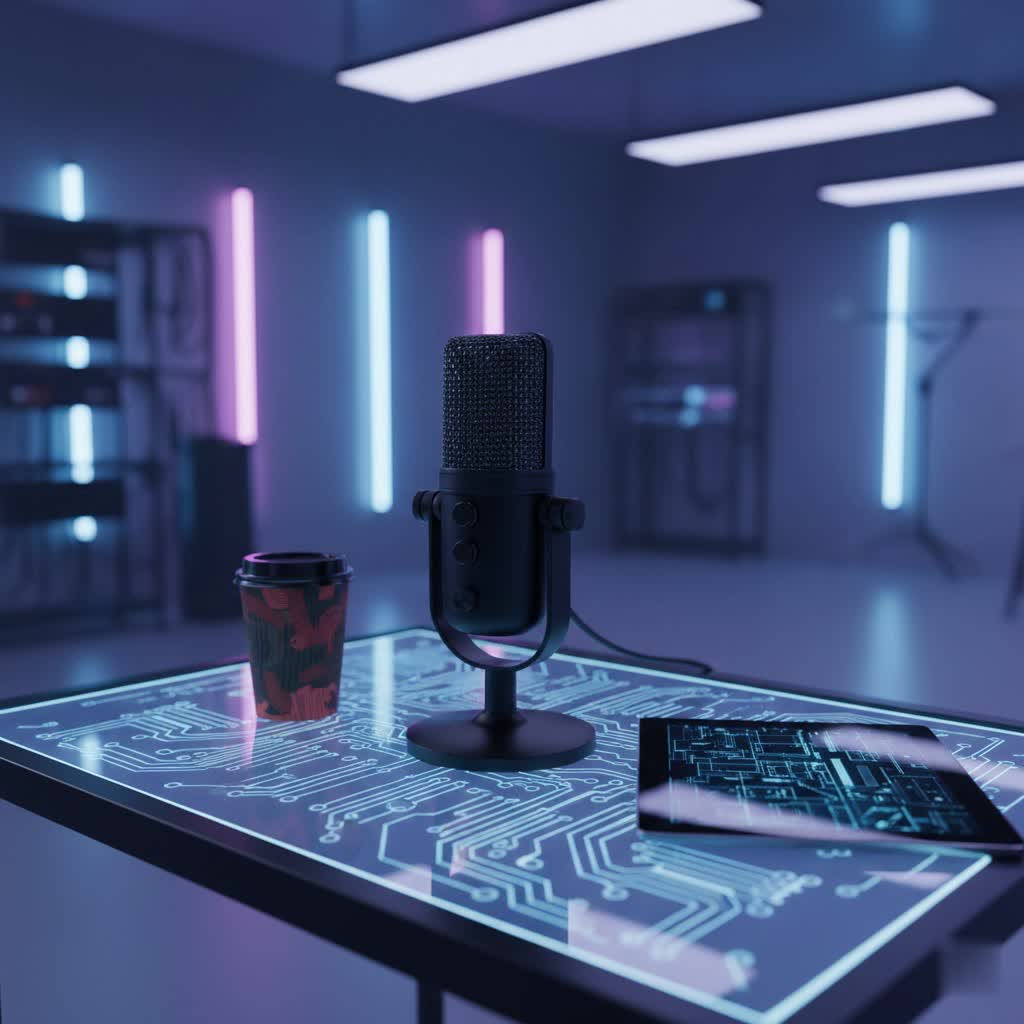
USB Microphones: Overview and Key Applications
USB microphones are standalone audio input devices designed for direct connection to your laptop or computer via a USB port. Unlike traditional XLR microphones that require an external audio interface with preamps and analog-to-digital converters, USB mics integrate these components directly, offering unparalleled ease of use. This “plug-and-play” functionality has made them incredibly popular for a wide array of applications.
Their versatility makes them ideal for:
- Podcasting: Capturing rich, professional-grade vocals for interviews, monologues, and storytelling.
- Streaming & Gaming: Ensuring clear communication with teammates and an engaging audio experience for your audience on platforms like Twitch and YouTube.
- Online Meetings & Remote Work: Significantly improving voice clarity for Zoom calls, Microsoft Teams, and other virtual collaboration tools, minimizing background noise and ensuring you’re understood.
- Voiceovers: Recording crisp narration for videos, presentations, and e-learning content.
- Home Recording: Laying down demo tracks for vocals or acoustic instruments with a straightforward setup.
The primary appeal of a USB microphone for laptop users lies in its ability to deliver superior audio performance without the complexity and additional equipment associated with professional studio setups.
Types of USB Microphones
Understanding the different categories of USB microphones is crucial for making an informed decision. These distinctions primarily revolve around how they capture sound and from which directions.
Based on Transducer Type
The transducer type determines how the microphone converts sound waves into electrical signals, influencing its sensitivity and typical use cases.
- Condenser Microphones: These are highly sensitive microphones, excelling at capturing subtle nuances and a wide frequency range. They require power (which they receive directly via the USB connection) and are ideal for studio-like environments where detailed audio capture is paramount. Condenser mics are excellent for vocals, acoustic instruments, and podcasts in quiet settings. However, their sensitivity means they can also pick up more ambient room noise.
- Dynamic Microphones: Less sensitive than condensers, dynamic microphones are robust and excel at handling high sound pressure levels (SPLs). They are often favored for live performances, loud vocalists, or environments with more background noise, as they tend to focus more tightly on the sound source directly in front of them. For a “broadcast” sound or in less treated rooms, a dynamic USB microphone can be an excellent choice.
|
Our Picks for the Best USB Microphone in 2026
As an Amazon Associate I earn from qualifying purchases.
|
||
| Num | Product | Action |
|---|---|---|
| 1 | FIFINE USB Microphone, Metal Condenser Recording Microphone for MAC OS, Windows, Cardioid Laptop Mic for Recording Vocals, Voice Overs, Streaming, Meeting and YouTube Videos-K669B |

|
| 2 | P PUPGSIS XLR/USB Podcast Microphone, Gaming Mic with Mute Button, Reverb Effects, Noise Cancellation, Boom Arm Stand, Headphones Jack, Dynamic Microphone for Streaming/Recording/Gaming/Vocal-Black |
|
| 3 | Dynamic Microphone, USB-C/XLR Podcast Recording PC Microphone for Podcast Recording Streaming Gaming with RGB Light, Mute Button, Desktop Stand, Headphones Jack, Vocal Mic for Singing Tiktok YouTube |
|
| 4 | Amazon Basics USB Condenser Microphone for Streaming, Recording, and Podcasting on PC, Plug and Play, Cardioid Pickup, Adjustable Stand with 360° Rotation, 5.8 x 3.4 inches, Black |
|
| 5 | DUNGZDUZ USB Microphone for Laptop and Desktop Computer, High Sensitivity for Clear Call, Plug-and-Play, High Gain, Cordless Mini-Sized Portable, Ideal for Work & Study |
|
| 6 | Shure MV7+ Podcast Dynamic Microphone – OBS Certified, Enhanced Audio, LED Panel, USB-C & XLR Outputs, Auto Level Mode, Digital Pop Filter, Reverb Effects – For Podcasting, Streaming, Recording, Black |
|
| 7 | Logitech Creators Blue Yeti USB Microphone for Gaming, Streaming, Podcast, YouTube, Discord, PC, Studio Sound, Plug & Play-Blackout |
|
| 8 | JOUNIVO USB Microphone, 360 Degree Adjustable Gooseneck Design, Mute Button & LED Indicator, Noise-Canceling Technology, Plug & Play, Compatible with Windows & MacOS |
|
| 9 | FIFINE USB/XLR Dynamic Microphone for Podcast Recording, PC Computer Gaming Streaming Mic with RGB Light, Mute Button, Headphones Jack, Desktop Stand, Vocal Mic for Singing YouTube-AmpliGame AM8 |
|
| 10 | ZealSound Podcast USB Microphone for PC/Mac/iPhone, Cardioid Condenser Mic with Noise Reduction, Tap-to-Mute, RGB Lighting, Zero Latency Monitoring, Volume Control for Gaming, Recording, YouTube |
|
Based on Polar Pattern (Directionality)
A microphone’s polar pattern describes the direction(s) from which it picks up sound most effectively. Many modern USB microphones, especially higher-end models, offer switchable polar patterns for increased versatility.
- Cardioid: This is the most common pattern, capturing sound primarily from the front while largely rejecting sound from the sides and rear. It’s excellent for single-person recordings like solo podcasts, streaming, or vocal performance, as it helps isolate your voice and minimize room echo or background noise.
- Omnidirectional: An omnidirectional microphone picks up sound equally from all directions. This pattern is ideal for recording multiple speakers around a table, such as group podcasts or conference calls, or for capturing the natural ambiance of a room.
- Bidirectional (Figure-8): This pattern captures sound equally from the front and back of the microphone while rejecting sound from the sides. It’s perfectly suited for two-person interviews conducted face-to-face with the microphone placed between them.
- Stereo: Stereo microphones typically use two capsules to capture sound from the left and right channels, creating a wider, more immersive soundstage. This pattern is less common but can be excellent for recording musical instruments, environmental sounds, or ASMR content where spatial audio is important.
Based on Features and Design
Beyond the core technology, USB microphones come in various form factors and offer different supplementary features that enhance usability for laptop users.
- Integrated Design: All USB microphones inherently include a built-in preamp and analog-to-digital converter, simplifying the setup process immensely.
- On-Mic Controls: Many models feature physical controls for gain (microphone sensitivity), headphone volume, and a quick mute button, providing immediate control without needing to delve into software settings.
- Headphone Jack for Zero-Latency Monitoring: A crucial feature for serious recording, this allows you to hear your voice directly from the microphone without any delay (latency) caused by your computer’s processing. This ensures you can monitor your audio in real-time and make adjustments as you speak or sing.
- Portability: Some USB microphones are designed to be compact and travel-friendly, perfect for laptop users who record on the go. Others are larger desktop models or come with integrated boom arms for a more permanent setup.
- Included Accessories: Many microphones come bundled with useful accessories like a desktop stand, a shock mount (to reduce vibrations), or a pop filter (to minimize harsh “p” and “b” sounds).
Key Factors When Choosing a USB Microphone for Your Laptop
Selecting the best USB microphone means balancing audio performance with practical features and your specific recording environment.
Audio Quality
The primary reason to upgrade to a USB microphone is for superior sound. Several specifications define audio quality:
- Sensitivity: This refers to how well the microphone picks up sound. Higher sensitivity is generally desirable for capturing detailed audio, though it can also make the mic prone to picking up unwanted background noise in untreated rooms.
- Frequency Response: Measured in Hertz (Hz), this indicates the range of frequencies the microphone can capture. A wider frequency response (e.g., 20Hz to 20kHz) means it can reproduce sounds from deep bass to crisp highs, resulting in a more natural and full sound.
- Bit Depth and Sample Rate: These figures indicate the quality of the analog-to-digital conversion. Common resolutions are 16-bit/48kHz (CD quality) or 24-bit/48kHz (higher resolution, preferred for professional applications). Higher bit depth captures more dynamic range, while a higher sample rate captures more detail per second.
- Self-Noise: All microphones produce a slight electrical hiss, known as self-noise. Lower self-noise values are better, ensuring your recordings are clean and free from distracting hums.
Durability and Design
A good microphone should not only sound great but also be built to last and fit seamlessly into your workspace.
- Build Materials: Microphones with metal construction tend to be more durable and less prone to interference than those made from plastic.
- Form Factor: Consider whether a compact desktop mic, a more flexible gooseneck mic, or a microphone mounted on a boom arm best suits your setup. Boom arms offer better positioning and desk isolation, reducing vibrations.
- Portability: If you frequently travel with your laptop and need to record in different locations, look for a lightweight, compact design that’s easy to pack and set up.
Additional Features
Modern USB microphones offer a range of features that can greatly enhance usability and recording flexibility.
- On-Mic Controls: Easy-to-access gain dials, headphone volume controls, and mute buttons are invaluable for quick adjustments during recording or live calls.
- Software Integration: Some brands offer companion software (e.g., ShurePlus MOTIV, HyperX Ngenuity) that allows for advanced customization, including EQ settings, compression, and switchable polar patterns.
- Pop Filters and Shock Mounts: These accessories are crucial for clean audio. A pop filter mitigates harsh plosive sounds (“p,” “b”), while a shock mount isolates the microphone from vibrations and bumps on your desk. Many high-quality USB mics integrate these features.
- RGB Lighting: While purely aesthetic, customizable RGB lighting can add a personalized touch to your streaming or gaming setup, especially for creators who focus on visual presentation.
> “The convenience of a USB microphone for laptop users is unmatched. It democratizes quality audio, making professional-sounding recordings accessible without a complex setup.” – An Vu, Audio Technology Specialist at reviewtawk.com
Popular USB Microphones for Laptops: A Comparison
The market offers a diverse range of USB microphones, each with its strengths. Here’s a comparison of some popular and highly-rated models suitable for laptop users. Please note that prices are approximate and can vary.
| Product | Type | Polar Pattern(s) | Key Features | Pros | Cons | Est. Price |
|---|---|---|---|---|---|---|
| Shure MV7 | Dynamic | Cardioid | USB/XLR connectivity, ShurePlus MOTIV App, Voice Isolation Tech, Touch Panel | Excellent sound quality, versatile connectivity, robust build, great software | Higher price point, no built-in stand for some models | $249 |
| Blue Yeti | Condenser | Cardioid, Omnidirectional, Bidirectional, Stereo | Multiple patterns, Gain control, Headphone jack, Sturdy desktop stand | Highly versatile, good sound for many applications, user-friendly | Bulky, can pick up background noise in untreated rooms | $99 – $129 |
| Rode NT-USB Mini | Condenser | Cardioid | Compact design, Studio-grade sound, Integrated pop filter, Magnetic desktop stand | Excellent audio quality for its size, easy to use, sleek aesthetics | Limited features, single polar pattern | $99 |
| HyperX QuadCast S | Condenser | Cardioid, Omnidirectional, Bidirectional, Stereo | Built-in anti-vibration shock mount, Pop filter, Gain control, RGB Lighting | Great for gaming/streaming, multiple patterns, good sound, stylish RGB | RGB might not appeal to all, larger footprint | $159 |
| Audio-Technica AT2020USB+ | Condenser | Cardioid | Studio-quality sound, Headphone jack, Mix control, Desktop tripod | Excellent sound clarity for vocals/instruments, reputable brand | Single pattern, basic design | $149 |
| Sennheiser Profile Streaming Set | Condenser | Cardioid | Easy setup, Sturdy boom arm, On-board controls, Excellent value | Great all-in-one package, good sound, convenient boom arm | Boom arm might require desk space | $199 |
How to Choose the Right USB Microphone for Your Laptop
Making the final decision involves a systematic approach to match a microphone to your unique circumstances.
Determine Your Usage Needs
Start by clearly defining what you’ll use the microphone for and in what environment.
- Purpose: Are you primarily gaming, podcasting, making video calls, or recording music? This will guide your choice of transducer type and polar pattern. For gaming/streaming, you might prioritize a mic with a built-in pop filter and shock mount. For multi-person podcasts, omnidirectional or bidirectional patterns are key.
- Environment: Will you be recording in a quiet, treated room or a noisy home office? In a noisy environment, a dynamic microphone or a cardioid condenser mic with good off-axis rejection will be more effective at isolating your voice. If your room has a lot of echo, prioritize cardioid patterns and consider acoustic treatment.
- Budget: USB microphones range from under $50 to over $250. Set a realistic budget and look for the best features and audio quality within that range. Often, mid-range models offer the best balance of performance and value.
Research and Compare Products
Once you have a clear idea of your needs, dive into detailed research.
- Read Reviews: Consult reputable tech and audio review websites (like PCMag, Laptop Mag, Sweetwater) for in-depth analyses and comparisons of different models. Look for consistent praise regarding sound quality, build, and features relevant to your use case.
- Watch Video Reviews: YouTube reviews can offer valuable insights, especially sound tests that demonstrate how different microphones perform in real-world scenarios.
- Seek Expert Opinions: Don’t hesitate to ask for recommendations from experienced users in relevant online communities or forums.
Purchase from Reputable Retailers
Where you buy your microphone is almost as important as which microphone you choose.
- Warranty and Return Policies: Ensure the retailer offers a clear warranty and a flexible return policy in case the microphone doesn’t meet your expectations.
- Customer Support: Good customer service can be invaluable if you encounter any setup issues or require technical assistance.
- Check the Product Thoroughly: If purchasing in person, inspect the microphone for any physical defects. If ordering online, test it immediately upon arrival to ensure it functions correctly.
Top USB Microphone Brands
Several brands have established themselves as leaders in the USB microphone market, known for their quality, innovation, and reliability.
- Rode: An Australian company renowned for producing high-quality microphones for both professional and consumer markets. Their NT-USB Mini and PodMic USB are particularly popular for laptop users due to their excellent sound and compact design.
- Blue (now part of Logitech): Blue Microphones, particularly the Blue Yeti series (Yeti, Yeti Nano, Yeti X), are iconic for their versatility, multiple polar patterns, and user-friendly design, making them a go-to for podcasters and streamers.
- Shure: A legendary audio brand, Shure offers professional-grade USB microphones like the MV7 and MV6, which are celebrated for their exceptional sound quality, robust build, and advanced software features.
- Audio-Technica: Known for its reliable and high-fidelity audio equipment, Audio-Technica provides excellent USB condenser microphones such as the AT2020USB+, offering studio-quality sound for various applications.
- HyperX: A prominent brand in gaming peripherals, HyperX offers microphones like the QuadCast S, specifically designed for streamers and gamers, featuring robust construction, multiple patterns, and customizable RGB lighting.
- Sennheiser: A German audio giant, Sennheiser has entered the USB microphone market with products like the Profile Streaming Set, offering professional sound quality and value, especially for those seeking an all-in-one streaming solution.
- Fifine: Gaining popularity for offering budget-friendly yet capable USB microphones that provide surprising sound quality for their price point, making them great for beginners.
Conclusion
Upgrading to a dedicated USB microphone for your laptop is one of the most impactful decisions you can make to enhance your audio quality. By understanding the different types, key features, and popular models available, you can confidently choose a device that perfectly aligns with your recording needs, environment, and budget. From clear communication in online meetings to professional-sounding podcasts and immersive gaming streams, the right USB microphone will ensure your voice is heard with the clarity and presence it deserves.
What exciting projects will you embark on once you’ve found your perfect audio companion?
Frequently Asked Questions
What is the main advantage of a USB microphone over my laptop’s built-in mic?
The primary advantage is significantly superior audio quality. USB microphones feature larger capsules, dedicated preamps, and analog-to-digital converters, resulting in clearer, richer, and more detailed sound compared to the often tinny and background-noise-prone built-in laptop microphones.
Do I need any extra software or drivers to use a USB microphone with my laptop?
Most USB microphones are “plug-and-play” and do not require additional drivers for basic functionality on Windows or macOS. Simply connect them to a USB port, and your laptop will usually recognize them automatically. However, some advanced models offer optional software for fine-tuning settings like EQ or gain, which can be downloaded from the manufacturer’s website.
Can I use a USB microphone for professional music recording?
While USB microphones offer excellent quality for demos, podcasts, and voiceovers, they typically have limitations for multi-track professional music recording compared to XLR microphones paired with dedicated audio interfaces. For serious studio work involving multiple instruments or complex mixing, an XLR setup often provides more flexibility and higher fidelity. However, for a single vocal or instrument track, a high-quality USB condenser mic can yield impressive results.
