In today’s digital landscape, clear and high-quality audio is no longer a luxury but a necessity. From connecting with colleagues to creating engaging content, your voice plays a pivotal role. A dedicated USB computer microphone can dramatically enhance your sound, transforming mundane audio into professional-grade clarity. This comprehensive guide will navigate you through the world of USB microphones, helping you understand their technology, explore popular options, and ultimately choose the perfect device to amplify your voice and creative projects.
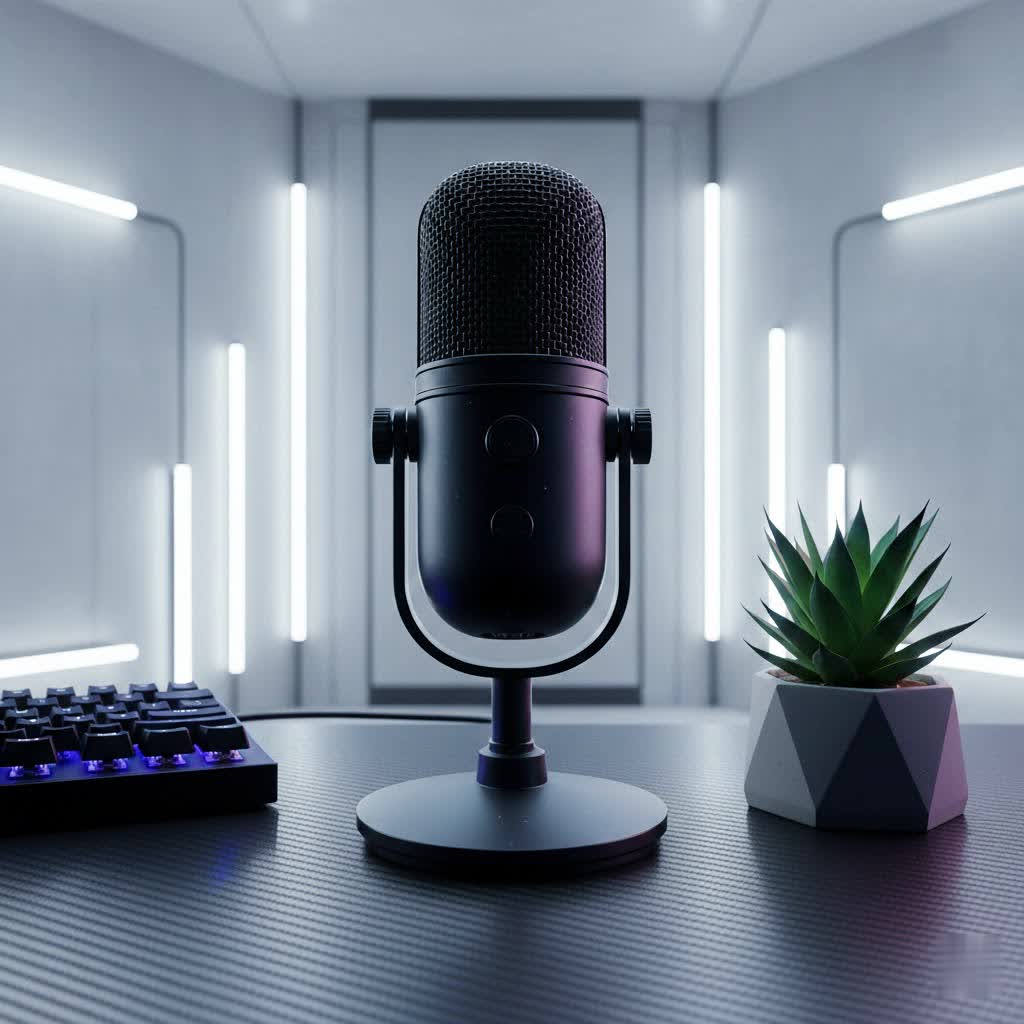
USB Computer Microphones: An Overview and Applications
A USB computer microphone simplifies the recording process by integrating the necessary audio components into a single device. Unlike traditional XLR microphones that require external audio interfaces and preamps, USB microphones plug directly into your computer via a USB cable, making them incredibly user-friendly and convenient for a “plug-and-play” experience. Their popularity has surged due to their ease of setup and ability to deliver professional-grade sound without complex equipment.
These versatile devices find applications across a wide spectrum of uses. They are indispensable for podcasting, enabling crisp vocal recordings that keep listeners engaged. For live streamers and gamers, a quality USB microphone ensures that commentary and in-game communication are crystal clear, enhancing the audience and team experience. Professionals rely on them for superior sound in online meetings and virtual conferences, eliminating the muffled audio often associated with built-in laptop microphones. Furthermore, aspiring musicians and voiceover artists utilize USB microphones for vocal recording and instrument capture, providing a accessible entry point into home studio production.
Types of USB Computer Microphones
Understanding the different types of USB microphones is crucial for making an informed decision, as each offers distinct advantages for specific applications.
Based on Design/Capsule Type
The core of any microphone is its capsule, which determines how sound waves are converted into electrical signals. USB microphones primarily fall into two main capsule types:
- Condenser Microphones: These microphones are highly sensitive and excel at capturing nuanced details and a wide frequency range. They are ideal for studio-like environments where capturing intricate vocals, acoustic instruments, or a broad soundstage is desired. However, their sensitivity also means they can pick up more ambient background noise, making a quiet recording space essential. The Blue Yeti is a prime example of a popular condenser USB microphone.
- Dynamic Microphones: Known for their robustness and lower sensitivity, dynamic microphones are excellent at rejecting background noise. They are a solid choice for loud environments, close-up vocals, or situations where you need to isolate a single sound source. Their durability also makes them suitable for live performance or mobile recording. The Shure MV7, for instance, is a highly regarded dynamic USB microphone.
|
Our Picks for the Best USB Microphone in 2026
As an Amazon Associate I earn from qualifying purchases.
|
||
| Num | Product | Action |
|---|---|---|
| 1 | Shure MV7+ Podcast Dynamic Microphone – OBS Certified, Enhanced Audio, LED Panel, USB-C & XLR Outputs, Auto Level Mode, Digital Pop Filter, Reverb Effects – For Podcasting, Streaming, Recording, Black |

|
| 2 | Amazon Basics USB Condenser Microphone for Streaming, Recording, and Podcasting on PC, Plug and Play, Cardioid Pickup, Adjustable Stand with 360° Rotation, 5.8 x 3.4 inches, Black |
|
| 3 | FIFINE USB Microphone, Metal Condenser Recording Microphone for MAC OS, Windows, Cardioid Laptop Mic for Recording Vocals, Voice Overs, Streaming, Meeting and YouTube Videos-K669B |
|
| 4 | JOUNIVO USB Microphone, 360 Degree Adjustable Gooseneck Design, Mute Button & LED Indicator, Noise-Canceling Technology, Plug & Play, Compatible with Windows & MacOS |
|
| 5 | Dynamic Microphone, USB-C/XLR Podcast Recording PC Microphone for Podcast Recording Streaming Gaming with RGB Light, Mute Button, Desktop Stand, Headphones Jack, Vocal Mic for Singing Tiktok YouTube |
|
| 6 | P PUPGSIS XLR/USB Podcast Microphone, Gaming Mic with Mute Button, Reverb Effects, Noise Cancellation, Boom Arm Stand, Headphones Jack, Dynamic Microphone for Streaming/Recording/Gaming/Vocal-Black |
|
| 7 | DUNGZDUZ USB Microphone for Laptop and Desktop Computer, High Sensitivity for Clear Call, Plug-and-Play, High Gain, Cordless Mini-Sized Portable, Ideal for Work & Study |
|
| 8 | ZealSound Podcast USB Microphone for PC/Mac/iPhone, Cardioid Condenser Mic with Noise Reduction, Tap-to-Mute, RGB Lighting, Zero Latency Monitoring, Volume Control for Gaming, Recording, YouTube |
|
| 9 | FIFINE USB/XLR Dynamic Microphone for Podcast Recording, PC Computer Gaming Streaming Mic with RGB Light, Mute Button, Headphones Jack, Desktop Stand, Vocal Mic for Singing YouTube-AmpliGame AM8 |
|
| 10 | Logitech Creators Blue Yeti USB Microphone for Gaming, Streaming, Podcast, YouTube, Discord, PC, Studio Sound, Plug & Play-Blackout |
|
Based on Polar Pattern
The polar pattern describes the direction from which a microphone picks up sound. Many USB microphones offer switchable polar patterns, providing flexibility for various recording scenarios.
- Cardioid: This heart-shaped pattern captures sound primarily from the front, while significantly reducing pickup from the sides and rear. It’s the go-to choice for solo speakers, streamers, vocalists, and podcast hosts, effectively isolating the main sound source and minimizing ambient noise.
- Omnidirectional: As the name suggests, this pattern picks up sound equally from all directions. It’s perfect for recording group discussions, multi-person podcasts around a single microphone, or capturing the natural ambiance of a room.
- Bidirectional (Figure-8): This pattern captures sound from the front and back of the microphone, while rejecting sound from the sides. It’s ideal for two-person interviews where participants are seated opposite each other, allowing both voices to be captured clearly with minimal interference.
- Stereo: This pattern utilizes two separate channels (left and right) to create a more immersive and spacious soundstage. It’s often employed for recording musical instruments, ASMR, or other content where spatial audio adds significant value.
Based on Features/Connectivity
While most USB microphones include an integrated preamp and analog-to-digital (A/D) converter, making them essentially a mic and interface in one, some offer additional features and connectivity options:
- Microphones with Integrated Sound Cards: This is the fundamental characteristic of all USB microphones, allowing direct digital audio transfer to a computer.
- Microphones with Additional Features: Many advanced USB microphones include XLR outputs alongside the USB connection, offering versatility for professional setups. Others boast dedicated software for EQ, compression, and noise reduction, providing more control over your sound.
Essential Factors When Choosing a USB Computer Microphone
Selecting the right USB computer microphone involves considering several key factors that influence performance and user experience.
Audio Quality
The primary goal of any microphone is to capture high-quality audio. When evaluating a USB microphone, pay attention to:
- Sensitivity and Clarity: A sensitive microphone can pick up subtle details in your voice or instruments. Look for models praised for their clear, uncolored sound reproduction.
- Frequency Response: This indicates the range of frequencies the microphone can capture, typically expressed in Hertz (Hz). A wider range, such as 20Hz to 20kHz, ensures that both deep bass and crisp highs are well-represented, leading to a richer and more faithful audio recording.
- Sample Rate and Bit Depth: These specifications dictate the resolution and dynamic range of your digital audio. For broadcast-quality sound, aim for a sample rate of 48kHz and a bit depth of 24-bit or higher. While 16-bit is sufficient for CD quality, 24-bit provides more headroom and detail.
- Noise Reduction Capabilities: Some microphones feature built-in noise reduction or software-based processing to minimize unwanted background sounds, which is particularly useful in untreated acoustic environments.
Durability and Design
A microphone is an investment, and its physical attributes contribute to its longevity and usability.
- Build Materials: Mics constructed from sturdy metal or high-quality plastics tend to be more durable and resistant to wear and tear.
- Form Factor and Portability: Consider whether you need a compact, portable mic for on-the-go recording (e.g., lavalier, mini-desktop) or a more substantial desktop unit for a permanent setup. Gooseneck designs offer flexible positioning.
- Mounting Options: Check if the microphone comes with a stable desktop stand or if it’s compatible with standard mic stands and boom arms for optimal placement and vibration isolation.
Additional Features and Connectivity
Beyond basic audio capture, modern USB microphones often include features that enhance convenience and control.
- Headphone Jack with Zero-Latency Monitoring: A crucial feature for real-time audio monitoring, allowing you to hear your voice as it’s being recorded without any noticeable delay. This helps you adjust your vocal delivery and prevent clipping.
- Onboard Controls: Dedicated dials for gain (microphone input level), headphone volume, and a quick-access mute button are invaluable for making immediate adjustments during a recording or live session.
- Software Integration: Many advanced USB microphones come with companion apps that offer digital signal processing (DSP) features like EQ, compression, and noise gates, giving you fine-tuned control over your sound without needing separate audio software.
- USB-C vs. USB-A, and XLR Combo Options: USB-C offers faster data transfer and is common on newer devices. Some microphones provide both USB (for computer) and XLR (for professional audio interfaces) connectivity, offering maximum versatility as your setup evolves.
Comparing Popular USB Computer Microphones
The market is rich with excellent USB microphone options, each catering to different needs and budgets. Here’s a comparison of some highly-rated models:
| Product Name | Type (Capsule) | Polar Patterns | Frequency Response | Key Advantages | Key Disadvantages | Estimated Price (USD) |
|---|---|---|---|---|---|---|
| Shure MV7 | Dynamic | Cardioid | 20Hz – 20kHz | Excellent vocal isolation, hybrid USB/XLR, intuitive companion app, rich sound quality, durable build. | Higher price point, single polar pattern. | $249 |
| Blue Yeti | Condenser | Cardioid, Omnidirectional, Bidirectional, Stereo | 20Hz – 20kHz | Highly versatile with multiple patterns, popular for beginners, good sound quality for the price. | Can pick up background noise in untreated rooms, large footprint. | $130 |
| Rode NT-USB Mini | Condenser | Cardioid | 20Hz – 20kHz | Compact, studio-quality sound, excellent clarity, integrated pop filter, easy plug-and-play. | Single polar pattern, lacks some advanced controls. | $99 |
| Audio-Technica ATR2100x-USB | Dynamic | Cardioid | 50Hz – 15kHz | Great value, hybrid USB-C/XLR, clear voice pickup, good for interviews and live use, includes accessories. | Less detailed than condensers, frequency range not as wide as some competitors. | $80 |
| HyperX QuadCast S | Condenser | Cardioid, Omnidirectional, Bidirectional, Stereo | 20Hz – 20kHz | Excellent for gaming/streaming, multiple patterns, eye-catching RGB lighting, built-in shock mount. | RGB may not appeal to all, higher price for primarily gaming features. | $160 |
| Samson Q2U | Dynamic | Cardioid | 50Hz – 15kHz | Best budget option, hybrid USB/XLR, includes accessories (stand, cables), durable. | Sound quality is good for the price but not top-tier, limited frequency response. | $60 |
| Sennheiser Profile | Condenser | Cardioid | 20Hz – 20kHz | Exceptional value, solid build, simple to use, clear sound, good for podcasts and voiceovers. | Single polar pattern, less feature-rich than some premium options. | $129 |
> “The best USB microphone for you isn’t always the most expensive one; it’s the one that perfectly matches your specific recording environment and use case.” – Alice Chen, Audio Engineer & Content Creator Consultant
How to Choose the Right USB Computer Microphone
With numerous options available, choosing the ideal USB computer microphone can seem daunting. Follow these steps to narrow down your choices and find the perfect fit.
Identify Your Usage Needs
Start by clearly defining what you’ll use the microphone for and in what environment.
- Purpose: Are you primarily recording vocals for music, hosting a podcast, streaming video games, participating in online meetings, or creating voiceovers? Different applications benefit from different microphone characteristics. For instance, a dynamic mic is often better for noisy gaming setups, while a condenser might be preferred for nuanced vocal recordings in a quiet space.
- Environment: Will you be recording in a professionally treated studio, a quiet home office, or a potentially noisy room? Your environment heavily influences whether a sensitive condenser or a more background-noise-rejecting dynamic microphone is suitable.
- Budget: Determine how much you’re willing to invest. USB microphones range from under $50 to several hundred dollars, with increasing features and sound quality at higher price points.
Research and Compare Products
Once you understand your needs, dive into research to find models that meet your criteria.
- Read Reviews and Comparisons: Consult reputable tech websites, audio gear blogs, and content creation communities for in-depth reviews and comparative analyses of various USB microphones. Look for consistent feedback on sound quality, build, and features.
- Watch Video Reviews: YouTube is an excellent resource for hearing sound tests and seeing microphones in action. Many reviewers demonstrate audio quality in different scenarios, which can be invaluable.
- Seek Expert Opinions: Don’t hesitate to ask for recommendations from experienced content creators, audio technicians, or sales professionals at specialized audio retailers.
Purchase from Reputable Retailers
Where you buy your microphone is almost as important as which one you choose.
- Check Warranty and Return Policies: Ensure the retailer offers a reasonable warranty and a clear return policy in case the microphone doesn’t meet your expectations or has a defect.
- Inspect the Product: If buying in person, check the microphone for any physical damage and ensure all advertised accessories are included. If ordering online, do a thorough check upon arrival.
Top USB Computer Microphone Brands
Several brands have established themselves as leaders in the USB microphone market, known for their quality, innovation, and reliability.
- Rode: An Australian company revered for its high-quality microphones across all categories. Their USB offerings, like the NT-USB Mini and PodMic USB, are praised for their clear, professional sound and robust build.
- Blue (Logitech): Acquired by Logitech, Blue Microphones is synonymous with accessible, high-performance USB mics. The Blue Yeti is arguably one of the most recognized and popular USB microphones, celebrated for its versatility and ease of use.
- Audio-Technica: A Japanese audio giant, Audio-Technica produces a wide range of microphones. Their ATR2100x-USB is a fan favorite for its hybrid USB/XLR connectivity and excellent value.
- Shure: A legendary name in professional audio, Shure has brought its expertise to the USB market with models like the MV7, which offers exceptional sound quality and features inspired by their iconic studio microphones.
- HyperX: Primarily known in the gaming community, HyperX offers USB microphones like the QuadCast S that combine good audio performance with gamer-centric aesthetics, including customizable RGB lighting.
- Samson: Samson provides a range of affordable yet capable USB microphones, with models like the Q2U being a popular choice for budget-conscious podcasters and content creators seeking hybrid connectivity.
Conclusion
Choosing the right USB computer microphone is a significant step towards achieving superior audio quality for all your digital endeavors. By understanding the different types of microphones, evaluating essential features like audio quality and polar patterns, and considering popular brands, you can make an informed decision that elevates your voice and content. Whether you’re recording a podcast, streaming a game, or engaging in crucial online meetings, a well-chosen USB microphone will ensure your message is heard with clarity and impact. Make an informed choice, and let your voice resonate. What will you create or share with your new, crystal-clear audio?
Frequently Asked Questions
What is the main advantage of a USB computer microphone over a traditional XLR microphone?
The primary advantage of a USB computer microphone is its simplicity and ease of use. It contains an integrated preamp and an analog-to-digital converter, allowing it to connect directly to a computer or mobile device via a single USB cable, eliminating the need for additional audio interfaces or mixers.
Can I use a USB microphone for professional music recording?
While many USB microphones offer excellent sound quality, they are generally best suited for home studio recording, podcasting, and streaming. For highly professional music production, an XLR microphone paired with a dedicated audio interface typically offers more flexibility, control, and expandability.
Do all USB microphones offer zero-latency monitoring?
No, not all USB microphones feature zero-latency monitoring. This is a crucial feature that allows you to hear your voice in real-time through headphones connected directly to the microphone, preventing distracting delays. Always check the product specifications if this feature is important to you.
What is the best polar pattern for a solo podcaster?
For a solo podcaster, a cardioid polar pattern is generally the best choice. It focuses sound pickup directly in front of the microphone while minimizing background noise from the sides and rear, helping to isolate your voice and achieve a clear, professional sound.
Is a higher sample rate and bit depth always better for a USB microphone?
While higher sample rates (e.g., 96kHz) and bit depths (e.g., 24-bit) offer greater audio resolution and dynamic range, the audible difference might be subtle for typical voice applications like podcasting or streaming compared to 48kHz/24-bit. For most content creators, 48kHz/24-bit provides excellent, broadcast-quality audio without requiring excessive file sizes or processing power.
